
Dell PowerConnect 3024: IP Address Assignment
IP Address Assignment: Dell PowerConnect 3024
Table of contents
- System Information Guide
- Notes, Notices, and Cautions
- Contents
- Caution: Safety Instructions General
- Caution: Safety Instructions (continued) Rack Mounting of Systems
- Caution: Safety Instructions (continued)
- Caution: Safety Instructions (continued) Modems, Telecommunications, or Local Area Network Options When Working Inside Your System
- Caution: Safety Instructions (continued) About This Guide
- Finding Information and Assistance Resource Contents Using the Resource Getting Started/Setup Package Contents
- Before You Connect to the Network: Mounting Kit Instructions Installing on a Flat Surface Installing in a Rack
- Connecting the Console Port
- Password Protection
- IP Address Assignment
- Connecting Devices to the Switch Regulatory Information
- If necessary, consult a Dell Technical Support representative or an experienced radio/television technician for additional suggestions.
- CE Notice (European Union) RF INTERFERENCE WARNING: This is a Class A product. In a domestic environment this product may cause radio frequency (RF) interference, in which case the user may be required to take adequate measures.
- EN 55022 Compliance (Czech Republic Only)
4 Type your password again to confirm it and press <Enter>.
5 Press <Ctrl><w> to save your changes.
NOTE: If you enable password protection without setting your own
password, the default password is switch.
IP Address Assignment
www.dell.com | support.dell.com
Before you can assign an IP address to the switch, you must obtain the
following information from your network administrator:
• IP address for the switch
• Default gateway for the network
• Network mask for this network
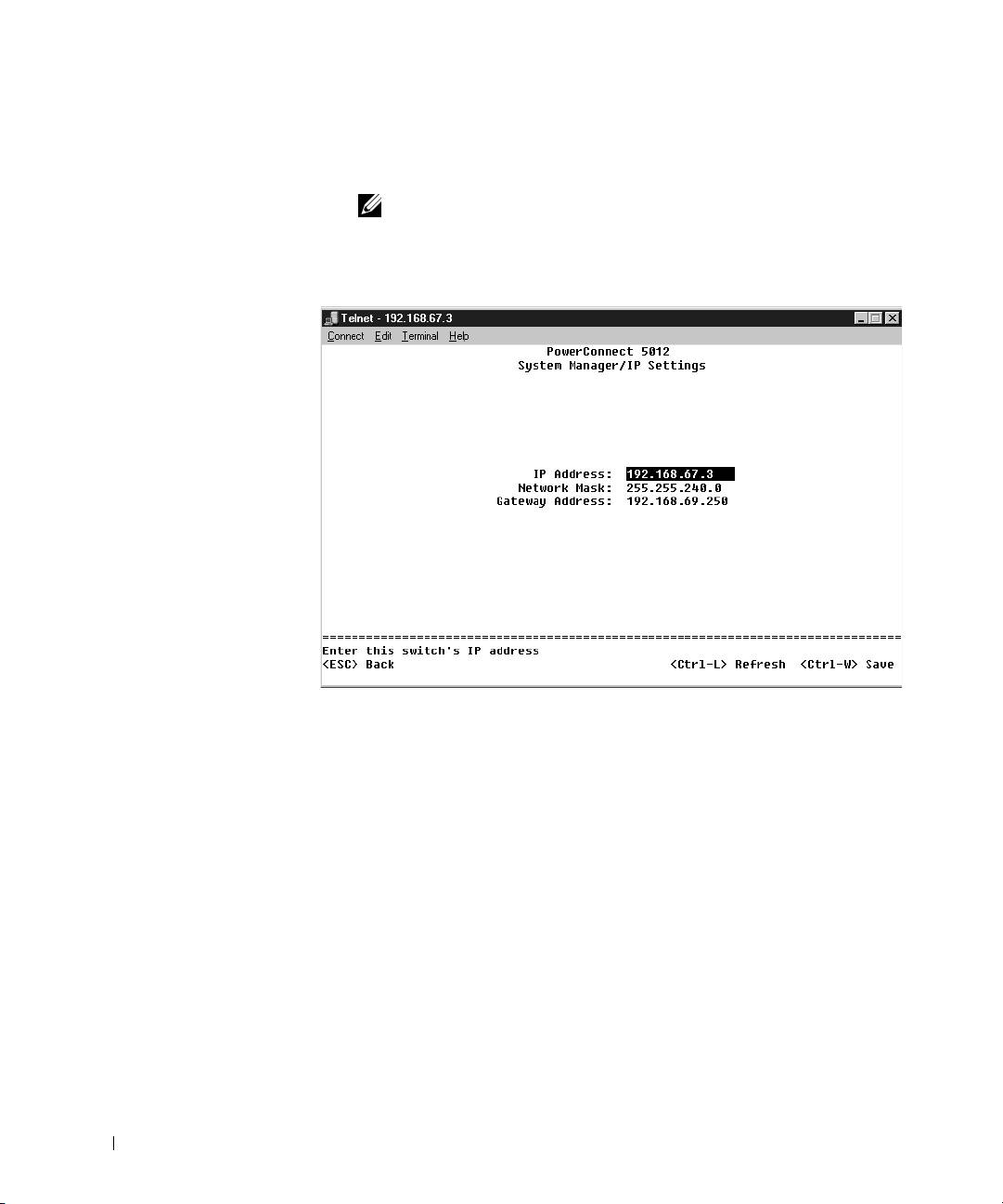
To assign an IP address to the switch:
1 From the Main Menu, select System Manager and press <Enter>.
2 Select IP Settings.
3 In the first field, type the correct IP address for the system.
4 Enter the IP address of the default gateway for the network to which
the switch belongs.
14 PowerConnect System Information Guide
