
Beurer BM 65: 8. Error messages/trouble-shooting 7. Saving, retrieving and deleting results
8. Error messages/trouble-shooting 7. Saving, retrieving and deleting results: Beurer BM 65
Table of contents
- 2. Important information Signs and symbols 1. Getting to know your instrument
- Advice on use
- Storage and Care Advice on batteries
- 3. Unit description Repair and disposal
- Icons in the display: System requirements for the Beurer “Health Manager” computer software 1. Supported operating systems: 2. Supported architectures: 3. Hardware requirements:
- 4. Prepare measurement Setting date and time Inserting battery Operation with the mains part
- 5. Measuring blood pressure Positioning cuff
- Correct posture Measuring blood pressure
- 6. Evaluating results Cardiac arrhythmia: WHO classification: Range of blood pressure values Systolic
- 8. Error messages/trouble-shooting 7. Saving, retrieving and deleting results
- 10. Specifications Technical alarm – description 9. Cleaning and storing the instrument
- Technical information is subject to change without notifica- tion to allow for updates.
- 11. Adapter
The WHO classification in the display shows the range of
•
To switch off, press the MEM button again or the START/
the measured blood pressure.
STOP button .
If the values for systolic and diastolic pressure are in two
•
If you forget to switch off the device, it will switch off
different WHO ranges (e.g. systolic in the grade hyperten-
automatically after 2 minutes.
sion range and diastolic pressure in the normal range), the
8. Error messages/trouble-shooting
WHO classification on the unit always indicates the higher
range (grade hypertension in the example described).
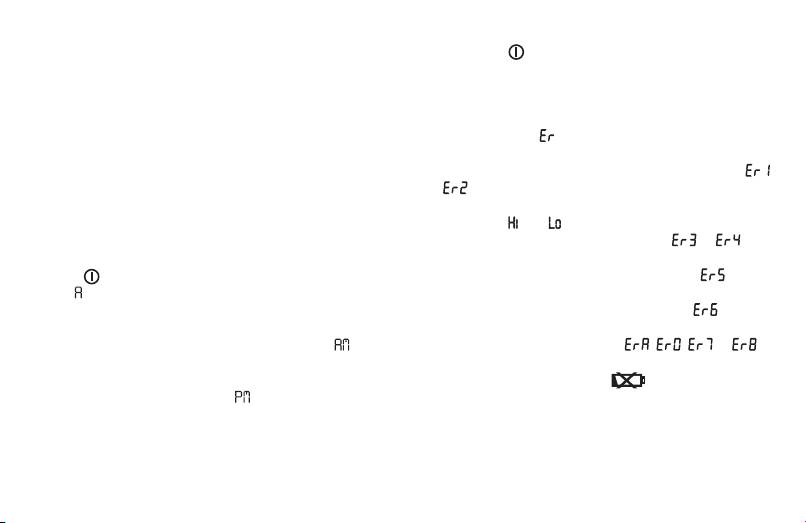
In case of faults, the _ message appears in the display.
Error messages may appear if:
7. Saving, retrieving and deleting results
• systolic or diastolic pressure could not be measured (
•
The results of each successful measurement are stored
or appears on the display)
together with date and time. With more than 30 items of
• systolic or diastolic pressure was outside the measure-
measured data, the earliest items of data measured are lost.
ment range („ “ or „ “ appears on the display)
•
Press MEM button to activate the memory function and
• the cuff is fastened too tightly or loosely ( or ap-
choose the desired user memory by using the
START/STOP
pears on the display)
button
. If you press the MEM button again, the average
• the pump pressure is higher than 300 mmHg ( ap-
value of all the stored measured values in the user memory
pears on the display)
will be displayed. If you press the MEM button again, the av-
• pumping up takes longer than 160 seconds ( appears
erage value of the last 7 days for the morning measurement
on the display)
will be displayed (Morning: 5 a.m. – 9 a.m., display ). If
• there is a system or device error ( , , or
you press the MEM button again, the average value of the
appears on the display)
last 7 days for the evening measurement will be displayed
• the batteries are almost empty .
(Evening: 6 p.m. – 8 p.m., display ). If you continue to
In such cases, repeat the measurement. Ensure you do not
press the MEM button, the most recent individual measured
move or speak.
values with date and time are displayed in turn.
If necessary, re-insert or replace the batteries.
•
You can delete the memory by pressing and holding the
MEM button for 3 seconds. All the values in the current
user memory are deleted after three beeps are output.
25
