
Dell PowerVault DP600: Installing the Bezel Complete the 0perating System Setup Technical Specifications Processor Expansion Bus
Installing the Bezel Complete the 0perating System Setup Technical Specifications Processor Expansion Bus: Dell PowerVault DP600
Table of contents
- Notes, Notices, and Cautions
- Contents
- System Features
- The system board includes the following features:
- Supported Operating Systems Other Information You May Need Obtaining Technical Assistance
- Installation and Configuration Unpacking the System
- Installing the Rails and System in a Rack
- Connecting the Keyboard, Mouse, and Monitor Connecting the Power
- Installing the Power Cord Retention Bracket Turning on the System
- Installing the Bezel Complete the 0perating System Setup Technical Specifications Processor Expansion Bus
- Memory Drives Connectors
- Connectors (continued) Video Power Physical
- Physical (continued) Environmental
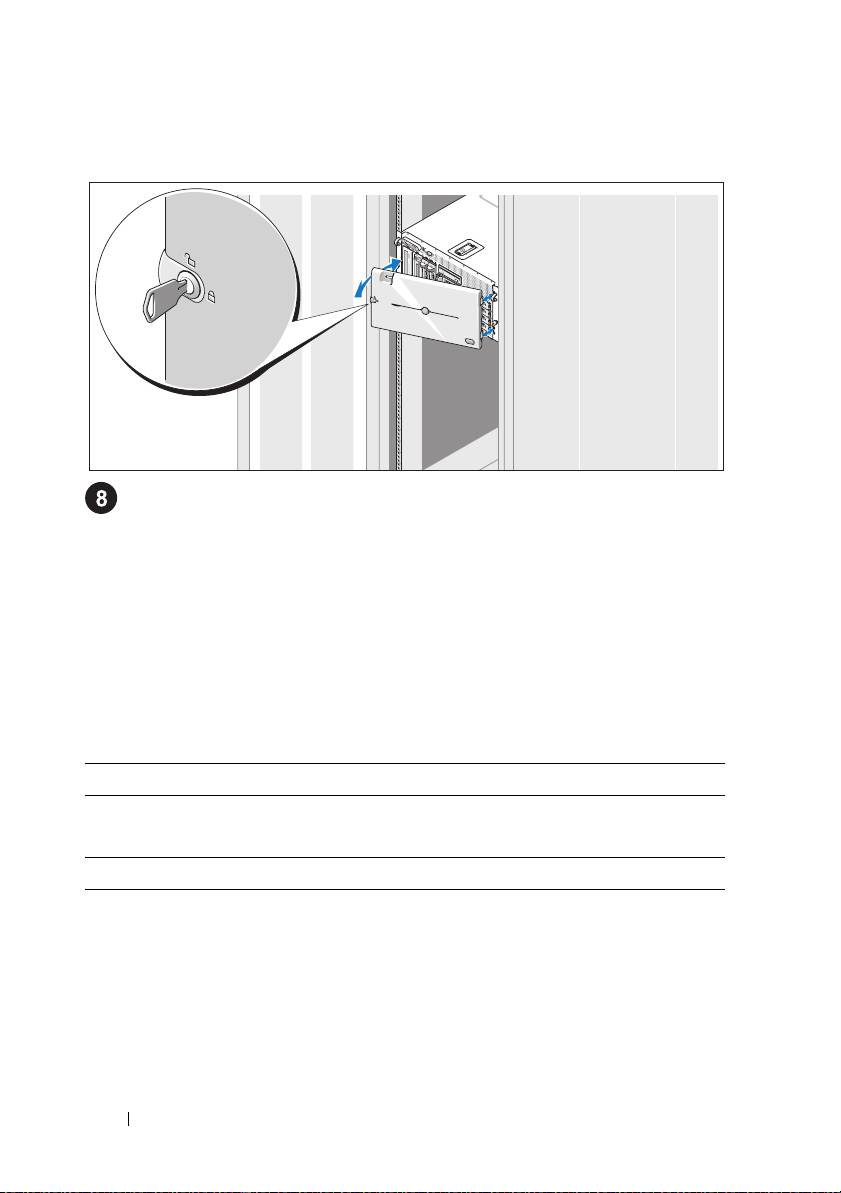
Installing the Bezel
Install the bezel (optional).
Complete the 0perating System Setup
If you purchased a preinstalled operating system, see the operating system
documentation that ships with your system. To install an operating system for the
first time, see the
Quick Installation Guide
. Be sure the operating system is installed
before installing hardware or software not purchased with the system.
Technical Specifications
Processor
Processor type One or two Dual-Core Intel Xeon Processors 5000
Sequence
Expansion Bus
Bus type PCI, PCI-X, PCIe
Expansion slots
PCI-X
two full-height, full-length 3.3-V, 64-bit, 133-MHz
(slots 1 and 2)
PCIe
one x8 lane, 3.3-V (slot 3)
three x4 lanes, 3.3-V (slots 4 through 6)
12 Getting Started With Your System
Top 10 manuals
100.00
NZXT HALE90 1000W99.99
Samsung SM-R38099.97
AEG BSB 18C99.97
Dell 2700W99.97
Smeg KSEC70X99.96
Beurer HDE 4099.96
Pyramida KH 50 v.299.96
MSI CSM-H81M-P3299.96
AEG HR 562799.95
Melissa 640-048