
Dell PowerEdge C6220 II – page 8
Manual for Dell PowerEdge C6220 II
Table of contents
- Notes, Cautions, and Warnings
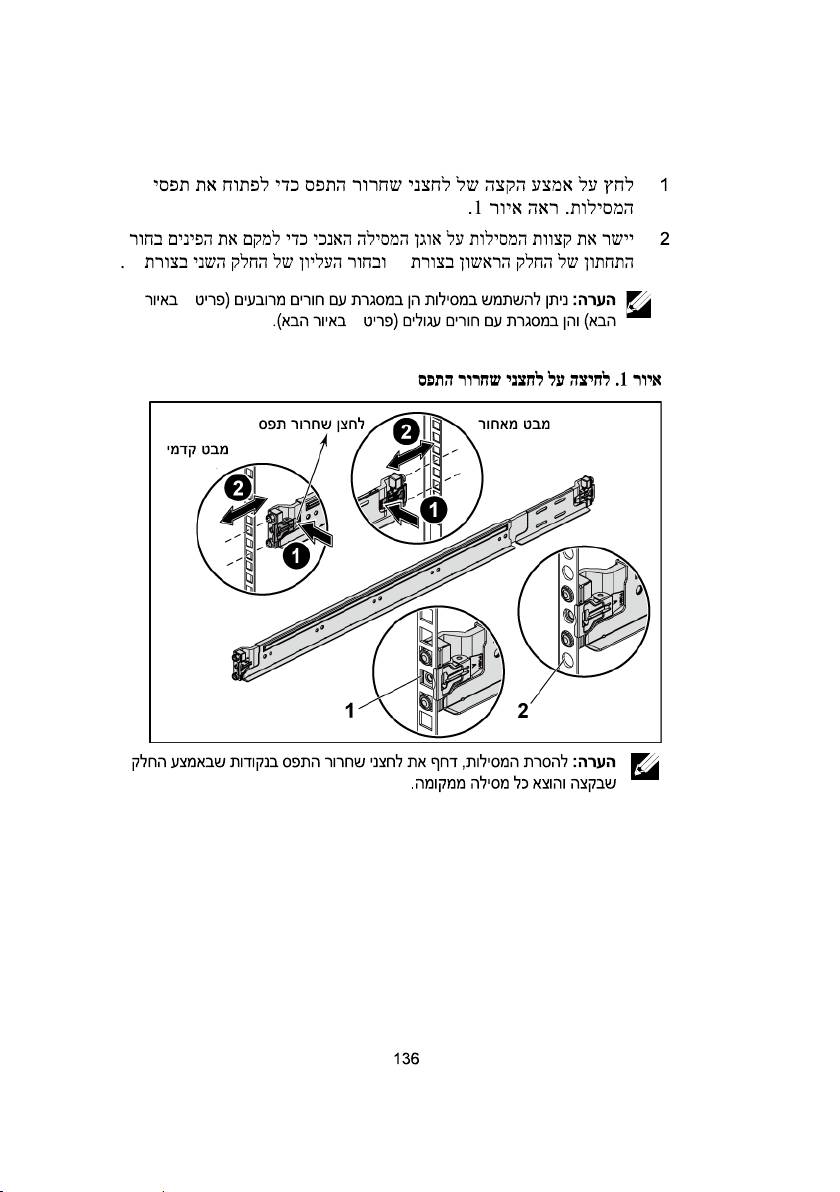
- Installation and Configuration Installing the Tool-Less Rail Solution
- Figure 1. Pushing the Latch Release Buttons
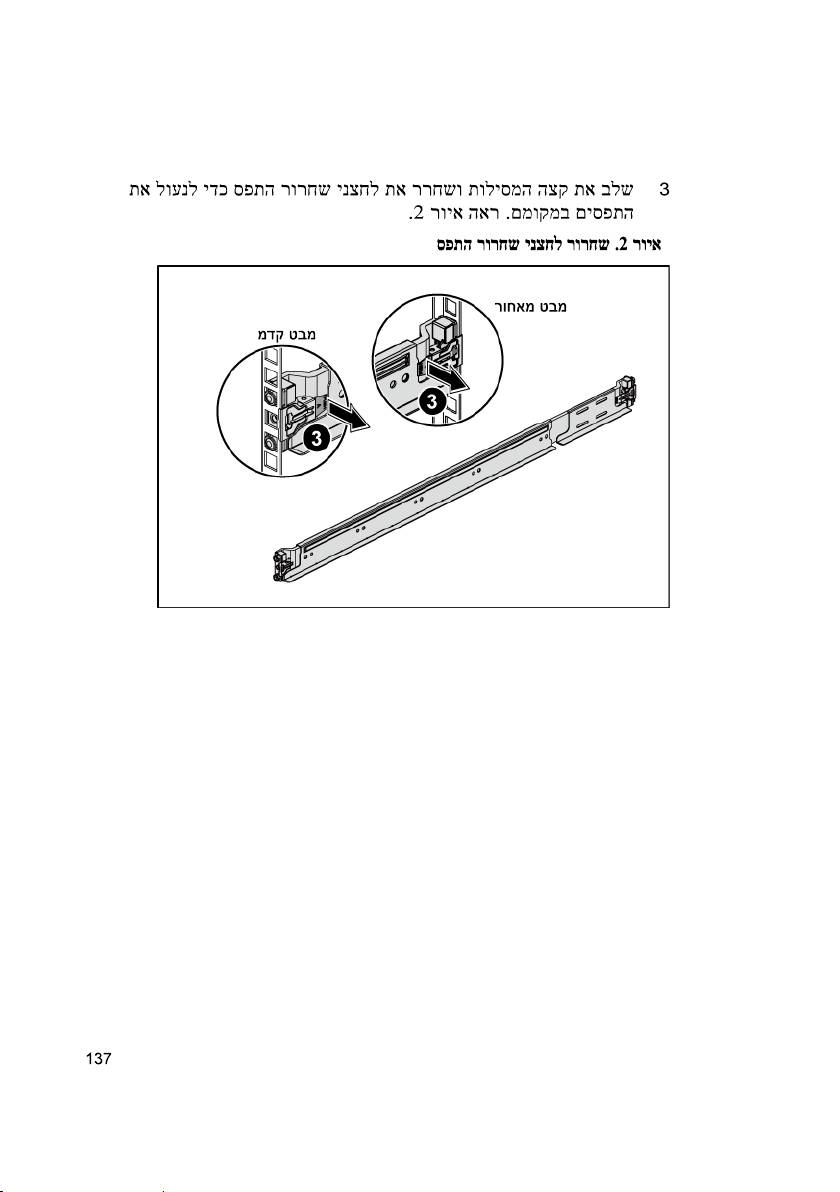
- Figure 2. Releasing the Latch Release Buttons
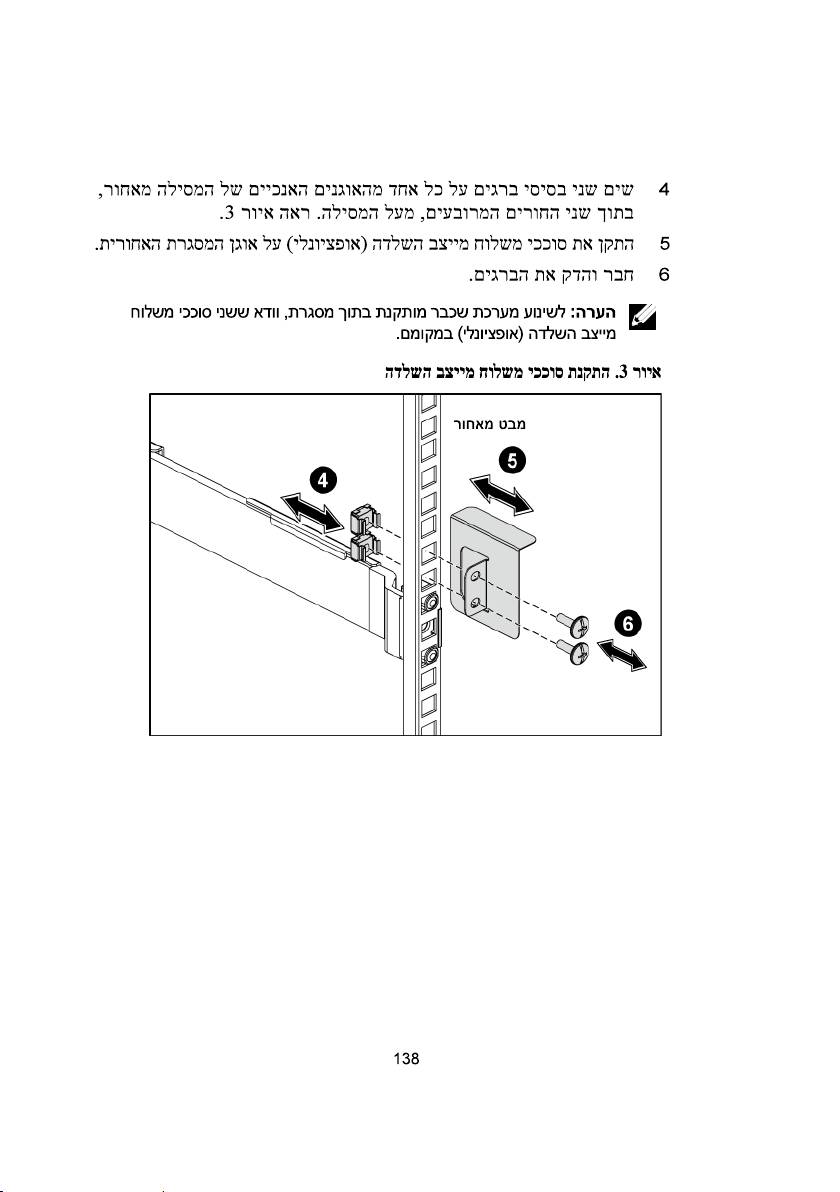
- Figure 3. Installing the Chassis Stabilizer Shipping Brackets
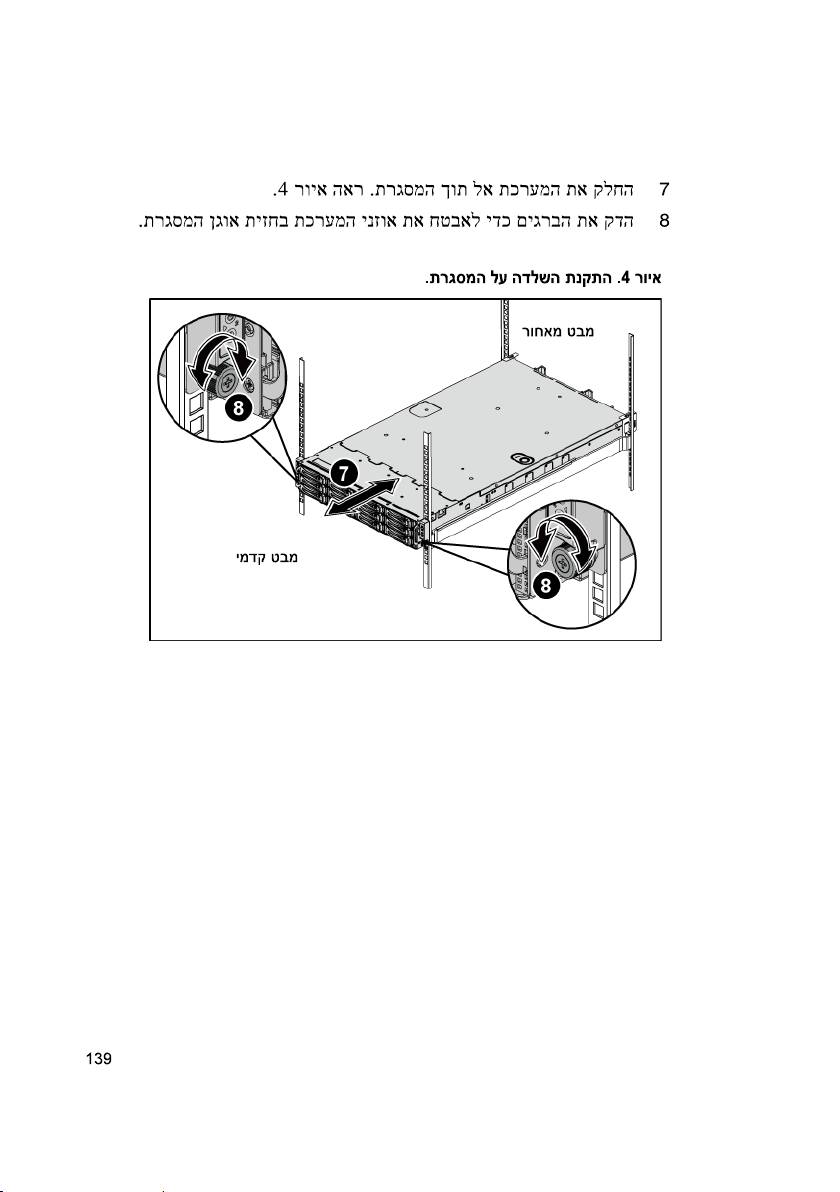
- Figure 4. Installing the Chassis onto the Rack.
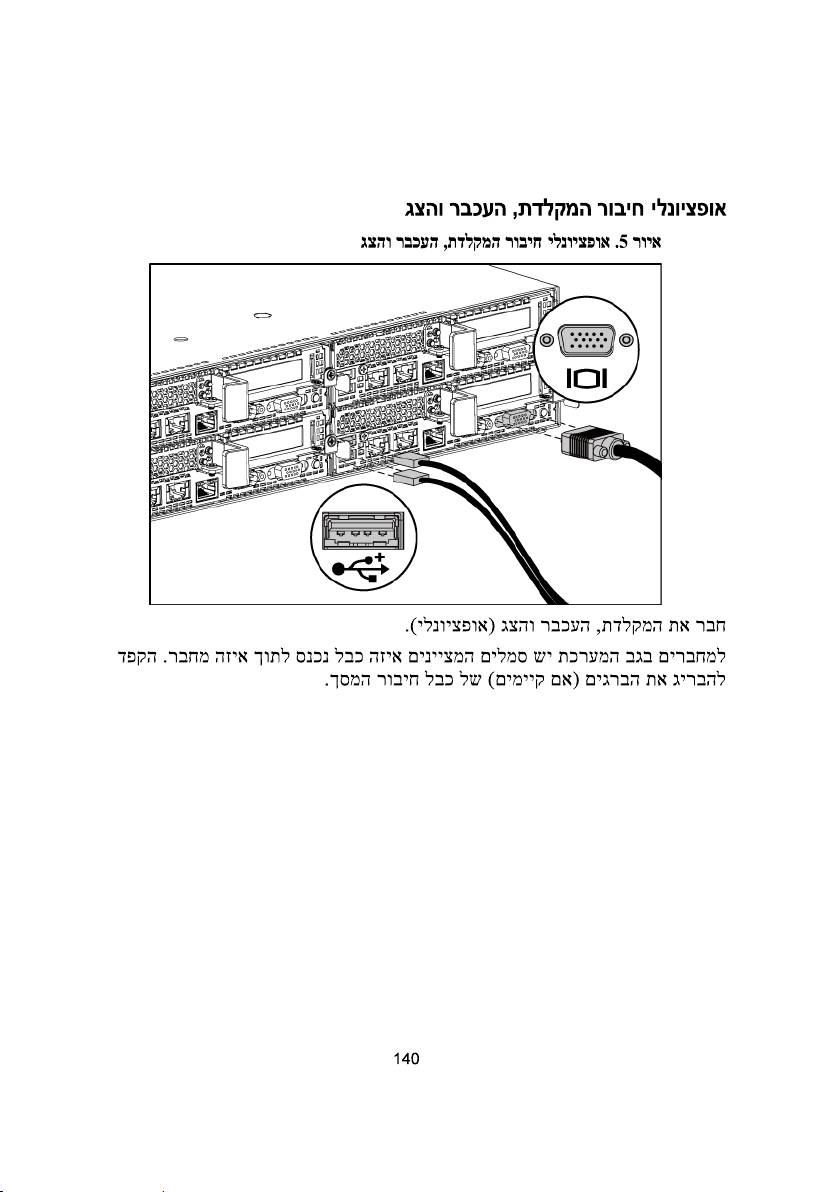
- Optional—Connecting the Keyboard, Mouse, and Monitor Figure 5. Optional—Connecting the Keyboard, Mouse and Monitor
- Connecting the Power Cable(s) Figure 6. Connecting the Power Cable
- Turning on the System Figure 7. Pressing the Power Button on the Front of the System Figure 8. Pressing the Power Button on the Back of the System
- Complete the Operating System Setup Other Information You May Need NOM Information (Mexico Only)
- Technical Specifications Power AC power supply (per power supply)
- Battery (per system board) Physical Environmental Relative humidity Maximum vibration
- Maximum shock Altitude Airborne Contaminant Level
-
-
| תליחת הדובעה םע תכרעמה
| תליחת הדובעה םע תכרעמה
| תליחת הדובעה םע תכרעמה
| תליחת הדובעה םע תכרעמה
UU
| תליחת הדובעה םע תכרעמה
1
2
| תליחת הדובעה םע תכרעמה
1.2.7.3IEC 60950-1: 2001
.
-.
2013 Dell Inc
-Dell Inc
Dell™Dell-PowerEdge™
Dell IncIntel-XeonIntelIntel
CorporationRed Hat Enterprise Linux-Enterprise Linux
Novell
-SUSE™Novell IncCitrix-
XenServer
VMware
Dell Inc
S08B
2013MYF2N 00A

Dell PowerEdge
C6220 II


Printed in Poland
Vytištěno v Polsku
Imprimé en Pologne
Gedruckt in Polen
Εκτύπωση στην Πολωνία
Wydrukowano w Polsce
Напечатано в Польше
Impreso en Plonia
Polonya’da basılmıştır
www.dell.com | support.dell.com
