
Dell Latitude C810: Safety and EMC Instructions: Portable Computers Safety Instructions
Safety and EMC Instructions: Portable Computers Safety Instructions: Dell Latitude C810
Table of contents
- System Information
- Notes, Notices, Cautions
- Dell™ Latitude™ System Information Other Documents Available Documents on the Web
- Safety and EMC Instructions: Portable Computers Safety Instructions
- Dell™ Latitude™ C810 System Information 7
- Power (Safety Instructions, continued)
- Battery (Safety Instructions, continued)
- Air Travel (Safety Instructions, continued) EMC Instructions
- When Using Your Computer
- 12 Dell™ Latitude™ C810 System Information
- Ergonomic Computing Habits
- When Removing or Installing Memory Modules
- Protecting Against Electrostatic Discharge
- Getting Started Accessories Box Contents
- Connecting the AC Adapter AC Adapter Connection Turning On the Computer
- Turning On the Computer
- Computer Components Front View
- Right Side View
- Back View
- Left Side View
- Replacing the Main Battery
- Battery Removal From the Battery Bay
- Regulatory Notices NOM Information (Mexico Only)
- Información para NOM (únicamente para México) Getting Help
- To start the diagnostics, perform the following steps:
2E409bk0.book Page 6 Thursday, July 5, 2001 9:37 AM
Safety and EMC Instructions: Portable
Computers
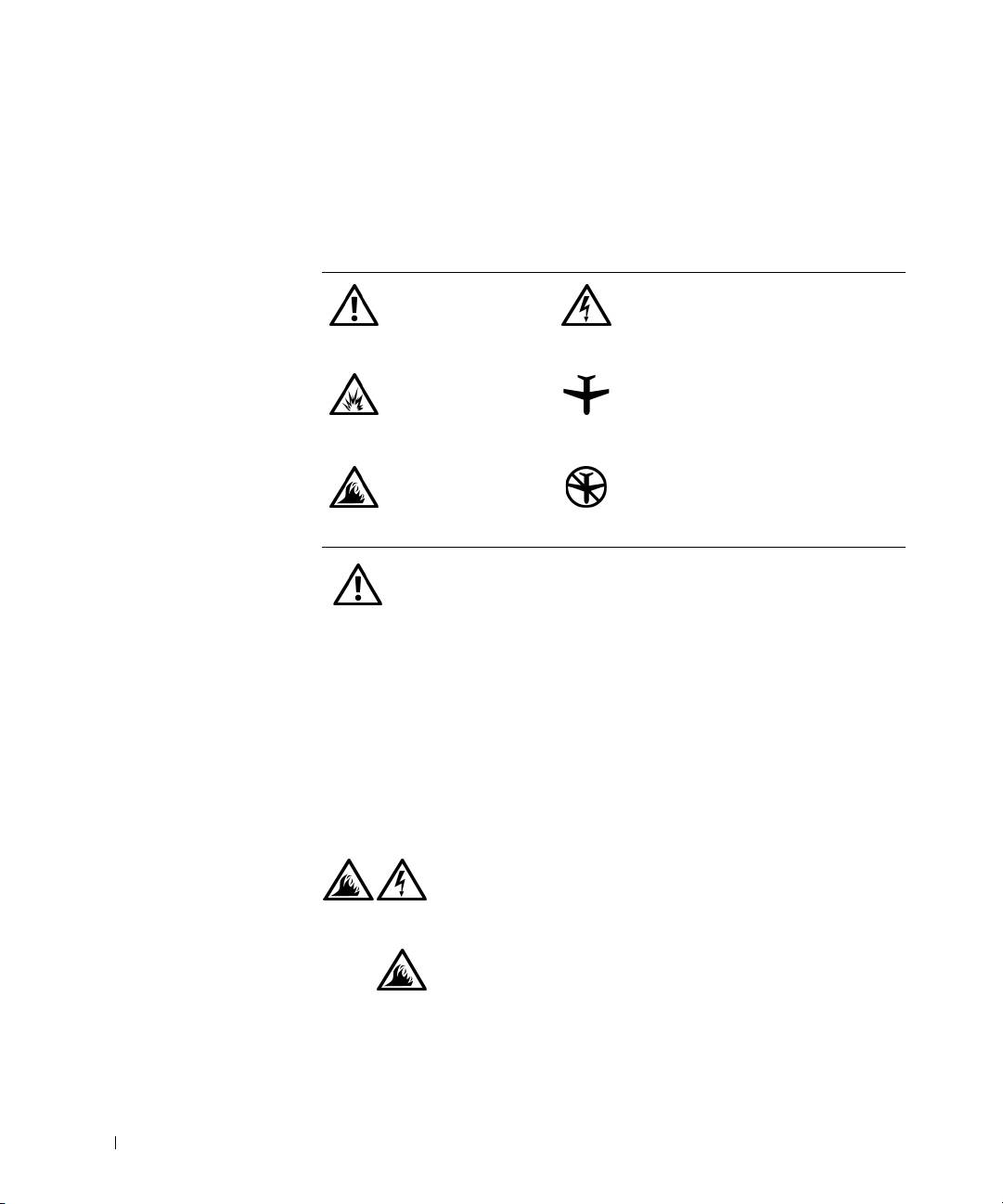
The following information defines the meaning of symbols used in the
Safety and Electromagnetic Compatibility (EMC) Instructions.
Attention: Caution Risk of electric shock
Risk of explosion Aircraft
www.dell.com | support.dell.com
Risk of fire Use of this feature may be prohibited
on aircraft
Safety Instructions
General
• Do not attempt to service the computer yourself unless
you are an authorized service technician. Always follow
installation instructions closely.
• If you use an extension power cable with your AC
adapter, ensure that the total ampere rating of the
products plugged in to the extension power cable does
not exceed the ampere rating of the extension cable.
• Do not push objects into air vents or openings of your
computer. Doing so can cause fire or electric shock by
shorting out interior components.
• Place the AC adapter in a ventilated area, such as a desk
top or on the floor, when you use it to run the computer
or to charge the battery. Do not cover the AC adapter
with papers or other items that will reduce cooling; also,
do not use the AC adapter inside a carrying case.
6 Dell™ Latitude™ C810 System Information
