
Dell Latitude C810: Battery Removal From the Battery Bay
Battery Removal From the Battery Bay: Dell Latitude C810
Table of contents
- System Information
- Notes, Notices, Cautions
- Dell™ Latitude™ System Information Other Documents Available Documents on the Web
- Safety and EMC Instructions: Portable Computers Safety Instructions
- Dell™ Latitude™ C810 System Information 7
- Power (Safety Instructions, continued)
- Battery (Safety Instructions, continued)
- Air Travel (Safety Instructions, continued) EMC Instructions
- When Using Your Computer
- 12 Dell™ Latitude™ C810 System Information
- Ergonomic Computing Habits
- When Removing or Installing Memory Modules
- Protecting Against Electrostatic Discharge
- Getting Started Accessories Box Contents
- Connecting the AC Adapter AC Adapter Connection Turning On the Computer
- Turning On the Computer
- Computer Components Front View
- Right Side View
- Back View
- Left Side View
- Replacing the Main Battery
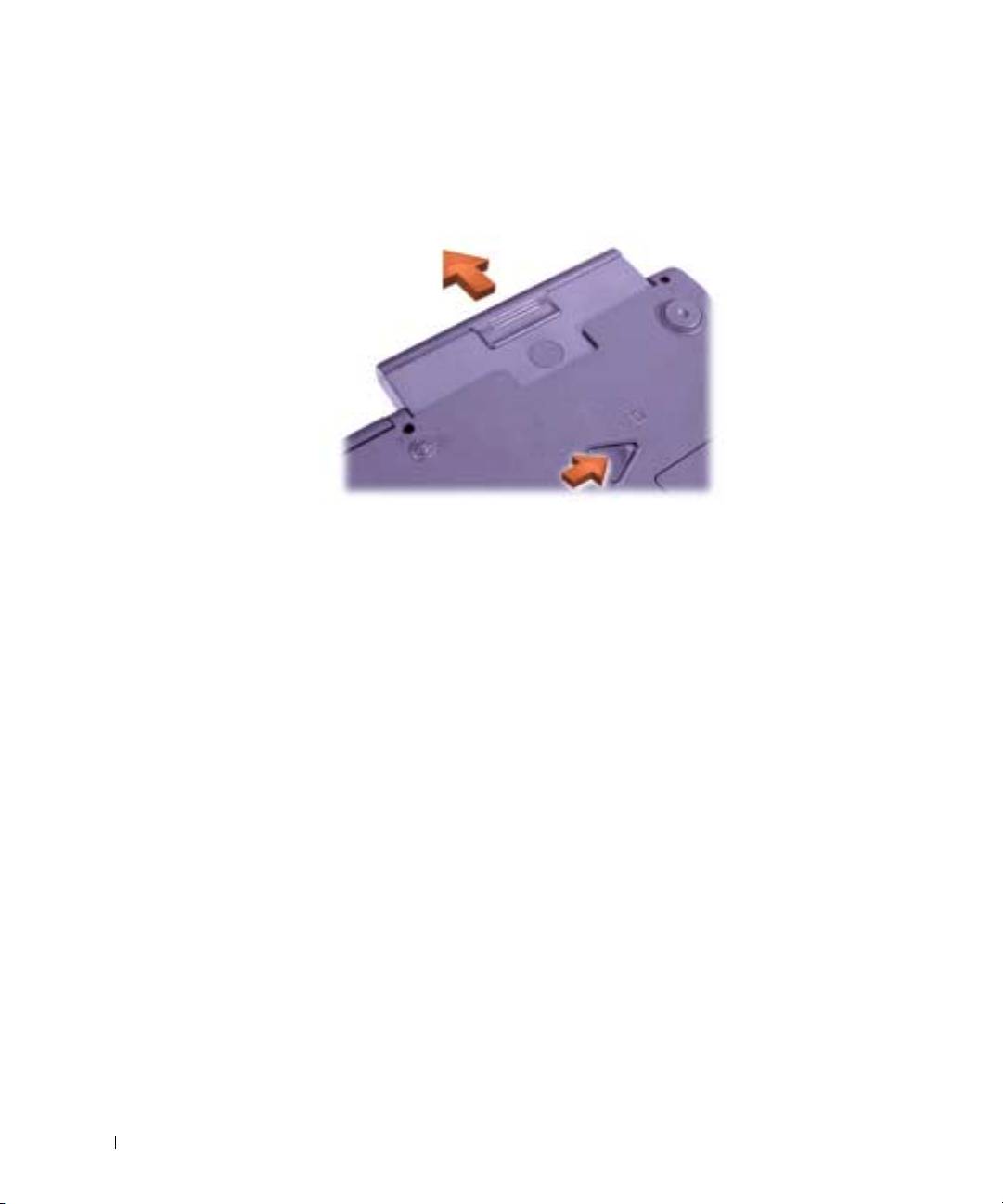
- Battery Removal From the Battery Bay
- Regulatory Notices NOM Information (Mexico Only)
- Información para NOM (únicamente para México) Getting Help
- To start the diagnostics, perform the following steps:
2E409bk0.book Page 24 Thursday, July 5, 2001 9:37 AM
5 Close the computer display, turn the computer over, and remove the
battery.
Battery Removal From the Battery Bay
www.dell.com | support.dell.com
6
Slide the new battery firmly into the battery bay. You should hear a
click when the battery is fully seated.
7 Depending on the power management mode the computer is in, press
the power button or open the display to resume normal operation.
24 Dell™ Latitude™ C810 System Information
Top 10 manuals
100.00
NZXT HALE90 1000W99.99
Samsung SM-R38099.97
AEG BSB 18C99.97
Dell 2700W99.97
Smeg KSEC70X99.96
Beurer HDE 4099.96
Pyramida KH 50 v.299.96
MSI CSM-H81M-P3299.96
AEG HR 562799.95
Melissa 640-048