
Dell DX6004S: Connecting the Power Cable(s) Securing the Power Cables
Connecting the Power Cable(s) Securing the Power Cables: Dell DX6004S
Table of contents
- Getting Started With Your System
- Notes, Cautions, and Warnings
- Installation and Configuration Unpacking the System Installing the Rails and System in a Rack
- Connecting the Power Cable(s) Securing the Power Cables
- Turning On the System Installing the Optional Bezel
- Other Information You May Need Obtaining Technical Assistance
- NOM Information (Mexico Only) Technical Specifications Processor Expansion Bus Memory
- Drives Connectors Video Power
- Physical Environmental Power (continued)
- Environmental (continued)
4
Getting Started With Your System
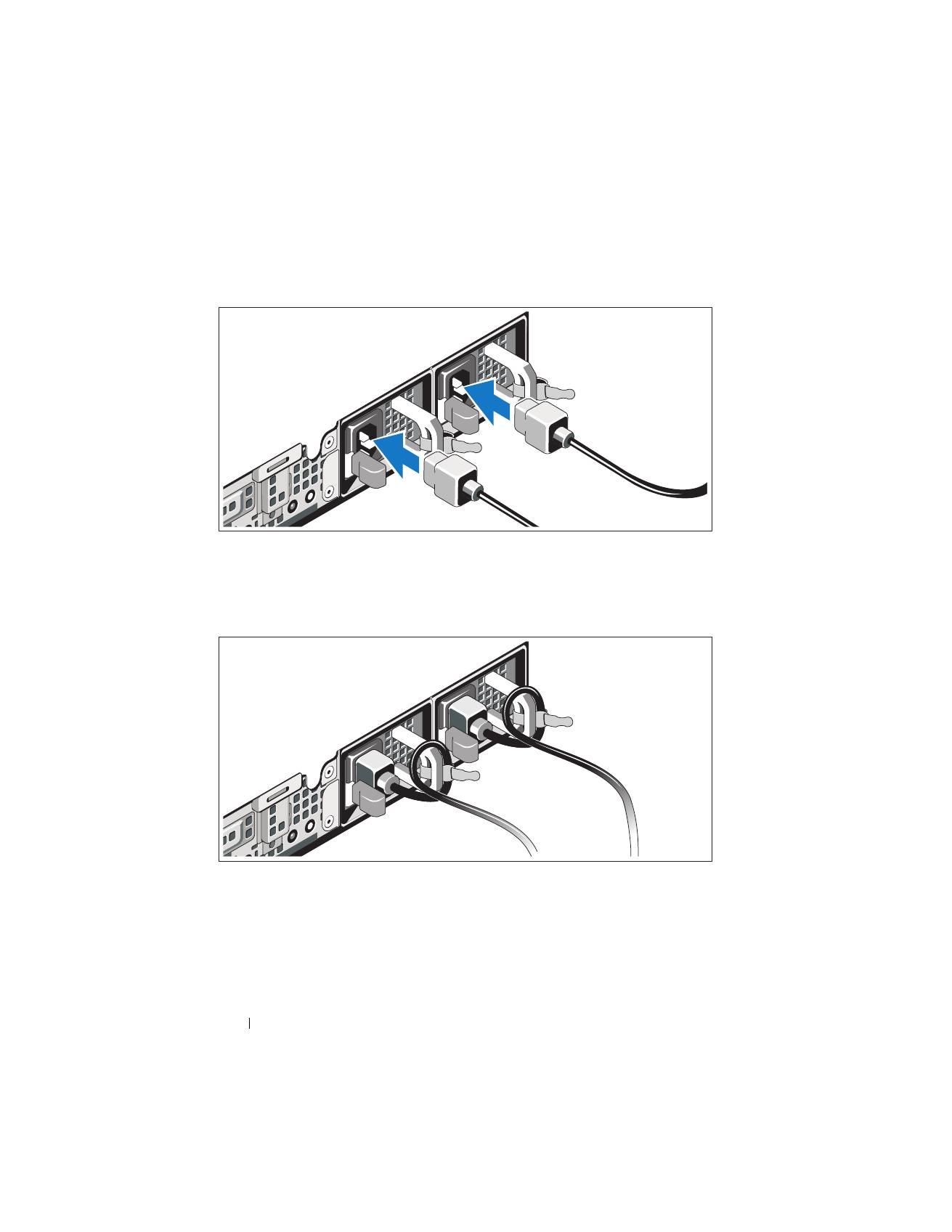
Connecting the Power Cable(s)
Connect the system’s power cable(s) to the system.
Securing the Power Cables
Bend the system power cables into a loop as shown in the illustration and
secure the cables to the brackets using the provided strap. Plug the other end
of the power cables into a grounded electrical outlet or a separate
power source such as an uninterrupted power supply (UPS) or
a power distribution unit (PDU).
Top 10 manuals
100.00
NZXT HALE90 1000W99.99
Samsung SM-R38099.97
AEG BSB 18C99.97
Dell 2700W99.97
Smeg KSEC70X99.96
Beurer HDE 4099.96
Pyramida KH 50 v.299.96
MSI CSM-H81M-P3299.96
AEG HR 562799.95
Melissa 640-048