
Beurer BM 85: 9. Cleaning and storing the unit 0. Error messages/trouble-shooting 11. Battery
9. Cleaning and storing the unit 0. Error messages/trouble-shooting 11. Battery: Beurer BM 85
Table of contents
- 1. Getting to know your instrument 2. Important notes Signs and symbols
- Notes on use
- Notes on batteries Instructions for repairs and disposal Instructions for storage and maintenance
- 3. Unit description
- Information on the display: USB interface System requirements for the Beurer “HealthManager” PC software.
- 4. Preparing for the measurement Press and hold the START/STOP button
- 5. Measuring blood pressure Attaching the cuff
- Performing the blood pressure measurement Adopting the correct posture
- 6. Evaluating results Cardiac arrhythmia: WHO classification:
- Resting indicator measurement (using HSD diagnostics) GREEN: haemodynamically stable RED: lack of haemodynamic stability
- 7. Displaying and deleting measurements
- Average values Individual measured values Deleting measured values
- 8. Transferring measurements Transfers using the USB interface
- 9. Cleaning and storing the unit 0. Error messages/trouble-shooting 11. Battery
- 12. Technical specifications
- Technical information is subject to change without notification 3. Mains part to allow for updates.
®
If your smartphone has a protective cover, remove this to ensu-
• the data could not be sent via Bluetooth
(
).
re that there is no interference during the transfer. Begin the
In such cases, repeat the measurement and/or the data trans-
data transfer in the Beurer “HealthManager” app.
fer. Ensure that the cuff line is correctly attached and that you
9. Cleaning and storing the unit
do not move or speak during the measurement.
•
Clean the unit and cuff carefully using a slightly damp cloth
Technical alarm – description
only.
Should the recorded blood pressure (systolic or diastolic) lie
•
Do not use any cleaning agents or solvents.
outside the limits specified in the section “Technical specifica-
•
Under no circumstances should you hold the unit under wa-
tions”, the technical alarm will appear on the display indicating
ter, as this can cause liquid to enter and damage the unit.
either “
” or “ Lo ”. In such cases, you should seek medical as-
•
If you store the unit, no heavy objects should be placed on
sistance and check the accuracy of your procedure.
top of it. The cuff line should not be bent sharply.
The limit values for the technical alarm are factory set and can-
not be adjusted or deactivated. These alarm limit values are
1
0. Error messages/trouble-shooting
accorded second priority under the standard IEC 60601-1-8.
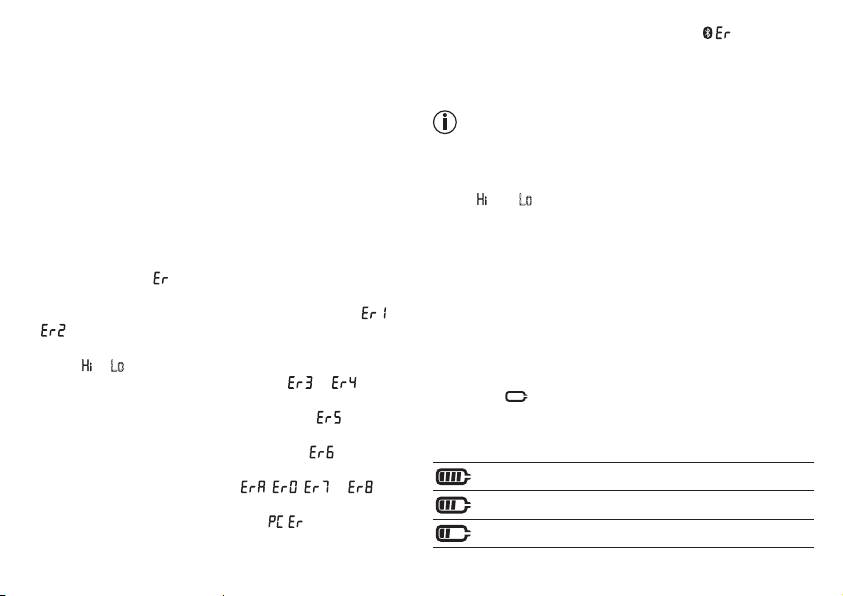
In case of faults, the _ message appears in the display.
The technical alarm is a non-locking alarm and must not be
Error messages may appear if:
reset. The signal shown on the display will disappear automati-
•
systolic or diastolic pressure could not be measured ( or
cally after about 8 seconds.
appears on the display)
•
systolic or diastolic pressure was outside the measurement
11. Battery
range ( or Lo appears on the display)
The BM 85 is equipped with a lithium ion battery (3.7V/400
•
the cuff is fastened too tightly or loosely ( or appears
mAh). If the symbol flashes, you must charge the battery
on the display)
for a minimum of two hours using the enclosed cable. Rechar-
•
the pump pressure is higher than 300 mmHg ( appears
ge the battery to between 50 and 75 % of its capacity at least
on the display)
twice a year to achieve a maximum battery service life.
•
pumping up takes longer than 160 seconds ( appears on
the display)
Device charged (75% - 100%)
•
there is a system or device error ( , , or ap-
pears on the display)
Device charged (50% – 75%)
•
the data could not be sent to the PC ( appears in the
Device charged (25% - 50%)
display).
32
