
Dell PowerEdge RAID Controller 6i: Figure 2. Removing the BBU
Figure 2. Removing the BBU: Dell PowerEdge RAID Controller 6i
Table of contents
- Notes, Notices, and Cautions
- Removing and Installing the Battery and Battery Cable on PERC Controllers Important Safety Information
- Removing the Transportable Battery Backup Unit (TBBU) from a PERC x/E Adapter Figure 1. PERC x/E Adapter Dirty Cache LED Location
- Figure 2. Removing the BBU
- Installing the New BBU and Battery Cable
- Figure 3. Installing the BBU and Battery Cable
- Installing the TBBU on a PERC x/E Adapter
- Figure 4. Installing a Dual In-line Memory Module
- Removing the DIMM from a PERC x/i Controller
- Disconnecting the BBU from a PERC x/i Controller
- Installing the DIMM and BBU to a PERC x/i controller
3
Remove the TBBU assembly from the PERC
x
/E Adapter by pressing down
on the tabs at each edge of the memory module connector and lifting the
TBBU off the adapter.
4
Disconnect the battery cable from the memory module.
NOTE: Do not exert excessive pressure on the connector on the memory
module while removing the memory module.
5
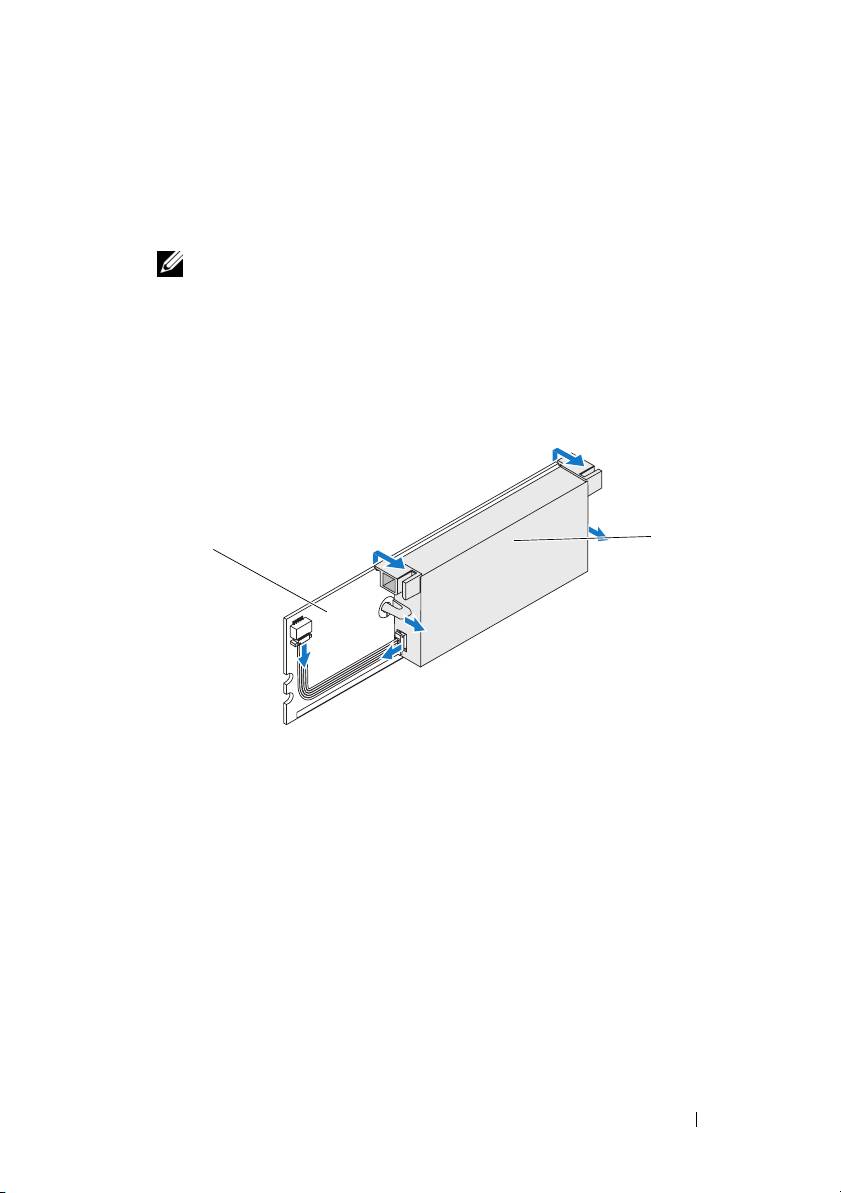
Detach the battery from the memory module by pressing out on the
battery clips inserted through the memory module and rotating the
battery off the memory module. See Figure 2.
Figure 2. Removing the BBU
2
1
1 memory module 2 battery
Removing and Installing the Battery and Battery Cable on PERC Controllers 5
Top 10 manuals
100.00
NZXT HALE90 1000W99.99
Samsung SM-R38099.97
AEG BSB 18C99.97
Dell 2700W99.97
Smeg KSEC70X99.96
Beurer HDE 4099.96
Pyramida KH 50 v.299.96
MSI CSM-H81M-P3299.96
AEG HR 562799.95
Melissa 640-048