
Dell POWERVAULT MD1000: Connecting the Power Cables Attaching the Power Cord Retention Bracket
Connecting the Power Cables Attaching the Power Cord Retention Bracket: Dell POWERVAULT MD1000
Table of contents
- Notes, Notices, and Cautions
- System Features
- Other Information You May Need Obtaining Technical Assistance Installation and Configuration
- Unpacking the System Installing the Rails and System in a Rack
- Connecting the Power Cables Attaching the Power Cord Retention Bracket
- Turning on the System Installing the Bezel
- Technical Specifications Drives Connectivity Enclosure Management Modules Backplane Board Back-Panel Connectors
- LED Indicators Power Supplies Available Hard-Drive Power (Per Slot) Physical
- Environmental
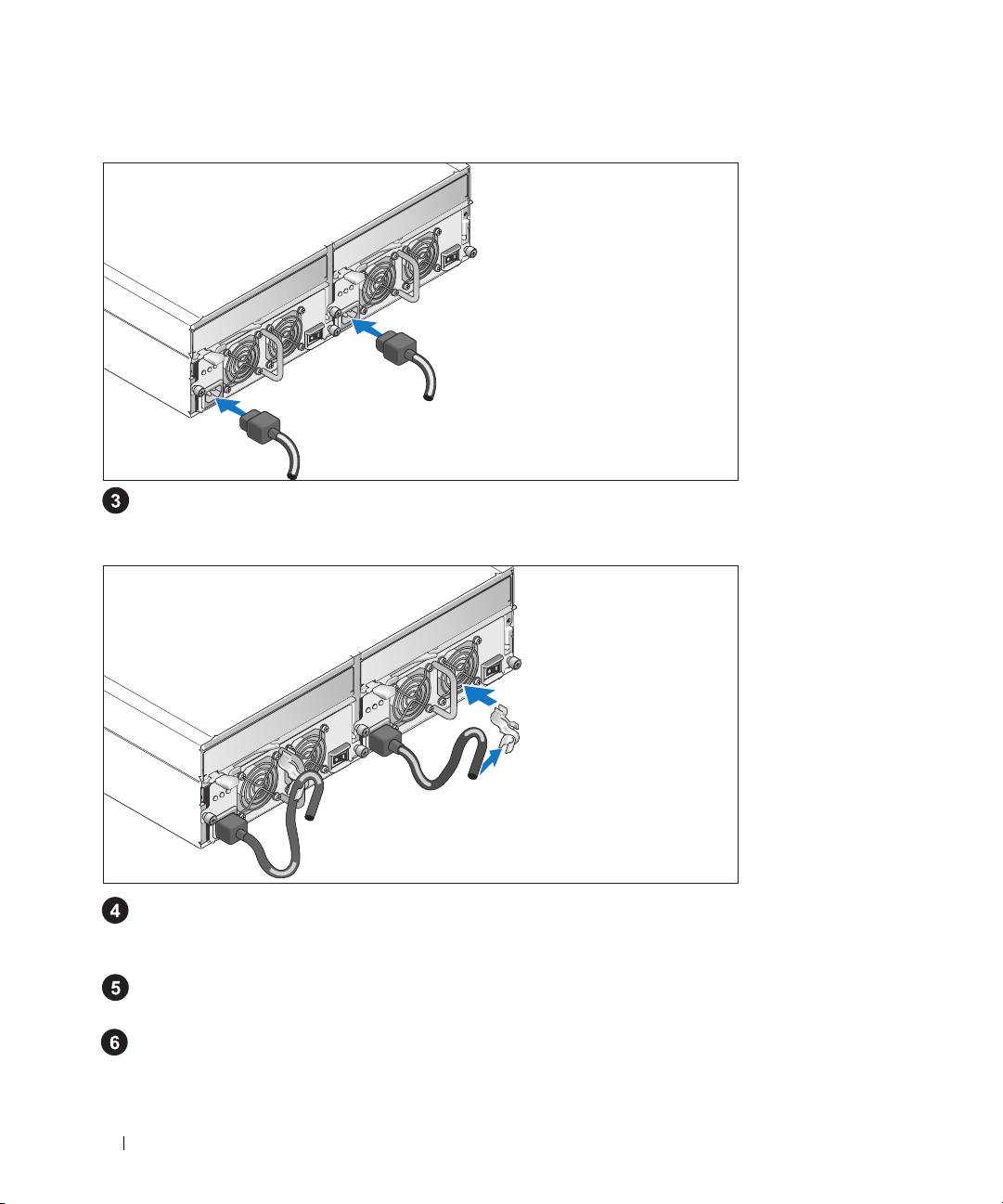
Connecting the Power Cables
Connect both power cables to the power supply/cooling fan modules.
Attaching the Power Cord Retention Bracket
Attach the power cord retention bracket to the power supply loop by affixing the back clasp of the
bracket to the top of the loop and the middle clasp to the vertical middle of the loop. Attach the
system power cable to the bracket’s cable clasp. Repeat the procedure for the second power supply.
Plug the other end of the power cables into a grounded electrical outlet or a separate power source
such as
an uninterruptible po
wer supply (UPS) or a power distribution unit (PDU).
Configure the storage mode for your system by setting the configuration switch on the front of the
system and cabling the EMM(s) according to the instructions provided in the
Hardware Owner’s
Manual
.
6 Getting Started With Your System
