
Dell OptiPlex GX60: CAUTION: Safety Instructions (continued) When Using Your Computer
CAUTION: Safety Instructions (continued) When Using Your Computer: Dell OptiPlex GX60
Table of contents
- Setup and Quick Reference Guide
- Notes, Notices, and Cautions
- Contents
- About This Guide Finding Information for Your Computer What Are You Looking For? Find it Here
- What Are You Looking For? Find it Here
- What Are You Looking For? Find it Here
- Solving Problems
- Using the Drivers and Utilities CD Drivers for Your Computer Running the Dell Diagnostics
- Changing the Boot Sequence Running the Dell IDE Hard Drive Diagnostics
- CAUTION: Safety Instructions General
- CAUTION: Safety Instructions (continued) When Using Your Computer
- When Using Your Computer (continued) When Working Inside Your Computer
- When Using Your Computer (continued) Regulatory Information
CAUTION: Safety Instructions (continued)
• To help protect your computer from sudden, transient increases and decreases in
electrical power, use a surge suppressor, line conditioner, or uninterruptible power supply
(UPS).
• Ensure that nothing rests on your computer’s cables and that the cables are not located
where they can be stepped on or tripped over.
• Do not push any objects into the openings of your computer. Doing so can cause fire or
electric shock by shorting out interior components.
• Keep your computer away from radiators and heat sources. Also, do not block cooling
vents. Avoid placing loose papers underneath your computer; do not place your computer
in a closed-in wall unit or on a bed, sofa, or rug.
www.dell.com | support.euro.dell.com
• Do not spill food or liquids on your computer. If the computer gets wet, consult your
User’s Guide.
When Using Your Computer
As you use your computer, observe the following safe-handling guidelines.
CAUTION: Do not operate your computer with any cover(s) (including computer
covers, bezels, filler brackets, front-panel inserts, and so on) removed.
• Your computer is equipped with one of the following:
– A fixed-voltage power supply — Computers with a fixed-voltage power supply do not
have a voltage selection switch on the back panel and operate at only one voltage
(see the regulatory label on the outside of the computer for its operating voltage).
– An auto-sensing voltage circuit — Computers with an auto-sensing voltage circuit do
not have a voltage selection switch on the back panel and automatically detect the
correct operating voltage.
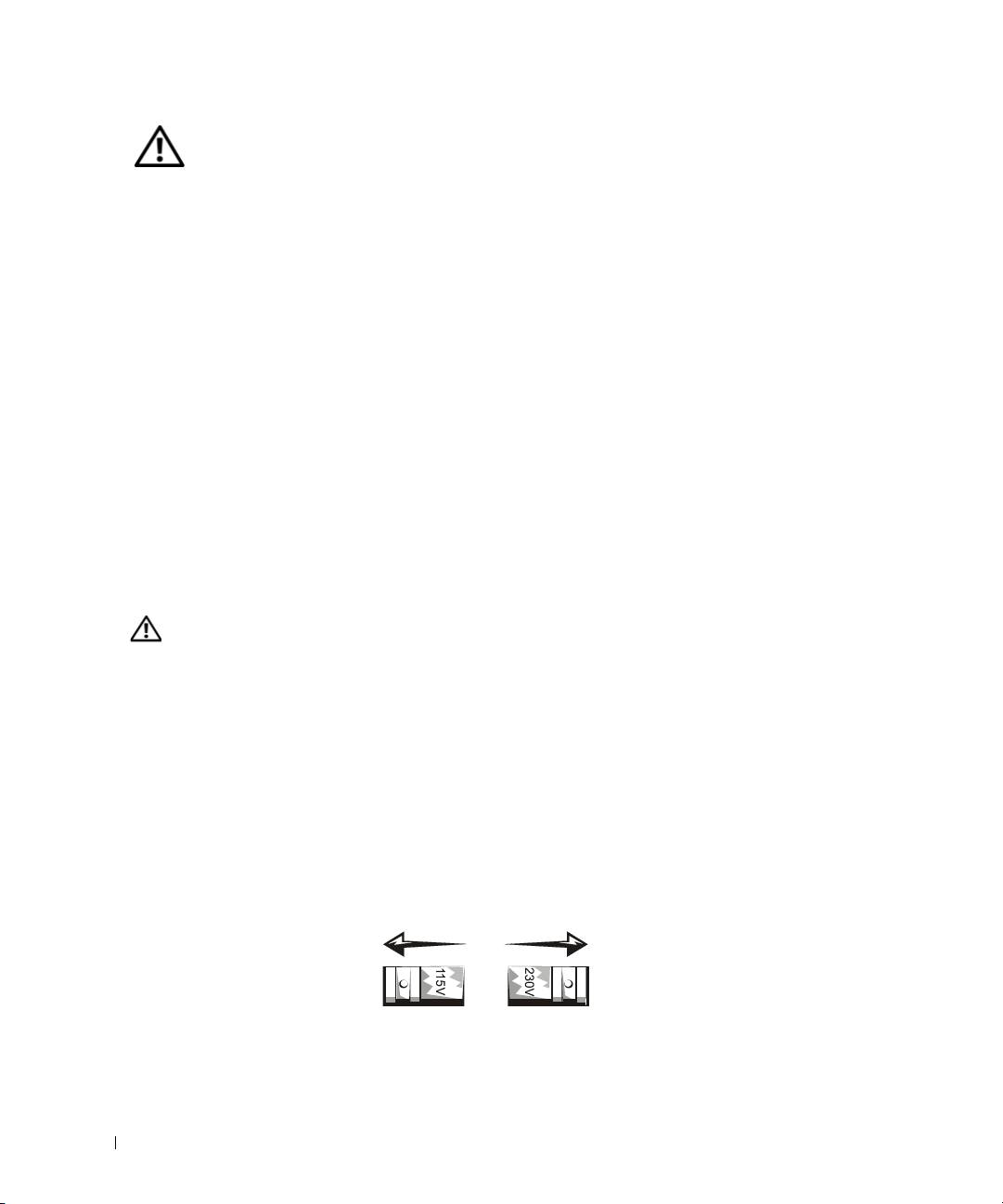
– A manual voltage selection switch — Computers with a voltage selection switch on
the back panel must be manually set to operate at the correct operating voltage.
12 Setup and Quick Reference Guide
