
Dell H950N: Installing the Battery Tray
Installing the Battery Tray: Dell H950N
Table of contents
- Notes and Warnings
- System Features
- Finding Information
- Installation and Startup Unpacking the System
- Lifting the Cabinet
- Identifying the UPS Figure 1. The Dell Online Rack UPS Front Panel Figure 2. UPS Rear Panel (2700W, 120V Shown)
- Rackmount Setup Opening the Battery Cover
- Removing the Battery Tray
- Positioning the Rails
- Attaching the R ails to the Rack
- Installing and Securing the Cabinet
- Installing the Battery Tray
- Installing the UPS Front Cover Connecting the Equipment
- Connecting the Power Cord
- Starting the UPS Completing the Startup
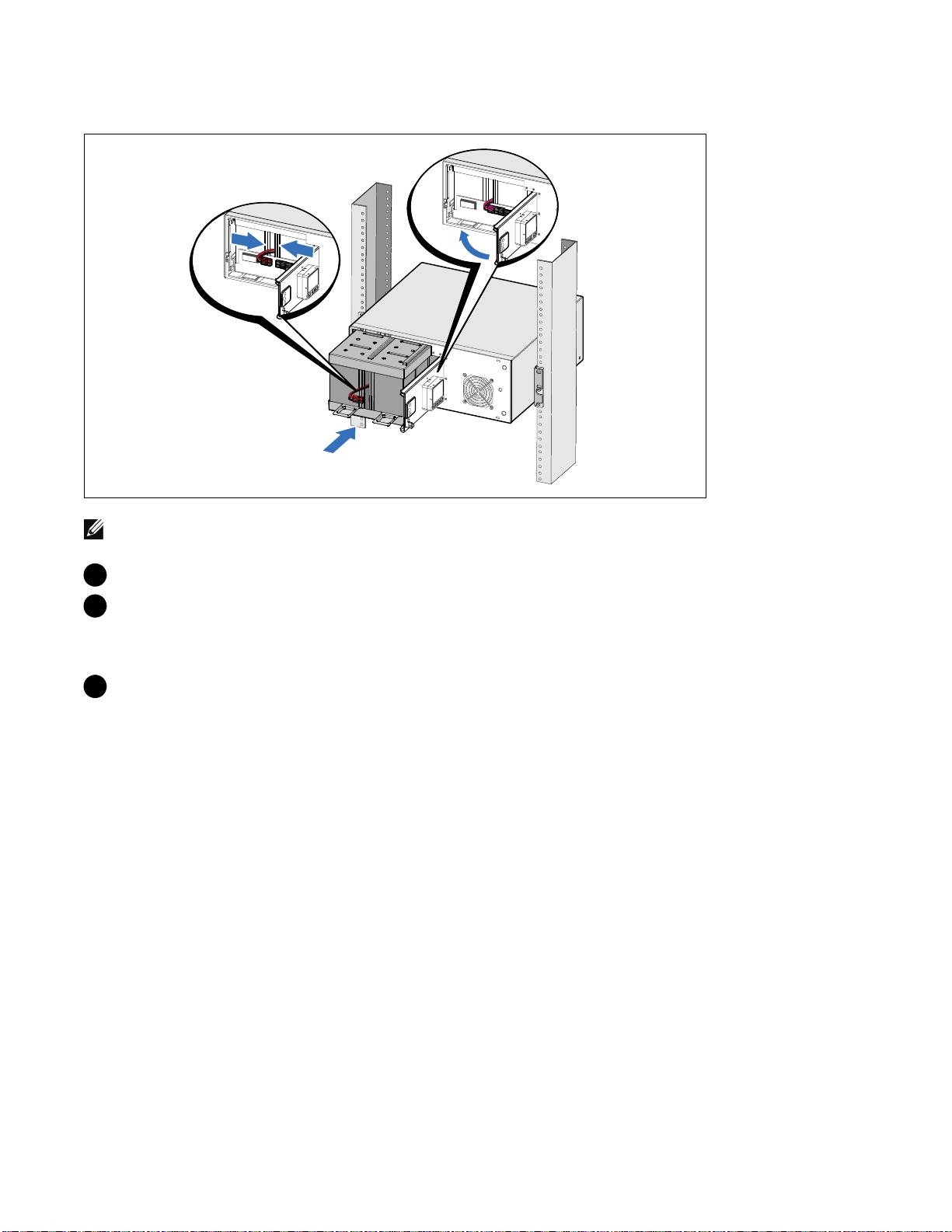
Installing the Battery Tray
NOTE: A small amount of arcing may occur when connecting the batteries. This is normal and does not damage
the unit or present any safety concern.
10 Remove the right battery connector from the door and connect the internal battery connector.
11 Close the metal battery cover.
Adjust the battery connector so that the door closes properly. Push the door slightly to the right
and then to left.
12 Tighten the thumbscrew.
Torque the screw to 0.7 Nm (6.2 lb in).
Installation and Startup
|
13
Top 10 manuals
100.00
NZXT HALE90 1000W99.99
Samsung SM-R38099.97
AEG BSB 18C99.97
Dell 2700W99.97
Smeg KSEC70X99.96
Beurer HDE 4099.96
Pyramida KH 50 v.299.96
MSI CSM-H81M-P3299.96
AEG HR 562799.95
Melissa 640-048