
Beurer PM16: 7. Time mode Time and date display Setting the time and date
7. Time mode Time and date display Setting the time and date: Beurer PM16
Table of contents
- 1. Important information
- 2. Important information
- 3. General information for training
- The following example is for a 40 year old male: 220 - 40 = 180
- 4. Description of the monitor 5. Button functions MODE START/STOP
- RESET LIGHT 6. Mode overview:
- 7. Time mode Time and date display Setting the time and date
- 8. Heart rate measurement Advice and tips
- 9. Alarm function for heart rate 9.1 Setting training limits
- 9.2 Activating pulse alarm
- 10. Wake alarm mode
- Setting alarm time 11. Stopwatch mode
- 12. Countdown mode Setting countdown time
- 13. Troubleshooting 14. Battery and disposal
7. Time mode
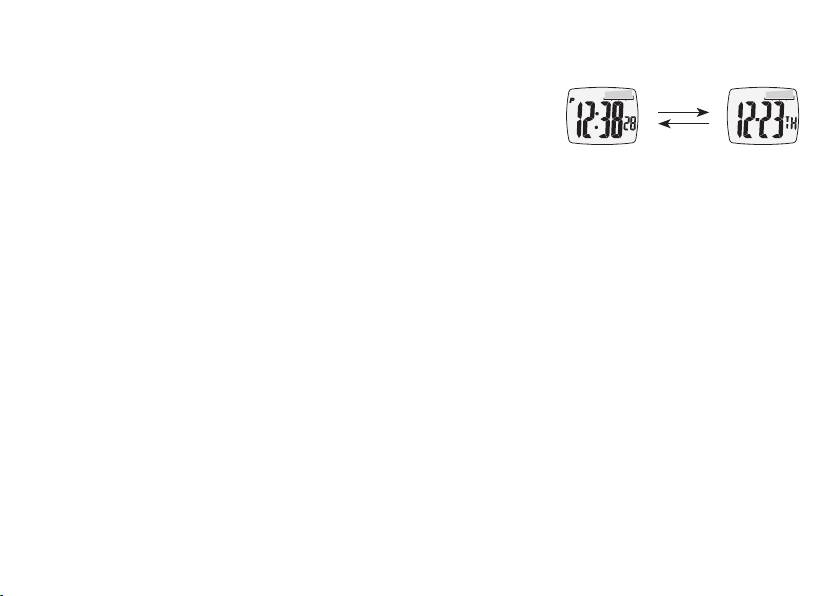
Time and date display
•PresstheSTART/STOPbuttontoswitchbetweentimeanddate
display.
•Thedatedisplayautomaticallyrevertstotimedisplayafter
8 seconds
8 seconds if no other button is pressed.
time display mode
date display
•Withthe12-hourdisplay(see6.),thesecondhalfofthedayis
indicated by a „P“ to the left of the display.
Setting the time and date
•HoldtheMODEbuttondownfor3secondstoentersettingmode.Thesecondsdisplaythenstartsto
flash. You can zero the seconds readout using the Start/Stop button or the Reset button.
•Selectthedatathatyouwanttoset(minute,hour,year,month,date)usingtheMODEbutton.
•Oncethenumbersstarttoash,youcansetthevalueusingtheStart/StopbuttonortheResetbutton.
Hold the button depressed to enter fast mode. The MODE button allows you to confirm entries and
advance to the next setting.
•Whenthemonth-daydisplayorday-monthdisplayisashing,youcanusetheStart/StoporReset
buttons to switch between European date display (d symbol appears) and US date display where the
month appears first
(m symbol appears).
•Whenthe12or24hoursymbolisashing,youcanchoosebetween12or24hourdisplayusingthe
Start/Stop or Reset buttons.
24
