
Dell Latitude XT2 (Early 2009): Before Docking Your Tablet-PC
Before Docking Your Tablet-PC: Dell Latitude XT2 (Early 2009)
Table of contents
- Notes, Cautions, and Warnings
- Media Base Back and Left View Features
- Top and Right View Features Before Docking or Undocking Your Tablet-PC to the Media Base
- Before Docking Your Tablet-PC
- Before Undocking Your Tablet-PC Securing the Media Base
- 1 Tablet-PC 2 media base
- Undocking Your Tablet-PC From the Media Base
- Removing and Installing the Optical Drive From the Media Base
- Media Base Specifications Physical Storage Ports and Connectors
book.book Page 5 Tuesday, December 2, 2008 1:03 PM
CAUTION: When you disconnect the Dell AC adapter cable from the Tablet-PC or
media base, hold the connector, not the cable itself, and pull firmly but gently to
avoid damaging the cable. When you wrap the AC adapter cable, ensure that you
follow the angle of the connector on the AC adapter to avoid damaging the cable.
CAUTION: Use the Latitude™ XT2 media base with your Latitude XT2 only. If you
use a media base from earlier models of Dell computers you may damage the
media base or the Tablet-PC.
Before Docking Your Tablet-PC
1
Save and close any open files, and exit any open programs.
2
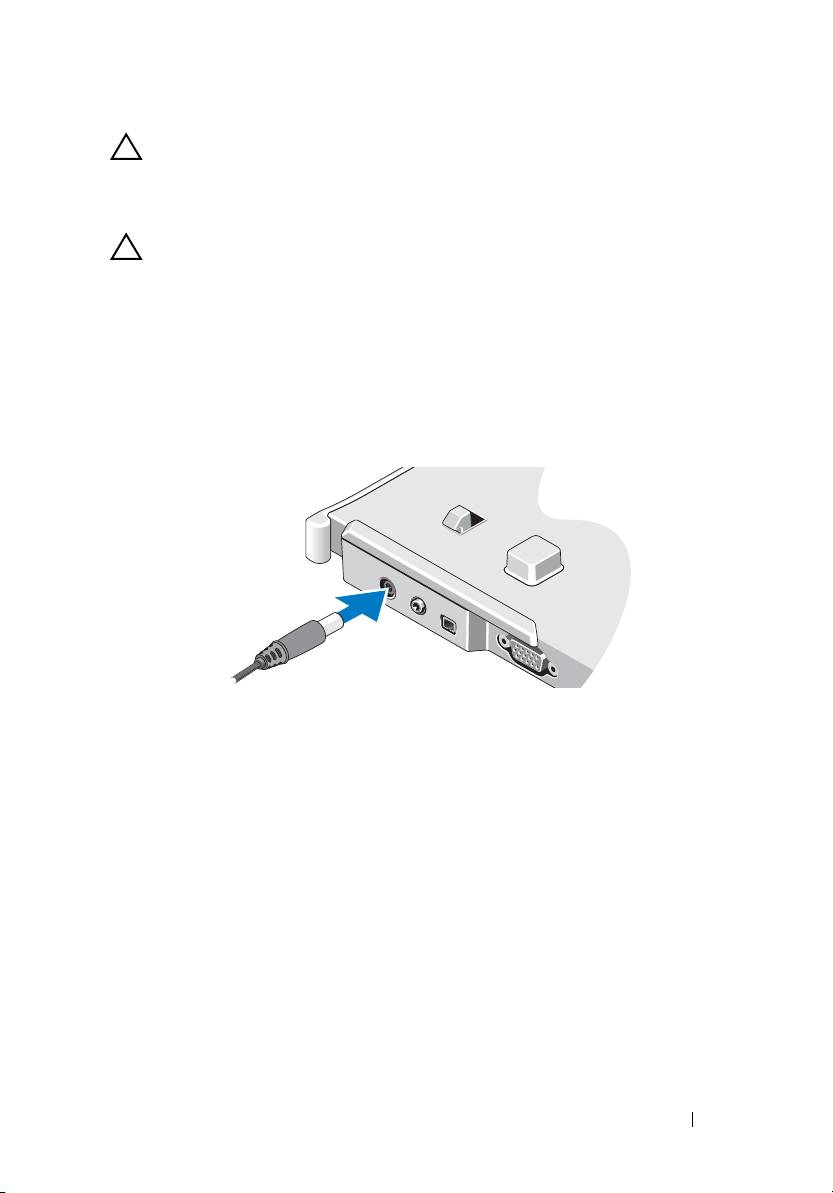
Connect the AC adapter to the AC adapter connector on the media base
and to an electrical outlet.
3
Before you dock your Tablet-PC to the media base for the
first time
,
the Tablet-PC operating system must have completed its setup process:
a
Ensure that the Tablet-PC is
not
connected (docked) to the media
base or to the battery slice.
b
Turn on the Tablet-PC.
®
®
c
Verify that the Microsoft
Windows
desktop appears.
d
Shut down the Tablet-PC
.
Media Base 5
