
Dell Inspiron 2600: Removing a Battery
Removing a Battery: Dell Inspiron 2600
Table of contents
- System Information Guide
- Hints, Notices, and Cautions Abbreviations and Acronyms
- Contents
- Safety and Use Instructions Caution: General (Safety Instructions, continued)
- 6 Dell™ Inspiron™ 2600 and 2650 System Information Guide
- Caution: Power (Safety Instructions, continued)
- Caution: Battery (Safety Instructions, continued)
- Caution: Air Travel (Safety Instructions, continued) When Using Your Computer
- NOTICE: When taking the computer from low-temperature conditions into a
- Ergonomic Computing Habits
- When Removing or Installing Memory Modules
- Protecting Against Electrostatic Discharge
- Getting Started Connecting the AC Adapter
- Turning On the Computer
- Computer Components Front View
- Left Side View Right Side View Back View
- Removing a Battery
- Installing a Battery Regulatory Notices
- CE Notice (European Union)
- EN 55022 Compliance (Czech Republic Only)
- Polish Center for Testing and Certification Notice
- Battery Disposal
- ENERGY STAR Compliance
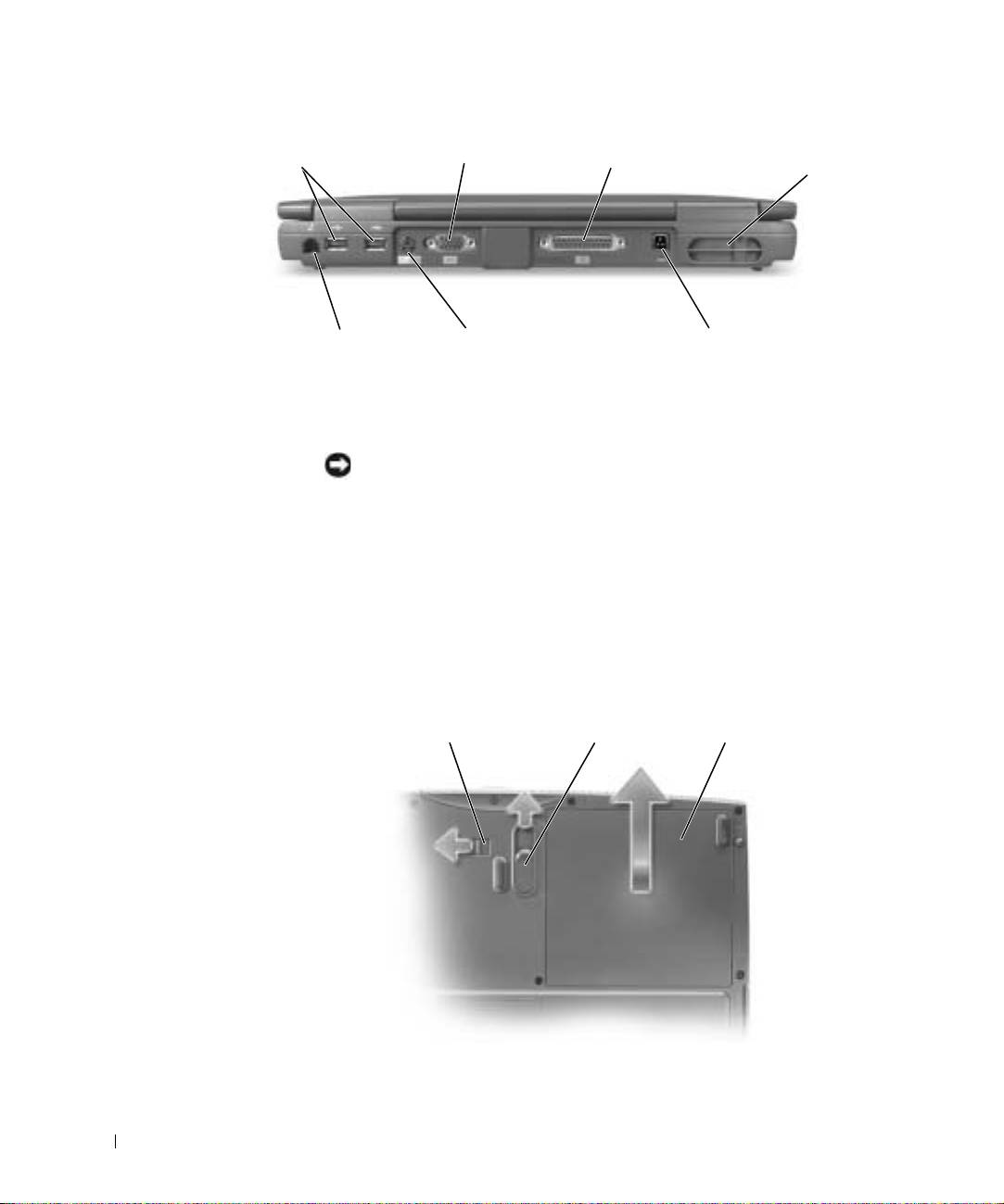
video connector
USB connectors
parallel connector
air vent
modem connector
PS/2 connector
AC adapter connector
www.dell.com | support.dell.com
Removing a Battery
NOTICE: If you choose to replace the battery with the computer in standby
mode, you have up to 4 minutes to complete the battery replacement before the
computer shuts down and loses any unsaved data.
Before removing the battery, ensure that the computer is turned off or
disconnected from an electrical outlet.
1 Unlock the battery.
2 Slide and hold the battery release latch.
3 Remove the battery.
12
3
18 Dell™ Inspiron™ 2600 and 2650 System Information Guide
Top 10 manuals
100.00
NZXT HALE90 1000W99.99
Samsung SM-R38099.97
AEG BSB 18C99.97
Dell 2700W99.97
Smeg KSEC70X99.96
Beurer HDE 4099.96
Pyramida KH 50 v.299.96
MSI CSM-H81M-P3299.96
AEG HR 562799.95
Melissa 640-048


