
Dell DX6000G: Installing the Optional Bezel Other Information You May Need
Installing the Optional Bezel Other Information You May Need: Dell DX6000G
Table of contents
- Getting Started With Your System
- Notes, Cautions, and Warnings
- Installation and Configuration Unpacking the System Installing the Rails and System in a Rack
- Optional – Connecting the Keyboard, Mouse, and Monitor Connecting the Power Cable(s)
- Securing the Power Cable(s) Turning On the System
- Installing the Optional Bezel Other Information You May Need
- Obtaining Technical Assistance NOM Information (Mexico Only) Technical Specifications Processor Expansion Bus Memory
- Memory (continued) Drives Connectors Video
- Power Physical Environmental
- Environmental (continued)
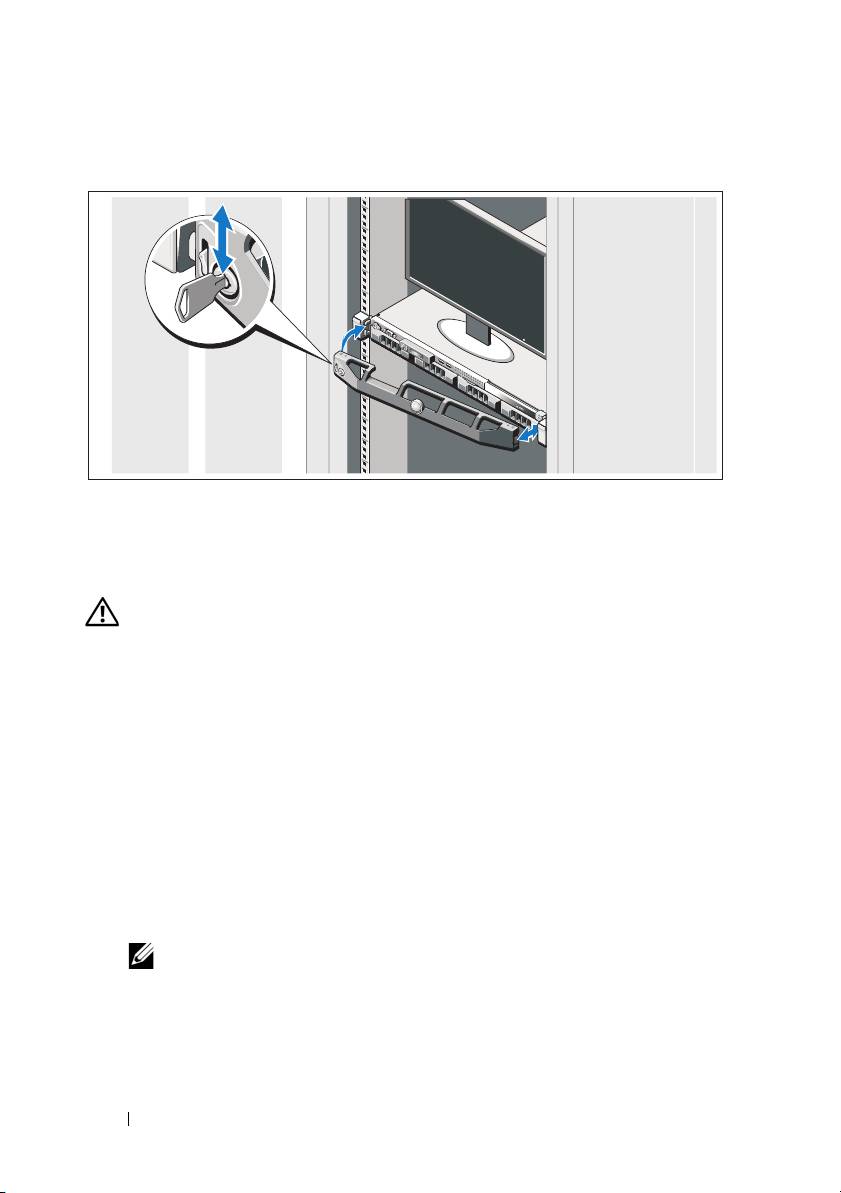
Installing the Optional Bezel
Install the bezel (optional).
Other Information You May Need
WARNING: See the safety and regulatory information that shipped with your
system. Warranty information may be included within this document or as a
separate document.
• The rack documentation included with your rack solution describes how to
install your system into a rack.
•The
Hardware
Owner’s Manual
provides information about system features
and describes how to troubleshoot the system and install or replace system
components. This document is available online at
support.dell.com/manuals
.
• Any media that ships with your system that provides documentation and
tools for configuring and managing your system, including those
pertaining to the operating system, system management, system updates,
and system components that you purchased with your system.
NOTE: Always check for updates on support.dell.com/manuals and read the
updates first because they often supersede information in other documents.
6 Getting Started With Your System
