
Beurer GS 42: Setting user data 9 Operation Weighing yourself and calculating BMI
Setting user data 9 Operation Weighing yourself and calculating BMI: Beurer GS 42
Table of contents
- 1 Getting to know your instrument Function of the unit 2 Signs and symbols 3 Safety notes Safety notes
- Notes on handling batteries General notes 4 Unit description Overview
- 5 Initial use Inserting the batteries (3 x 1,5 V AAA Micro) Changing the weight unit Setting up the scale 6 Information The measuring principle General tips 7 Switch on the scale 8 Settings Set time and date
- Setting user data 9 Operation Weighing yourself and calculating BMI
- Accessing saved measurements
- 10 Evaluation of results Body mass index (BMI) 11 Replacing batteries 12 Storage and maintenance
- 13 Disposal 14 What if there are problems?
- No measurement possible Incorrect weight measurement
The setting to be changed will ash each time.
• To change a setting, press the buttons
and .
• To save the setting and move onto the next one, or to close the setting, press the SET button.
The scale will switch o automatically after this procedure.
The scale will also switch o if no buttons are pressed for more than 15 seconds.
Setting user data
The scale comes equipped with 10 locations for storing user data and space for more than 10
measurement values per user. You and, for example, the members of your family can save and
later access the following personal settings in the storage locations:
Sequence User data Parameters
1 Memory position 1 to 10
2 Body height 100 to 220 cm
(3'-03" to 7'-03")
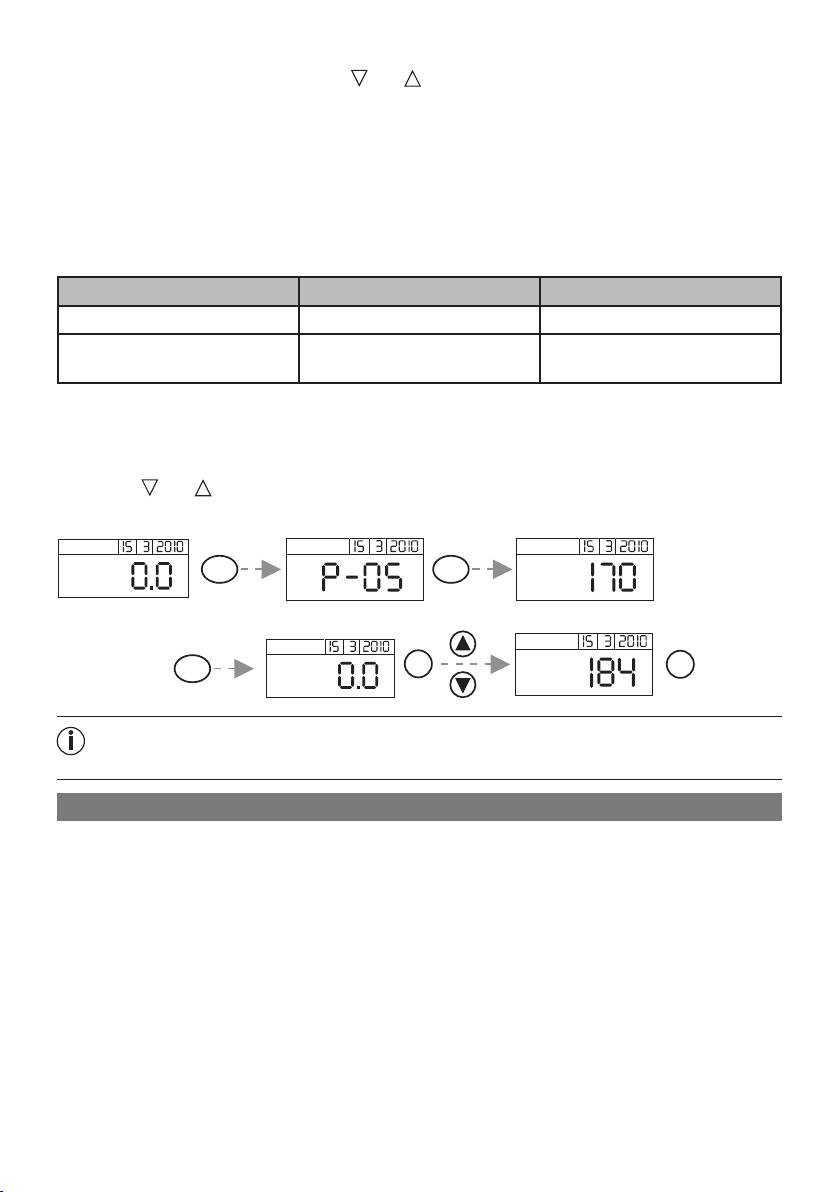
Switch on the scale (see 7. Switch on the scale). When “0.0 kg” is displayed:
• Press the 'USER' button until you have reached the desired memory space. After the display
shows the preset body height “0.0 kg” will appear.
• To change the body height press “SET”.
• Press the
and buttons to set your height. Keep button pressed for quicker run.
• Finish entering data by pressing the SET button.
USER 3 sec
cm
kg
SET
2 sec
cm
SET
kg
Please note: if you change the height value at a later date, all measurement data
saved in your storage location up until that point will be deleted.
9 Operation
Weighing yourself and calculating BMI
To weigh yourself and to calculate your personal body mass index:
• Switch on the scale (see 7. Switch on the scale).
• Then select the storage location where your settings have been saved using the 'USER' button.
Next, your saved height value will be displayed. Wait until “0.0 kg” is displayed again. You can
now use the scale. Stand still whilst weighing yourself.
14
