
Dell PowerEdge M710: Connecting the System to Power
Connecting the System to Power: Dell PowerEdge M710
Table of contents
- Notes, Cautions, and Warnings
- Installation and Configuration Unpack the System Installing the Rails and System in a Rack
- Installing the Blades Connecting the CMC and KVM Modules
- Connecting the System to Power
- Turning On the System Turning On the Blades
- Complete the Operating System Setup Supported Operating Systems
- Operating System
- Operating System
- Operating System
- Operating System Other Information You May Need
- Obtaining Technical Assistance Technical Specifications Blade Specifications Processor Memory
- Memory (continued)
- Memory (continued) Drives
- Drives (continued) Connectors
- Connectors (continued) PCIe Expansion Solution Mezzanine Cards
- Mezzanine Cards (continued) Embedded Ethernet Controllers Video Controller Physical
- Physical (continued) Battery
- System Enclosure Specifications Physical Power Supply Module Optional Avocent iKVM Module
- Chassis Management Controller Module Enclosure Control Panel Environmental
- Environmental (continued) I/O Module Specifications
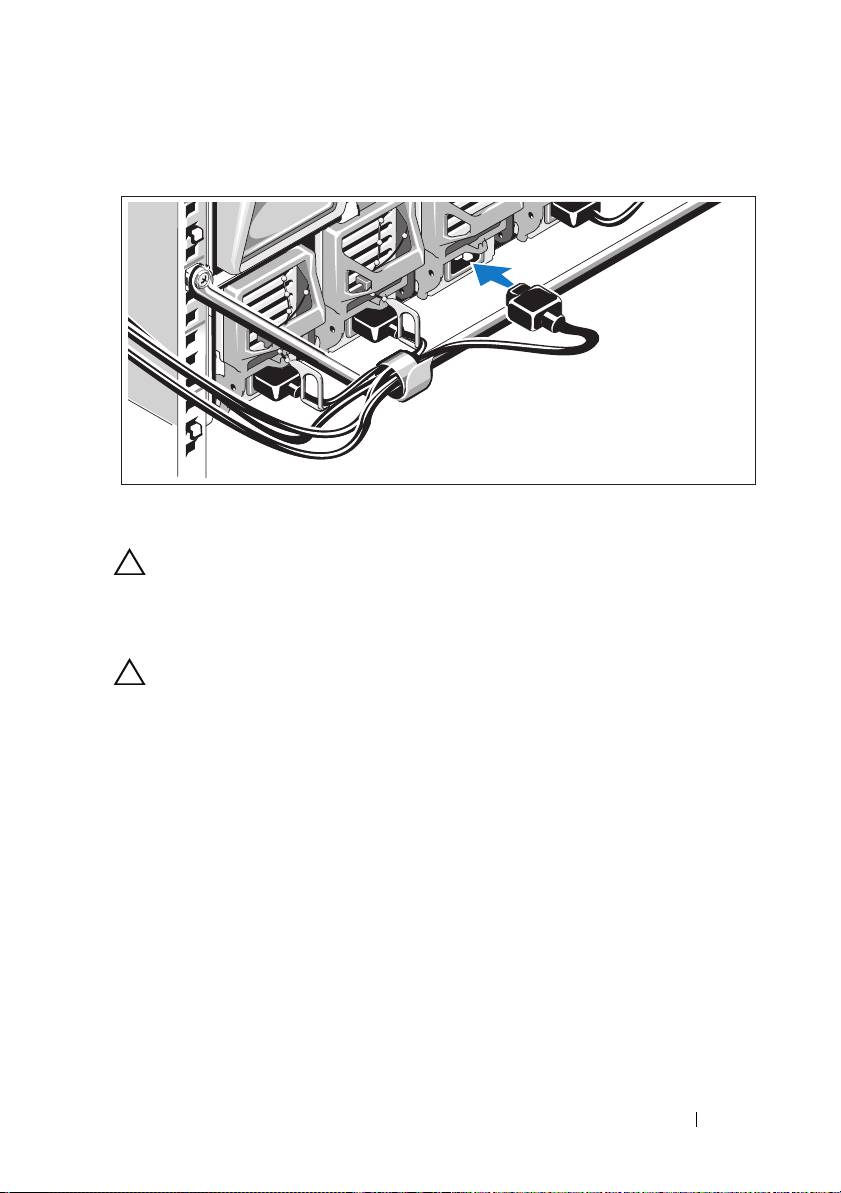
Connecting the System to Power
Connect the system’s power cables to the system power supplies.
CAUTION: To prevent the power cables from being disconnected accidentally,
use the plastic clip on each power supply to secure the power cable to the
power supply, and use the Velcro strap to secure the cable to the strain-relief bar.
Plug the other end of the power cables into a power distribution unit (PDU).
CAUTION: Do not plug the power cables directly into a power outlet; you must
use a PDU. For optimal system functionality, a minimum of three power supplies
are required.
Getting Started With Your System 5
Top 10 manuals
100.00
NZXT HALE90 1000W99.99
Samsung SM-R38099.97
AEG BSB 18C99.97
Dell 2700W99.97
Smeg KSEC70X99.96
Beurer HDE 4099.96
Pyramida KH 50 v.299.96
MSI CSM-H81M-P3299.96
AEG HR 562799.95
Melissa 640-048