
Dell Latitude XT3 (Mid 2011): Undocking Your Tablet-PC From the Media Base Removing and Installing the Optical Drive From the Media Base
Undocking Your Tablet-PC From the Media Base Removing and Installing the Optical Drive From the Media Base: Dell Latitude XT3 (Mid 2011)
Table of contents
- Notes, Cautions, and Warnings
- Media Base Top and Right View Back and Left View
- Before Docking or Undocking Your Tablet-PC from the Media Base Before Docking or Undocking Your Tablet-PC
- Docking Your Tablet-PC to the Media Base
- Undocking Your Tablet-PC From the Media Base Removing and Installing the Optical Drive From the Media Base
- Removing the Optical Drive Installing the Optical Drive Media Base Specifications Physical Ports and Connectors
- Finding More Information and Resources
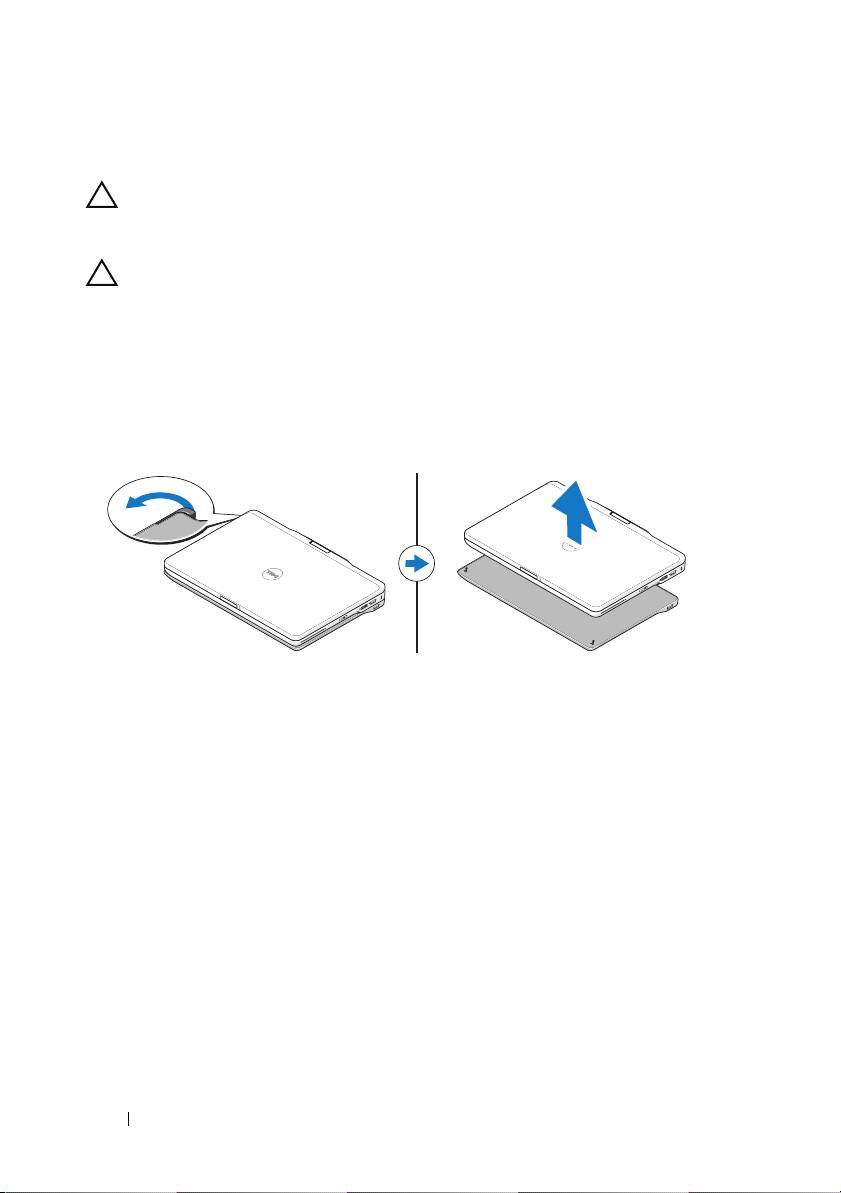
Undocking Your Tablet-PC From the Media Base
CAUTION: Never undock the Tablet-PC without first preparing the Tablet-PC for
undocking. If you undock before preparing the Tablet-PC, you will lose data and
the Tablet-PC may not recover normal operation for several minutes, if at all.
CAUTION: If the Tablet-PC does not have a charged battery in the battery bay, you
must shut down the Tablet-PC through the Windows pí~êí menu and then undock
the Tablet-PC. If you undock the Tablet-PC without a battery before shutting it
down, you will lose data and the Tablet-PC may not recover normal operation for
several minutes.
1
Follow the procedures in "Before Docking or Undocking Your Tablet-PC
from the Media Base" on page 4.
2
Pull the Tablet-PC release lever forward to release the Tablet-PC from the
media base.
3
Lift the Tablet-PC up and slide it out towards the back of the media base.
Removing and Installing the Optical Drive From
the Media Base
Prior to removing or installing the optical drive from the media base, always
perform the following:
1
Save and close any open files or programs, and turn off the Tablet-PC.
2
Undock the media base (see "Undocking Your Tablet-PC From the Media
Base" on page 6).
6 Media Base
