
Dell Latitude XT: Pen View Using a Battery
Pen View Using a Battery: Dell Latitude XT
Table of contents
- Notes, Notices, and Cautions
- Contents
- Resources Finding Information What Are You Looking For? Find It Here
- What Are You Looking For? Find It Here
- What Are You Looking For? Find It Here
- What Are You Looking For? Find It Here
- What Are You Looking For? Find It Here
- What Are You Looking For? Find It Here
- What Are You Looking For? Find It Here
- Setting Up Your Computer About Your Tablet-PC
- Front View
- Left Side View
- Right Side View Back View
- Bottom View
- Pen View Using a Battery
- Battery Performance
- Checking the Battery Charge Dell™ QuickSet Battery Meter Charge Gauge Check the Battery Charge
- Check the Battery Health Low-Battery Warning To enable Hibernate mode:
- To enter Hibernate mode: Charging the Battery
- Removing the Battery To remove the battery:
- Storing a Battery Troubleshooting Lockups and Software Problems The Tablet-PC does not start up The Tablet-PC stops responding
- A program stops responding A program is designed for an earlier Windows operating system Windows Vista Windows XP
- A solid blue screen appears Other software problems Dell Diagnostics
- When to Use the Dell Diagnostics Starting the Dell Diagnostics From Your Hard Drive
- Starting the Dell Diagnostics From the Drivers and Utilities Media
- Dell Diagnostics Main Menu Option Function Option Function
- Tab Function
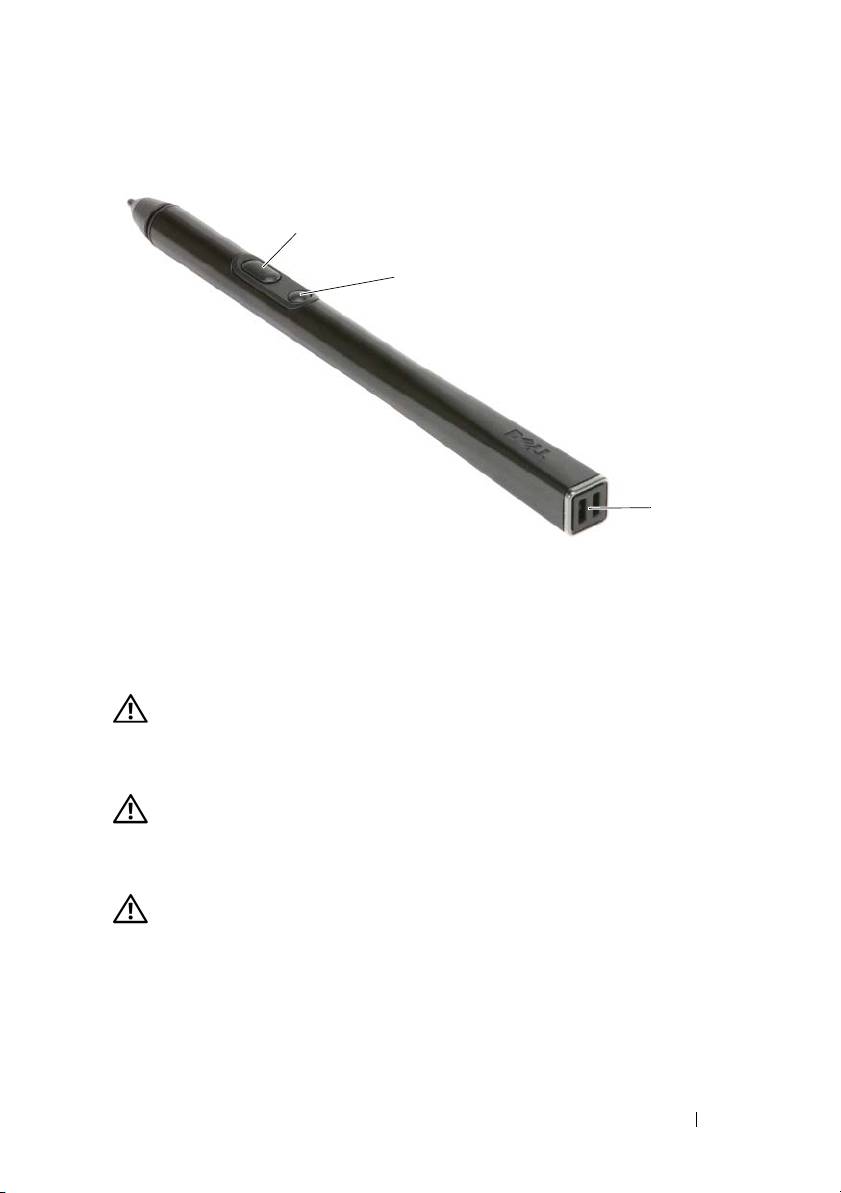
Pen View
2
3
1
1 pen tether slots 2 right-click pen button
3 erase pen button
Using a Battery
CAUTION: Using an incompatible battery may increase the risk of fire or
explosion. Replace the battery only with a compatible battery purchased from
Dell. The battery is designed to work with your Dell computer. Do not use a battery
from other computers with your computer.
CAUTION: Do not dispose of batteries with household waste. When your battery
no longer holds a charge, call your local waste disposal or environmental agency
for advice on disposing of a lithium-ion battery. See “Battery Disposal” in the
Product Information Guide.
CAUTION: Misuse of the battery may increase the risk of fire or chemical burn.
Do not puncture, incinerate, disassemble, or expose the battery to temperatures
above 65°C (149°F). Keep the battery away from children. Handle damaged or
leaking batteries with extreme care. Damaged batteries may leak and cause
personal injury or equipment damage.
Quick Reference Guide 17
