
Beurer BM70: PC interface System requirements for the Beurer “Health Manager” Setting date and time computer software Mains operation
PC interface System requirements for the Beurer “Health Manager” Setting date and time computer software Mains operation: Beurer BM70
Table of contents
- 2. Important information Signs and symbols 1. Getting to know your instrument
- Advice on use
- Storage and Care Repair and disposal Advice on batteries
- 3. Unit description Icons in the display: 4. Prepare measurement Inserting battery
- PC interface System requirements for the Beurer “Health Manager” Setting date and time computer software Mains operation
- . Measuring blood pressure 5.2 Correct posture 5.1 Positioning cuff 5.3 Select memory 5.4 Measuring blood pressure
- WHO classification: 5.5 Evaluating results Cardiac arrhythmia:
- Table for classification of blood pressure values (unit of measurement mmHg) for adults: : Haemodynamic stability 5.6 Resting indicator measurement (using HSD diagnostics) : Lack of haemodynamic stability
- 7. Cleaning and storing the instrument 8. Rectifying faults 6. Saving, retrieving and deleting results
- 9. Specifications
- 10. Adapter
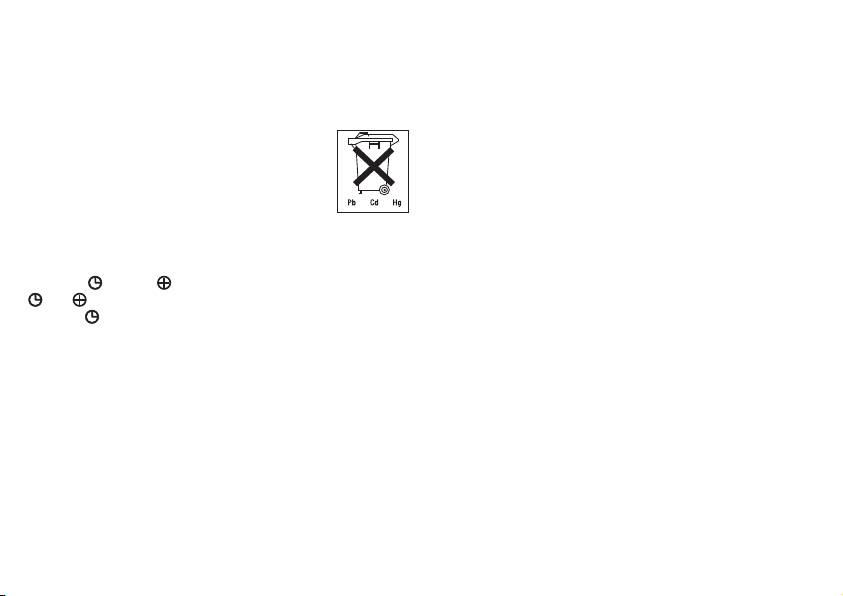
teries. Once batteries have been removed from the device, the
PC interface
time must be reset.
The Beurer blood pressure monitor also allows you to transfer
Used batteries do not belong in the household waste. You are
your measured values to the PC.
legally obliged to dispose of the batteries. Dispose of them via
To do this you require a data cable and the Beurer “Health
your specialist electrical supplier or local collec ting point for
Manager” PC software.
recyclable waste.
A data cable can be obtained from the specified Customer
Note: Batteries containing pollutant substances
Service address with order no. 162.044. The software can be
are marked as follows: Pb = Battery contains
downloaded free of charge from www.beurer.com/service/
lead, Cd = Battery contains cadmium, Hg = Bat-
download.
tery contains mercury.
System requirements for the Beurer “Health Manager”
Setting date and time
computer software
It is vital to set date and time. Only in this way is it possible to
1. Supported operating systems:
save and subsequently retrieve your measured values with the
•
Windows XP SP3
right date and time.
•
Windows Vista SP1 or later
Press the
key and to adjust the month. Then press the
•
Windows 7
and in turn to adjust the date, hour, minute and confirm
•
Windows 7 SP1
the entry
.
The time is being displayed in 12-hour format, which means a
2. Supported architectures:
time from 13:00 onwards is being displayed as 01:00 PM.
•
x86 (32 bit)
•
x64 (64 bit)
Mains operation
3. Hardware requirements:
You can also operate this device with a mains adapter. No bat-
teries should be in the battery compartment for this. The mains
•
Recommended: at least Pentium 1 GHz or faster with at least
adapter is available from retailers or from the service address
1 GB RAM.
under order no. 071.29. The blood pressure monitor should
•
Free memory on the primary partition of at least:
only be used with the mains adapters specified here. The
– x86 – 600 MB
mains adapter should only be connected to the mains voltage
– x64 – 1.5 GB
indicated on the rating plate. Once you have disconnected the
•
Graphic resolution from: 1024 x 768 pixels.
device from the mains, the date and time on the blood pres-
•
USB port 1.0 or later.
sure monitor are lost. Any measurement results that have been
stored are however retained.
18
