
Beurer BC 20: 9. Rectifying faults 8. Display of the readings saved
9. Rectifying faults 8. Display of the readings saved: Beurer BC 20
Table of contents
- 2. Important information 1. Familiarization
- Advice on batteries Storage and Care Repair and disposal
- 3. Unit description 4. Inserting/changing batteries
- 6. Applying the blood pressure computer 5. Setting date/time 7. Measuring blood pressure
- 9. Rectifying faults 8. Display of the readings saved
- 10. Cleaning and Care 11. Table for classification of blood pressure values (unit of measurement mmHg) for adults:
- 12. Technical data
•
When the 180 mmHg pressure is reached, the pres-
•
The last result obtained is stored in the first memory
sure is automatically released from the cuff and a
location. As soon as a new result is obtained, this ap-
beating heart appears in the display.
pears in the first memory location and the older result
•
Your blood pressure readings and pulse rate will then
moves down to the next location.
appear in the display.
•
After the last memory location occupied, the com-
•
To switch off and release the pressure, press the
puter shows the average of all readings saved on
Start /Stop button
again.
pressing the memory button M
again.
•
If you forget to switch off the computer, it will switch
•
To switch off, press the Start /Stop button
again.
off automatically after 3 minutes.
•
If you forget to switch off the computer, it will switch
•
You can interrupt measurement at any time by press-
off automatically after 3 minutes.
ing the Start /Stop button
.
9. Rectifying faults
8. Display of the readings saved
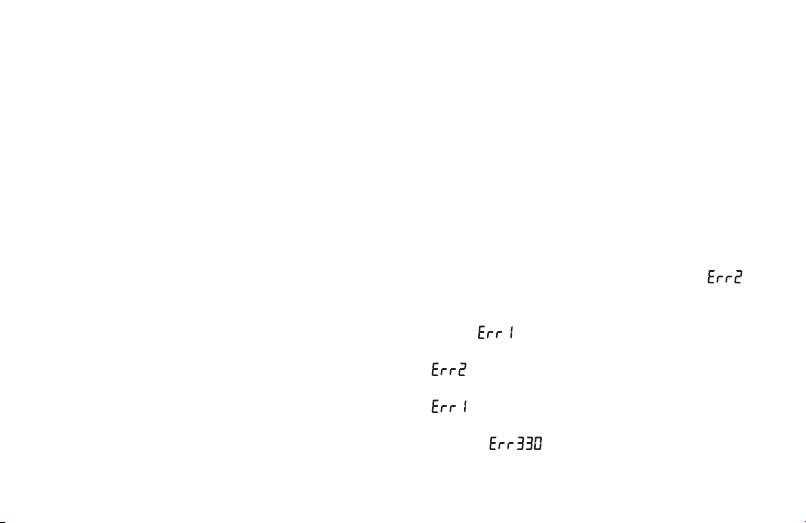
Error messages can occur when
The computer automatically saves the blood pressure
•
cuff inflation takes longer than 25 seconds ( ap-
readings of the last 60 measurements.
pears in the display),
When the 60 memory locations are exceeded, the cur-
•
you move during the measurement instead of relaxing
rent oldest value is deleted.
quietly (
appears in the display),
You can display the memory as follows:
•
insufficient pressure is reached despite extra inflation
•
Press the memory button M
with the computer
(
appears in the display),
switched off. The last reading measured appears.
•
the blood pressure readings are extremely high or low
•
You can call up all individual readings saved by press-
(
appears in the display),
ing the memory button M repeatedly.
•
the inflation pressure is higher than 300 mmHg (error
•
The memory location number is shown in the display
message
),
at bottom right. The date and time of the individual
•
the batteries are almost exhausted, the batteries must
measurement are shown in the top part of the display.
then be exchanged.
14
