
Dell UPS 2700R: Installing the UPS Front Cover Connecting the Equipment
Installing the UPS Front Cover Connecting the Equipment: Dell UPS 2700R
Table of contents
- Notes and Warnings
- System Features
- Finding Information What are You Looking For? Find It Here
- Installation and Startup Unpacking the System
- Lifting the Cabinet
- Identifying the UPS Figure 1. The Dell Online Rack UPS Front Panel Figure 2. UPS Rear Panel (2700W, 120V Shown)
- Rackmount Setup Opening the Battery Cover
- Removing the Battery Tray
- Positioning the Rails
- Attaching the R ails to the Rack
- Installing and Securing the Cabinet
- Installing the Battery Tray
- Installing the UPS Front Cover Connecting the Equipment
- Connecting the Power Cord
- Starting the UPS Completing the Startup
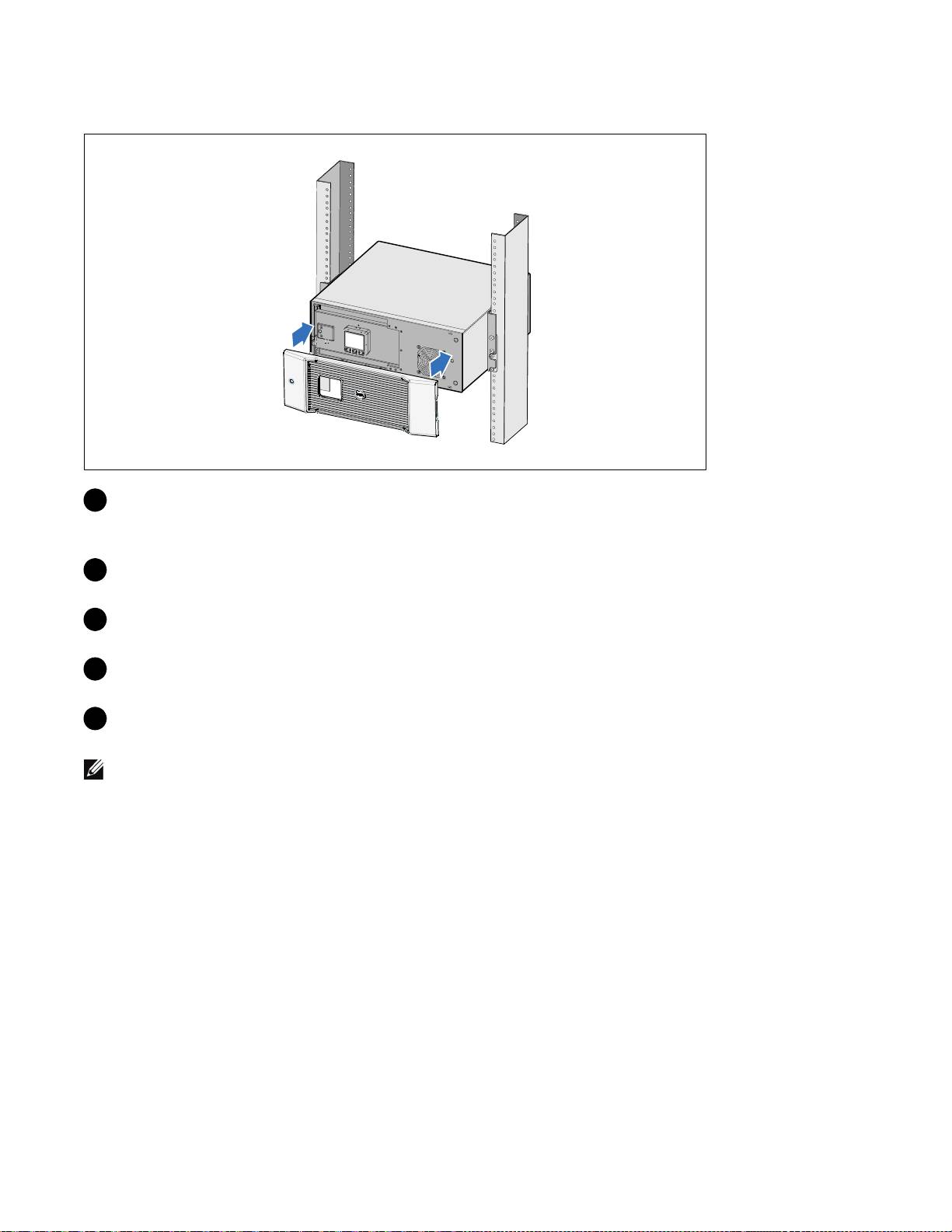
Installing the UPS Front Cover
13 Install the UPS front cover.
Connecting the Equipment
1
If you plan to use Dell UPS Management Software, connect your computer to the USB port using
the supplied cable.
2 If your rack has conductors for grounding or bonding of ungrounded metal parts, connect the
ground cable (not supplied) to the ground bonding screw.
3 If an emergency power-off (disconnect) switch is required by local codes, see “Installing Remote
Emergency Power-off” (REPO) in the Dell Online Rack UPS 2700W User's Guide.
4 Plug the equipment to be protected into the UPS output receptacles, but do not turn on the
protected equipment.
NOTE:
Verify that the total equipment ratings do not exceed the UPS capacity to prevent an overload alarm.
14
|
Installation and Startup
