
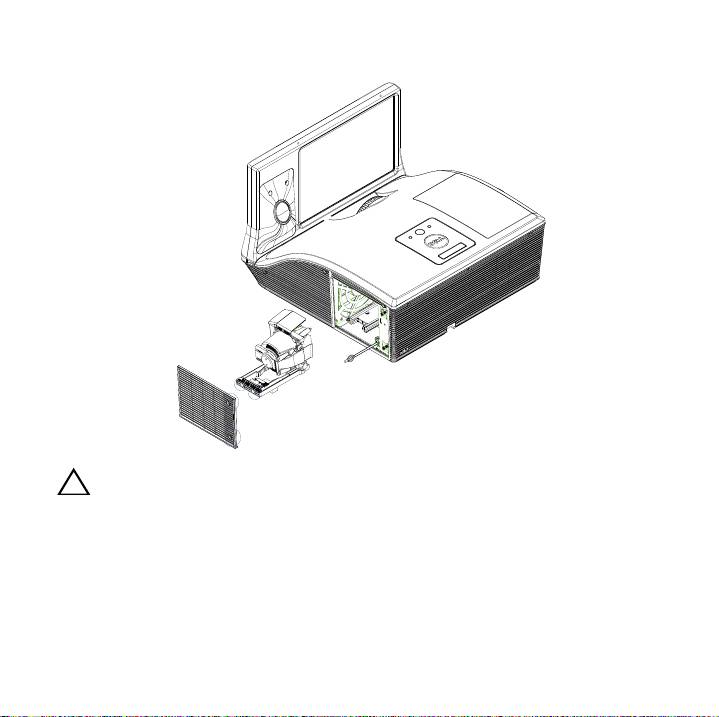
Dell S520 Projector: Loosen the screws that secure the lamp cover, and remove the cover.
Loosen the screws that secure the lamp cover, and remove the cover.: Dell S520 Projector
Table of contents
- About Cautions and Warnings
- Replacing the Dell™ S520 Projector Lamp To replace the lamp: 1 Turn off the projector and disconnect the power cable. Let the projector cool for at least 30 minutes.
- Loosen the screws that secure the lamp cover, and remove the cover.
- 4 5 6 7 8 9
3
Loosen the screws that secure the lamp cover, and remove the cover.
CAUTION: Do not touch the projector lamp or the lamp glass at any
time. Projector lamps are very fragile and may shatter if touched.
Top 10 manuals
100.00
NZXT HALE90 1000W99.99
Samsung SM-R38099.97
AEG BSB 18C99.97
Dell 2700W99.97
Smeg KSEC70X99.96
Beurer HDE 4099.96
Pyramida KH 50 v.299.96
MSI CSM-H81M-P3299.96
AEG HR 562799.95
Melissa 640-048