
Dell PowerEdge R905: Turning on the System and Monitor Complete the 0perating System Setup
Turning on the System and Monitor Complete the 0perating System Setup: Dell PowerEdge R905
Table of contents
- Notes, Notices, and Cautions
- System Features
- 4 Getting Started With Your System
- Supported Operating Systems Other Information You May Need
- Obtaining Technical Assistance Installation and Configuration Unpacking the System
- Installing the System in a Rack Connecting the Keyboard, Mouse, and Monitor
- Connecting the System and Monitor Power Cables
- Turning on the System and Monitor Complete the 0perating System Setup
- Technical Specifications Processor Expansion Bus Memory
- Drives Connectors Video
- Power Physical
- Environmental
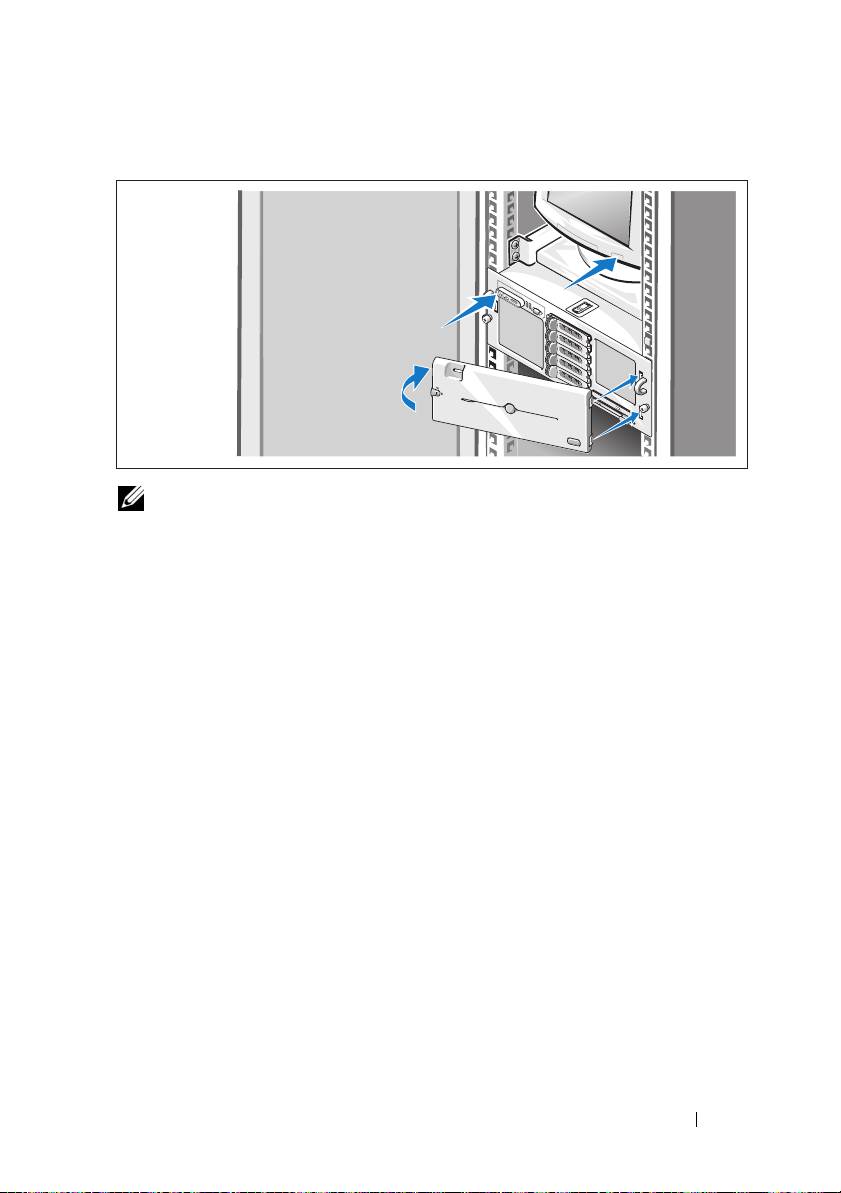
Turning on the System and Monitor
NOTE: The system may take a few minutes to display on the screen due to
processor and memory initialization that is performed before the video initialization.
The delay is proportional to the amount of memory that is installed.
Press the power button on the system and the monitor (optional). The power
indicators should light. Adjust the monitor's controls until the displayed
image is satisfactory.
If you have purchased the optional system bezel, install it after turning on
the system.
Complete the 0perating System Setup
If you purchased a preinstalled operating system, see the operating system
documentation that ships with your system. To install an operating system
for the first time, see the Quick Installation Guide. Be sure the operating
system is installed before installing hardware or software not purchased
with the system.
Getting Started With Your System 9
