
Dell Latitude XT2: Top and Right View Features Before Docking or Undocking Your Tablet-PC to the Media Base
Top and Right View Features Before Docking or Undocking Your Tablet-PC to the Media Base: Dell Latitude XT2
Table of contents
- Notes, Cautions, and Warnings
- Media Base Back and Left View Features
- Top and Right View Features Before Docking or Undocking Your Tablet-PC to the Media Base
- Before Docking Your Tablet-PC
- Before Undocking Your Tablet-PC Securing the Media Base Docking Your Tablet-PC to the Media Base
- 1 Tablet-PC 2 media base
- Undocking Your Tablet-PC From the Media Base
- Removing and Installing the Optical Drive From the Media Base
- Media Base Specifications Physical Storage Ports and Connectors
book.book Page 4 Tuesday, December 2, 2008 1:03 PM
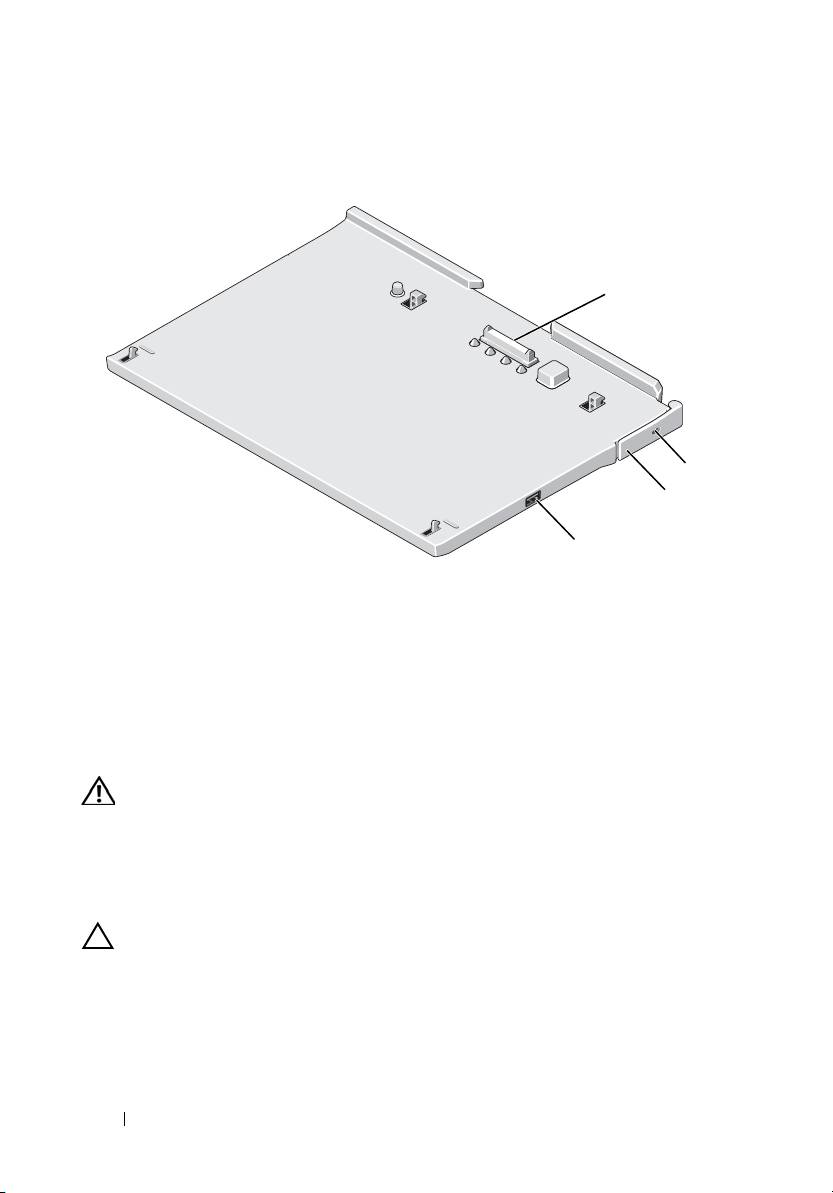
Top and Right View Features
1
2
3
4
1 docking connector 2 security cable slot
3 Tablet-PC release lever 4 USB connector
Before Docking or Undocking Your Tablet-PC to
the Media Base
WARNING: If you are using a multiple-outlet power strip, use caution when you
plug the AC adapter power cable into the power strip. Some power strips may
allow you to insert the connector incorrectly. Incorrect insertion of the power
connector could result in permanent damage to your media base as well as
electric shock and/or fire. Ensure that you insert the ground prong of the power
plug into the mating ground contact of the power strip.
CAUTION: Always use the Dell AC adapter that came with the media base. If you
use any other commercially available AC adapter—or the AC adapter from earlier
models of Dell computers—you may damage the media base or the Tablet-PC.
4 Media Base
