
Dell UPS 3750R: Connecting the EBM Installing the EBM Cable
Connecting the EBM Installing the EBM Cable: Dell UPS 3750R
Table of contents
- Notes and Warnings
- Finding Information What are You Looking For? Find It Here
- Installation and Startup Unpacking the External Battery Module
- Lifting the Cabinet
- Rackmount Setup Installing the Rails
- Installing the Cabinet
- Securing the Cabinet Installing the EBM Front Cover
- Connecting the EBM Installing the EBM Cable
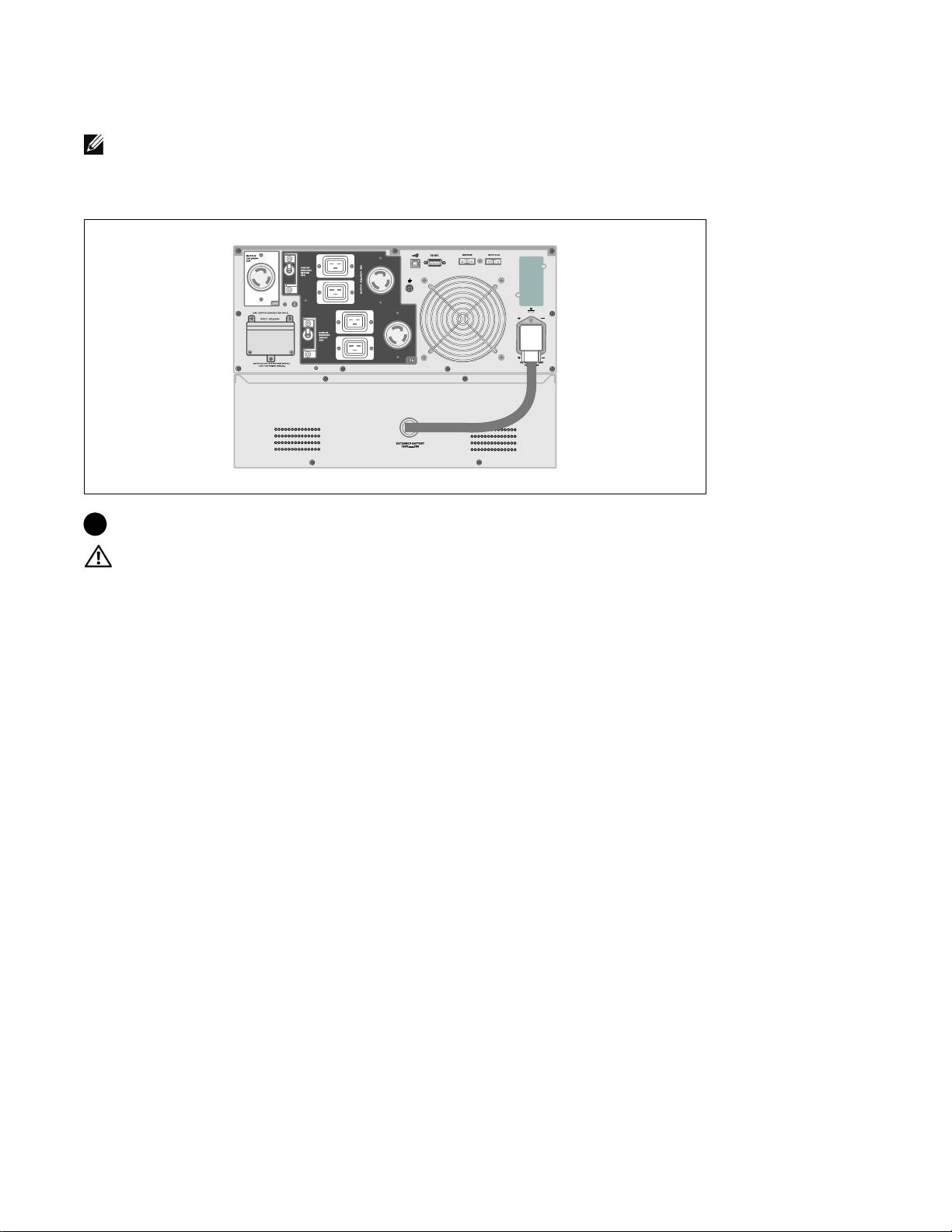
Connecting the EBM
NOTE: A small amount of arcing may occur when connecting an EBM to the UPS. This is normal and will not
harm personnel. Insert the EBM cable into the UPS battery connector quickly and firmly.
Installing the EBM Cable
7 Plug the EBM cable into the UPS battery connector.
CAUTION:
Follow the instructions in the UPS Getting Started document or the Dell Online Rack UPS 3750W
and 4200W User's Guide for instructions on installing the UPS.
Installation and Startup
|
9
Top 10 manuals
100.00
NZXT HALE90 1000W99.99
Samsung SM-R38099.97
AEG BSB 18C99.97
Dell 2700W99.97
Smeg KSEC70X99.96
Beurer HDE 4099.96
Pyramida KH 50 v.299.96
MSI CSM-H81M-P3299.96
AEG HR 562799.95
Melissa 640-048