
Dell POWEREDGE M915: Turning On the System Turning On the Blades
Turning On the System Turning On the Blades: Dell POWEREDGE M915
Table of contents
- Notes, Cautions, and Warnings
- Installation and Configuration Unpack the System Installing the Rails and System in a Rack
- Installing the Blades
- Connecting the System to Power
- Turning On the System Turning On the Blades
- Complete the Operating System Setup Supported Operating Systems
- Operating System
- Operating System
- Operating System
- Operating System
- Obtaining Technical Assistance Technical Specifications Blade Specifications Processor Memory
- Memory (continued)
- Memory (continued) Drives
- Drives (continued) Connectors
- Connectors (continued) PCIe Expansion Solution Mezzanine Cards
- Mezzanine Cards (continued) Embedded Ethernet Controllers Video Controller Physical
- Physical (continued) Battery
- System Enclosure Specifications Physical Power Supply Module Optional Avocent iKVM Module
- Chassis Management Controller Module Enclosure Control Panel Environmental
- Environmental (continued) I/O Module Specifications
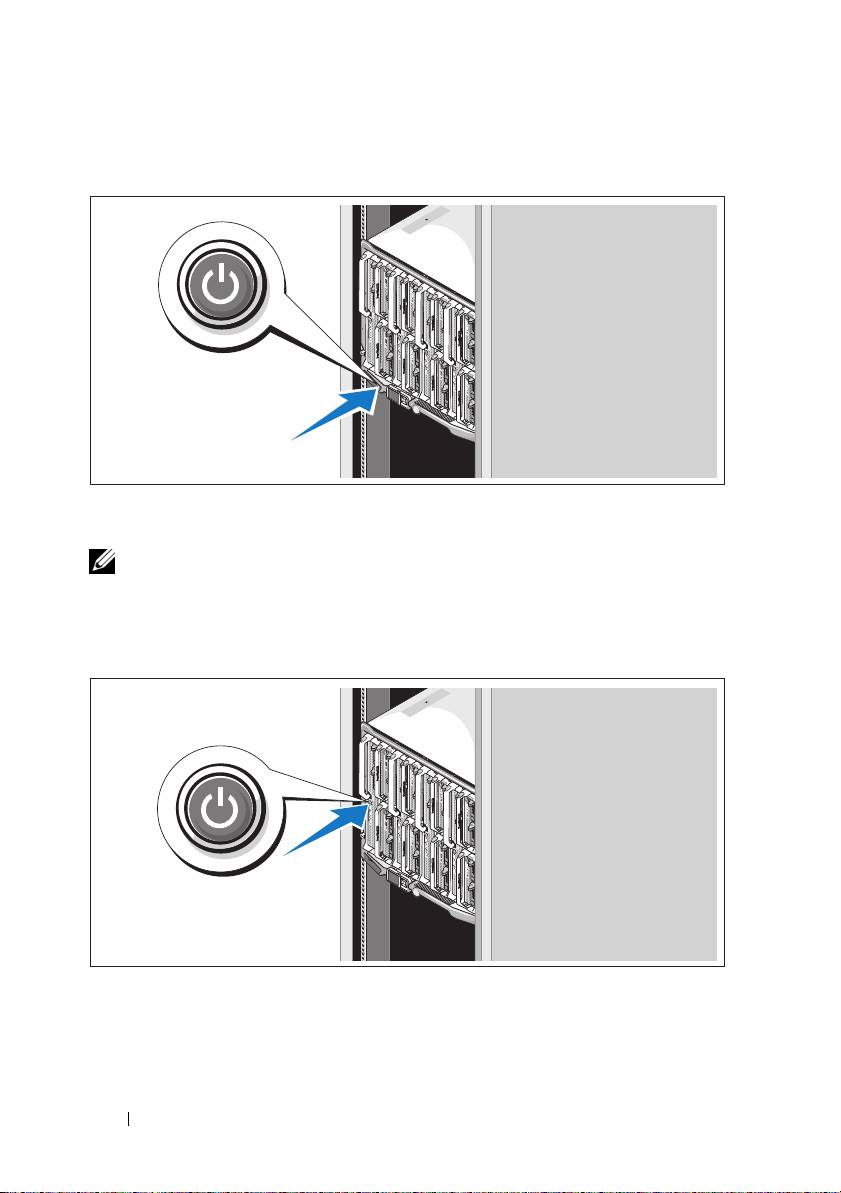
Turning On the System
Press the power button on the enclosure. The power indicator should light.
NOTE: Once you have connected the system to the power supplies, there may
be a minimal delay before you can turn on your system.
Turning On the Blades
Press the power button on each blade, or power on the blades using the
systems management software.
6 Getting Started With Your System
Top 10 manuals
100.00
NZXT HALE90 1000W99.99
Samsung SM-R38099.97
AEG BSB 18C99.97
Dell 2700W99.97
Smeg KSEC70X99.96
Beurer HDE 4099.96
Pyramida KH 50 v.299.96
MSI CSM-H81M-P3299.96
AEG HR 562799.95
Melissa 640-048