
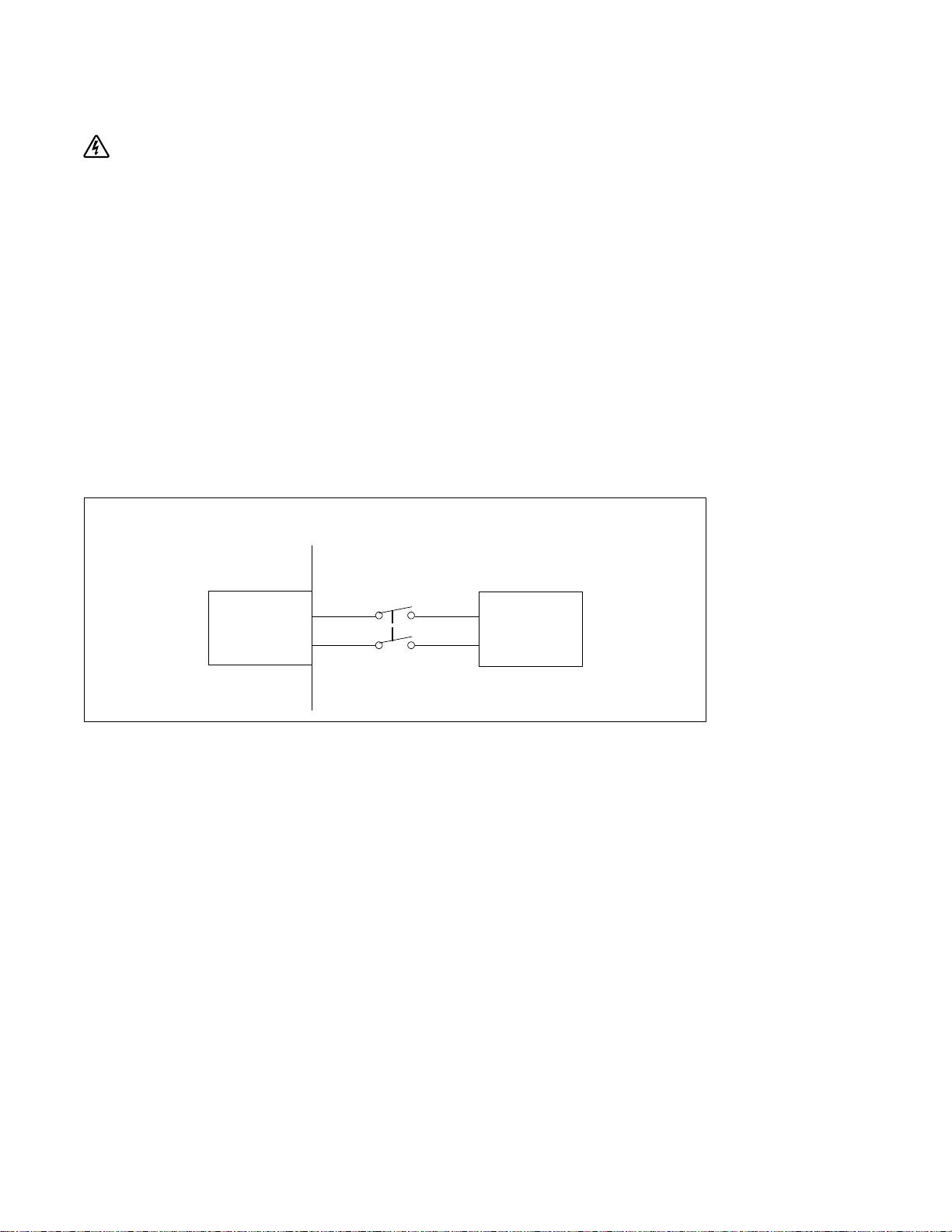
Dell J730N: Hardwiring the UPS Input Figure 6. Circuit Breaker Diagram
Hardwiring the UPS Input Figure 6. Circuit Breaker Diagram: Dell J730N
Table of contents
- Getting Started With Your System
- Notes and Warnings
- System Features
- Finding Information
- Installation and Startup Unpacking the System
- Lifting the Cabinet
- Identifying the UPS Figure 1. The Dell Online Rack UPS Front Panel Figure 2. 3750W, 208V Rear Panel
- Figure 3. 3750W, 230V Rear Panel Figure 4. 4200W, 208V Rear Panel
- Figure 5. 4200W, 230V Rear Panel
- Rackmount Setup Removing the Battery Retaining Bracket
- Removing the Battery Trays
- Installing the Rails
- Installing the Cabinet
- Securing the Cabinet Installing the Battery Tray
- Replacing the Battery Retaining Bracket and Connecting the Internal Battery Connectors
- Installing the UPS Front Cover Connecting the Equipment
- Connecting the Power Cord (3750W/208V Models Only)
- Hardwiring the UPS Input Figure 6. Circuit Breaker Diagram
- Removing the Terminal Block Cover
- Installing the Input and Ground Wires
- Starting the UPS
- Completing the Startup
Hardwiring the UPS Input
WARNING: Only qualified service personnel (such as a licensed electrician) shall perform the electrical
installation. Risk of electrical shock.
The Dell Online Rack hardwired models require a dedicated branch circuit that meets the following
requirements:
S 250V/30A, 2-pole circuit breaker (25A for 3750W/230V UPS models) to provide short circuit and
overcurrent protection
S The protection device requires a two-pole disconnection device between the UPS output and the
load (see Figure 6)
S The breaker must be wall-mounted and be readily accessible to the operator
S For Europe, the breaker must meet the IEC/EN 60934 standard and have a contact air gap of at
least 3 mm
S 200–240 Vac
S Single-phase (4200W/208V model is split-phase)
S 50/60 Hz
S Flexible metal conduit (recommended for ease of service and maintenance)
Wall
2-pole
Breaker
Line
AC Mains
UPS
Neutral
Figure 6. Circuit Breaker Diagram
18
|
Installation and Startup
