
Dell POWEREDGE M905: Step 2. Install the HBA Hardware
Step 2. Install the HBA Hardware: Dell POWEREDGE M905
Table of contents
- Quick Start Guide Installation Instructions Step 1. Verify the Package Contents
- Step 2. Install the HBA Hardware
- Step 3. Install the HBA Driver Step 4. Install the SANsurfer Pro Management Application
- HBA LEDs (Excludes the QME2462 HBA) Troubleshooting and Technical Support Warranty Laser Safety (Excludes QME2462 and QME2472) FDA Notice
- Agency Certification QLogic SANblade HBAs EMI and EMC Requirements
- Product Safety Compliance
Step 2. Install the HBA Hardware
To install the HBA hardware, you need to open the computer and locate the appropriate bus slot. If necessary, consult
your computer system manual for instructions to remove the computer cover.
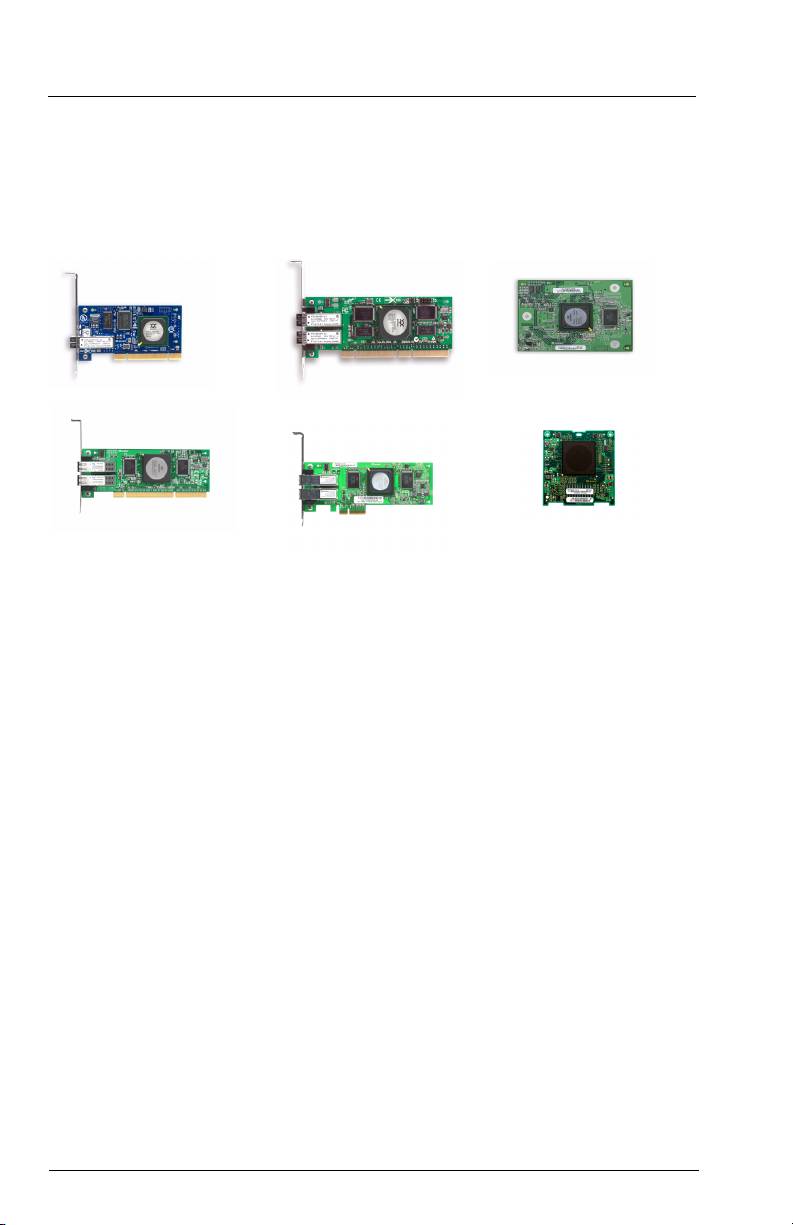
Depending on the HBA you are installing, the connector will look like one of the following samples:
32-bit PCI-X connector
64-bit PCI-X connector
QME2462
64-bit PCI-X 2.0 connector
x4 PCI Express connector
QME2472
Follow these steps to install the HBA hardware (for QME2462 and QME2472 installation instructions, please refer to
your Server Hardware Owner’s Manual):
1. Power off the computer, and then disconnect the power cable.
2. Remove the computer cover and find an empty bus slot.
3. Pull out the slot cover (if any) by removing the screw or releasing the lever.
4. Grasp the HBA by the top edge and seat it firmly into the slot.
5. Refasten the HBA’s retaining bracket using the existing screw or lever.
6. Close the computer cover.
7. Plug in the power cable and turn on the computer.
2
