
Dell Latitude C640: Front View
Front View: Dell Latitude C640
Table of contents
- Notes, Notices, and Cautions Abbreviations and Acronyms
- Contents
- CAUTION: Safety Instructions General
- CAUTION: Safety Instructions (continued) Power
- CAUTION: Safety Instructions (continued) Battery
- CAUTION: Safety Instructions (continued) Air Travel EMC Instructions California Residents
- When Using Your Computer
- When Using Your Computer (continued) Ergonomic Computing Habits When Working Inside Your Computer
- When Using Your Computer (continued) Protecting Against Electrostatic Discharge
- Finding Information and Assistance Resource Contents Using the Resource
- Resource Contents Using the Resource
- Setting Up Your Computer
- 4 Open the computer display and press the power button to turn on the computer.
- About Your Computer
- Front View
- Left Side View
- Right Side View
- Back View
- Bottom View
- Removing a Battery Installing a Battery
- Running the Dell Diagnostics
- Regulatory Notices
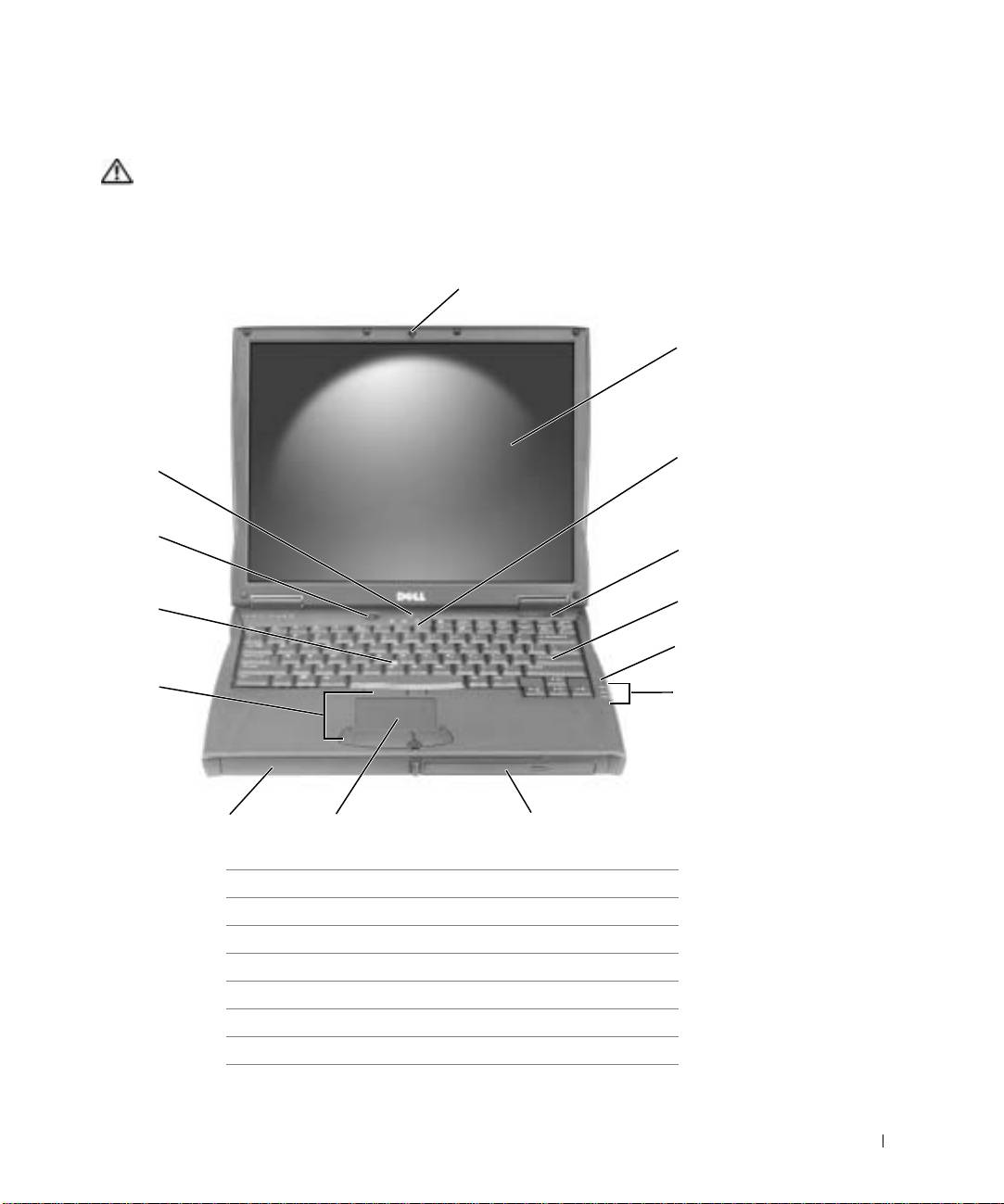
Front View
CAUTION: Do not block, push objects into, or allow dust to accumulate in the air
vents. Do not store your computer in a low-airflow environment, such as a closed
briefcase, while it is running. Restricting the airflow can damage the computer
or cause a fire.
1
2
3
14
13
4
5
12
6
11
7
10
9
8
1 display latch 8 module bay
2 display 9 touch pad
3 keyboard status lights 10 battery bay
4 air vent 11 track stick/touch pad buttons
5 keyboard 12 track stick
6 microphone 13 power button
7 device status lights 14 AccessDirect button
System Information Guide 17
Top 10 manuals
100.00
NZXT HALE90 1000W99.99
Samsung SM-R38099.97
AEG BSB 18C99.97
Dell 2700W99.97
Smeg KSEC70X99.96
Beurer HDE 4099.96
Pyramida KH 50 v.299.96
MSI CSM-H81M-P3299.96
AEG HR 562799.95
Melissa 640-048