
Dell Inspiron 2650: Turning On the Computer
Turning On the Computer: Dell Inspiron 2650
Table of contents
- System Information Guide
- Hints, Notices, and Cautions Abbreviations and Acronyms
- Contents
- Safety and Use Instructions Caution: General (Safety Instructions, continued)
- 6 Dell™ Inspiron™ 2600 and 2650 System Information Guide
- Caution: Power (Safety Instructions, continued)
- Caution: Battery (Safety Instructions, continued)
- Caution: Air Travel (Safety Instructions, continued) When Using Your Computer
- NOTICE: When taking the computer from low-temperature conditions into a warmer environment or from high-temperature conditions into a cooler environment, allow the computer to acclimate to room temperature before turning on power.
- Ergonomic Computing Habits
- When Removing or Installing Memory Modules
- Protecting Against Electrostatic Discharge
- Getting Started Connecting the AC Adapter
- Turning On the Computer
- Computer Components Front View
- Left Side View Right Side View Back View
- Removing a Battery
- Installing a Battery Regulatory Notices
- CE Notice (European Union)
- EN 55022 Compliance (Czech Republic Only)
- Polish Center for Testing and Certification Notice
- Battery Disposal
- ENERGY STAR Compliance
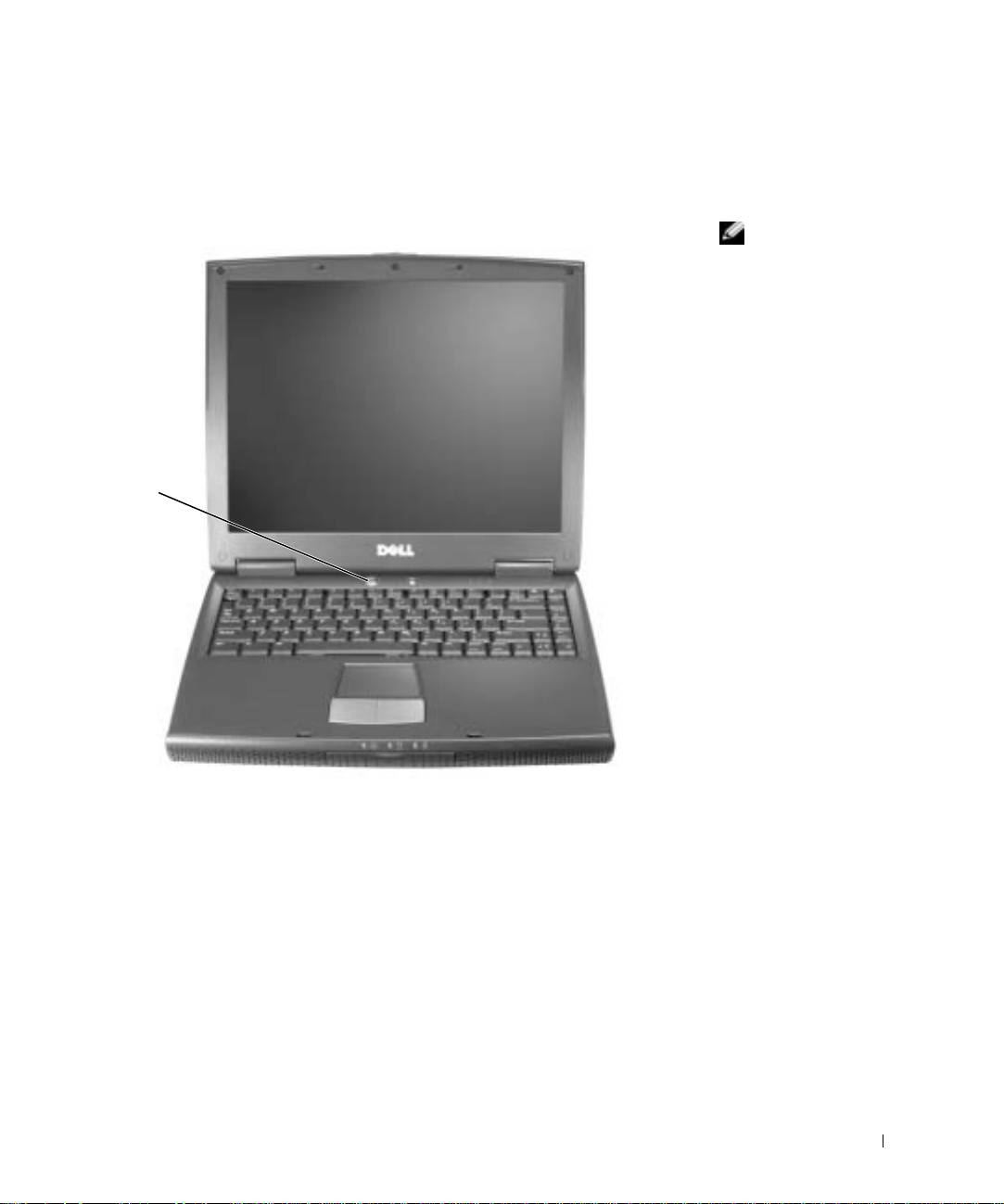
Turning On the Computer
To turn on the computer, open the computer display and press the power
button.
HINT: Do not connect
any USB device, such as a
printer or a port
replicator to the computer
until the computer has
been turned on and shut
down at least once.
power
button
Dell™ Inspiron™ 2600 and 2650 System Information Guide 15
Top 10 manuals
100.00
NZXT HALE90 1000W99.99
Samsung SM-R38099.97
AEG BSB 18C99.97
Dell 2700W99.97
Smeg KSEC70X99.96
Beurer HDE 4099.96
Pyramida KH 50 v.299.96
MSI CSM-H81M-P3299.96
AEG HR 562799.95
Melissa 640-048


