
Dell H900N: Installation and Startup Unpacking the System
Installation and Startup Unpacking the System: Dell H900N
Table of contents
- Notes and Warnings
- System Features
- Finding Information
- Installation and Startup Unpacking the System
- Identifying the UPS Figure 1. The Dell Tower UPS Figure 2. UPS Rear Panel (1000W, 120V Rear Panel)
- Removing the UPS Front Cover Removing the Battery Cover
- Connecting the Internal Battery Connector
- Connecting the Equipment
- Connecting the Power Cord
- Starting the UPS Completing the Startup
Installation and Startup
CAUTION: Before performing the procedures in this document, read and follow the safety instructions and
important regulatory information in your Safety, Environmental, and Regulatory Information document.
CAUTION: The cabinet is heavy [500W: 11.6 kg (25.6 lb); 1000W: 18.3 kg (40.3 lb); 1920/1500W: 30.5 kg (67.2 lb)].
Use caution to unpack and move the cabinet.
This section describes the steps to set up your system for the first time.
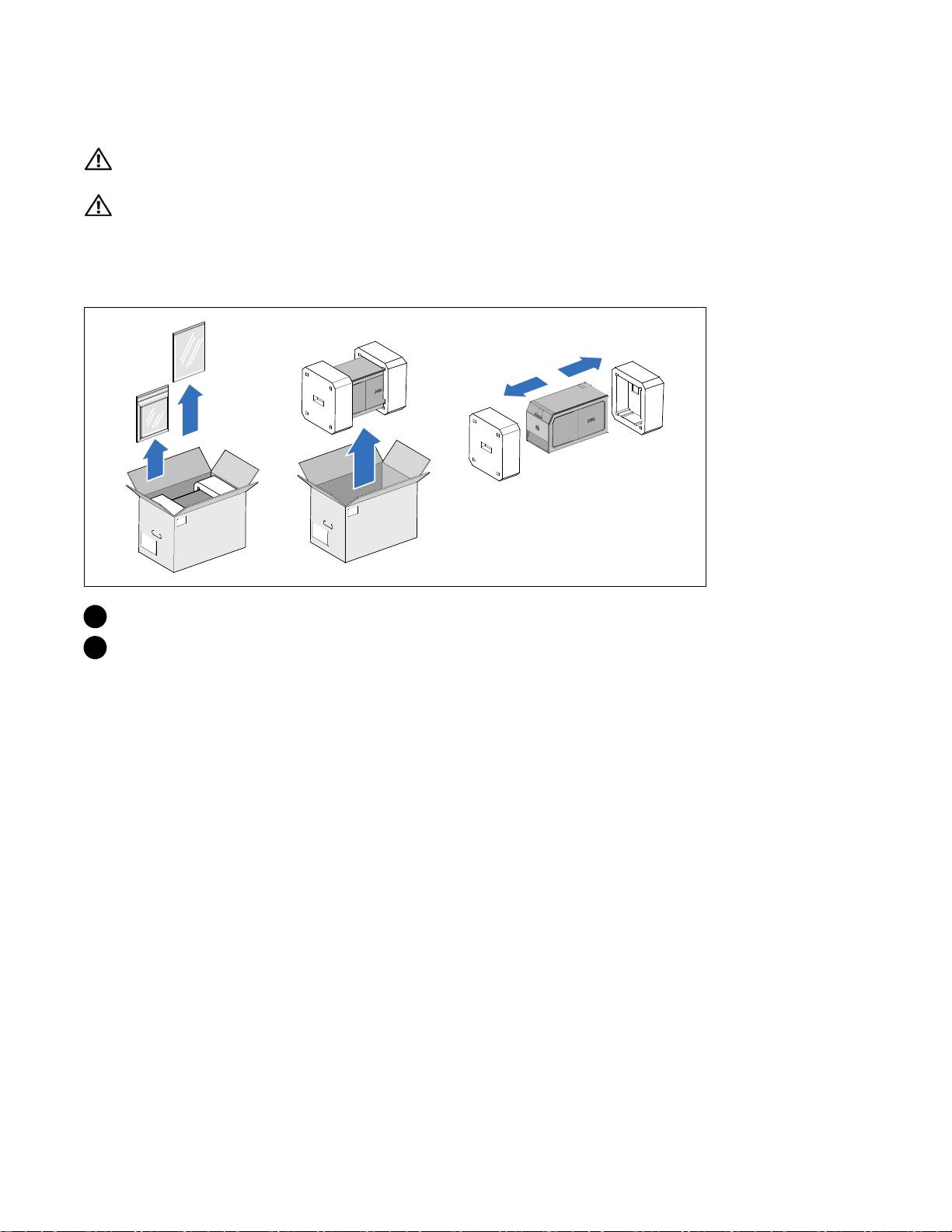
Unpacking the System
1 Unpack your system and identify each item.
2 Discard or recycle the packaging in a responsible manner, or store it for future use.
Installation and Startup
|
3
Top 10 manuals
100.00
NZXT HALE90 1000W99.99
Samsung SM-R38099.97
AEG BSB 18C99.97
Dell 2700W99.97
Smeg KSEC70X99.96
Beurer HDE 4099.96
Pyramida KH 50 v.299.96
MSI CSM-H81M-P3299.96
AEG HR 562799.95
Melissa 640-048