
Dell 2700W: Securing the Cabinet
Securing the Cabinet: Dell 2700W
Table of contents
- Notes and Warnings
- System Features
- Finding Information
- Installation and Startup
- Lifting the Cabinet
- Identifying the UPS
- Rackmount Setup
- Removing the Battery Tray
- Installing the Rails
- Installing the Cabinet
- Securing the Cabinet
- Installing the UPS Front Cover
- Tower Setup (2700W UPS models only)
- Rotating the UPS Control Panel Orientation
- Installing the UPS Front Cover Installing the Pedestals
- Connecting the Equipment
- Connecting the Power Cord
- Starting the UPS Completing the Startup
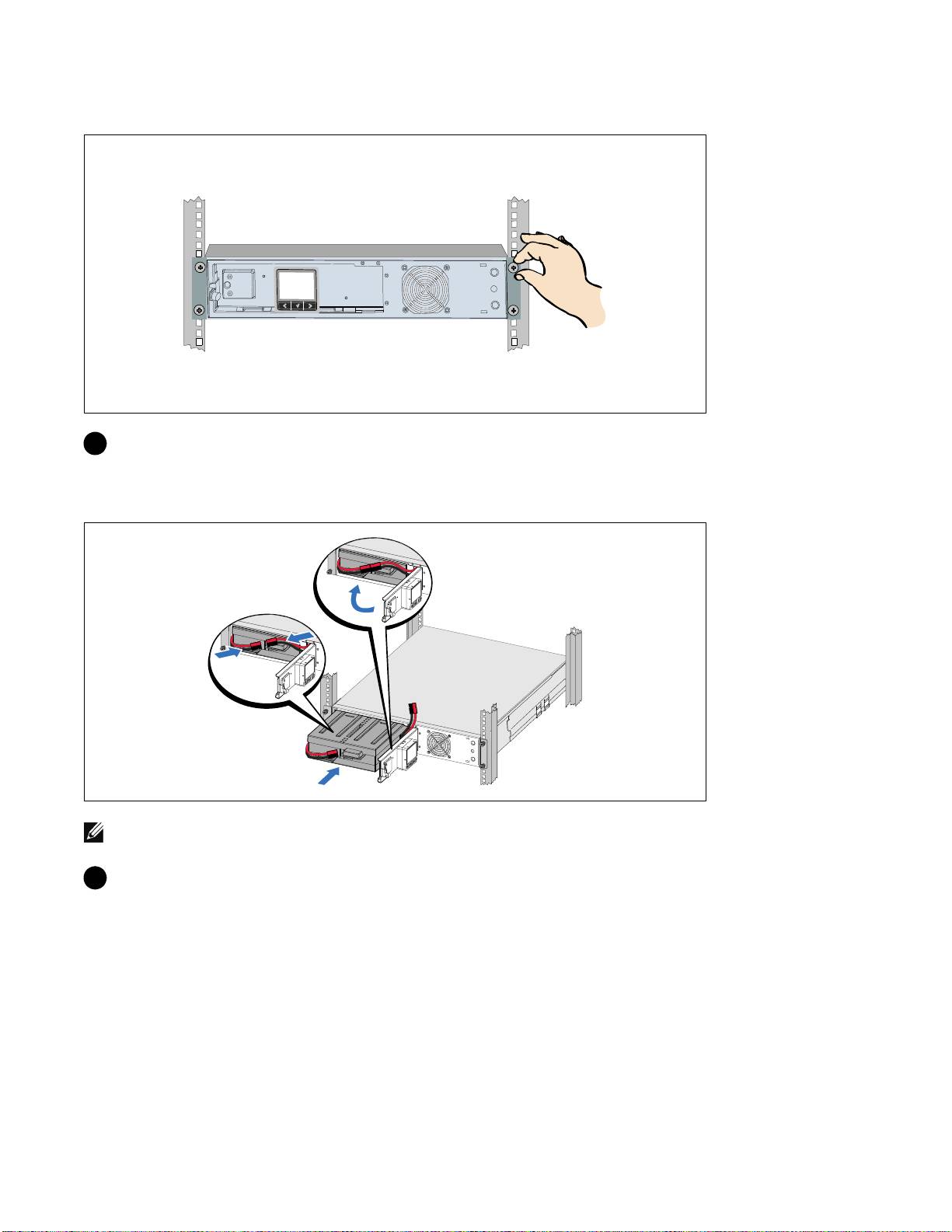
Securing the Cabinet
8 Secure the front of the cabinet to the rack using the thumbscrews on the mounting brackets.
Tighten by hand; do not use power tools. Repeat for any additional cabinets.
Installing the Battery Tray
NOTE: A small amount of arcing may occur when connecting the batteries. This is normal and does not damage
the unit or present any safety concern.
9 Connect the internal battery connector and reclip the right battery connector.
10
|
Getting Started With Your System
Top 10 manuals
100.00
NZXT HALE90 1000W99.99
Samsung SM-R38099.97
AEG BSB 18C99.97
Dell 2700W99.97
Smeg KSEC70X99.96
Beurer HDE 4099.96
Pyramida KH 50 v.299.96
MSI CSM-H81M-P3299.96
AEG HR 562799.95
Melissa 640-048