
Dell 2700W – page 10
Manual for Dell 2700W
Table of contents
- Notes and Warnings
- System Features
- Finding Information
- Installation and Startup
- Lifting the Cabinet
- Identifying the UPS
- Rackmount Setup
- Removing the Battery Tray
- Installing the Rails
- Installing the Cabinet
- Securing the Cabinet
- Installing the UPS Front Cover
- Tower Setup (2700W UPS models only)
- Rotating the UPS Control Panel Orientation
- Installing the UPS Front Cover Installing the Pedestals
- Connecting the Equipment
- Connecting the Power Cord
- Starting the UPS Completing the Startup
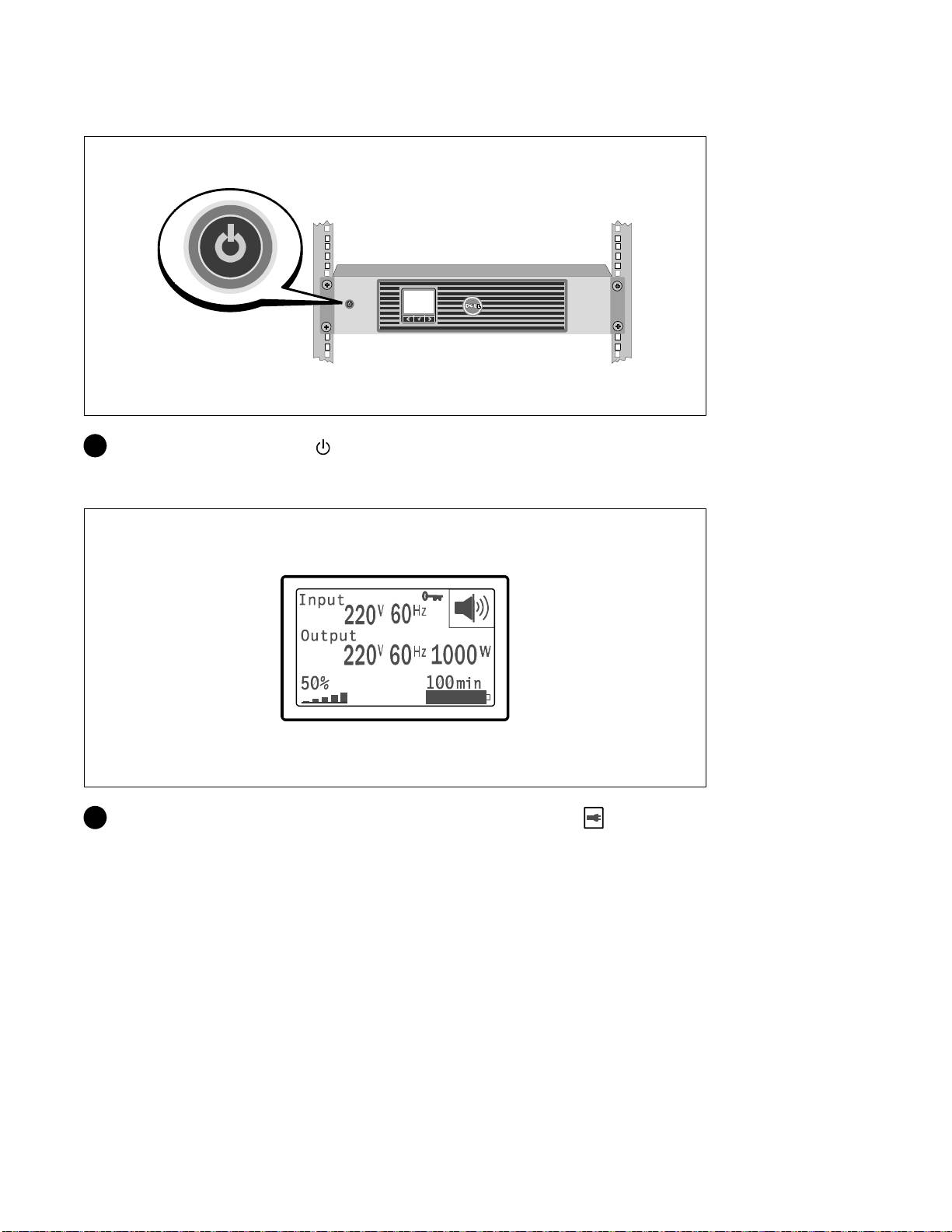
UPSの起動方法
8 UPSのフロントパネルにある ボタンを押します。
起動の完了
9 UPSが正常に動作し、負荷電力があることを示す「正常」アイコン がUPSのステータス
要約画面に現れていることをお確かめください。
インストールおよび設定
|
177

10 アクティブアラームや通知を確かめるには、UPSステータス要約画面の ボタンを押します
。 続ける前に、アクティブになっているアラームを解消してください。 Dell
ラインインタラクティブ式ラック
UPS
1000W, 1920/1500W, および 2700/2300W
ユーザーガイド
の「トラブルシューティング」をご参照ください。
アクティブになっているアラームがない場合は、「アクティブアラームなし」と表示され
たメッセージが現れます。
11 その他の工場出荷時設定の変更は、Dell
ラインインタラクティブ式ラック
UPS
1000W,
1920/1500W, および 2700/2300W ユーザーガイド
の「操作方法」をご参照ください。
178
|
インストールおよび設定


*1642018101*
164201810 1
Top 10 manuals
100.00
NZXT HALE90 1000W99.99
Samsung SM-R38099.97
AEG BSB 18C99.97
Dell 2700W99.97
Smeg KSEC70X99.96
Beurer HDE 4099.96
Pyramida KH 50 v.299.96
MSI CSM-H81M-P3299.96
AEG HR 562799.95
Melissa 640-048