
Beurer WL 30: Sunset function Goodnight function Display illumination
Sunset function Goodnight function Display illumination: Beurer WL 30
Table of contents
- Signs and symbols 1. Safety notes 2. Intended use
- 3. Unit description
- Display description 5. Initial use 6. Operation Setting the time
- Setting and activating the alarm Deactivating the alarm
- Light function Radio function Natural sound function Sunrise function
- Sunset function Goodnight function Display illumination
- Resetting the device to factory settings 7. Cleaning and maintenance 8. Disposal 9. Technical Data
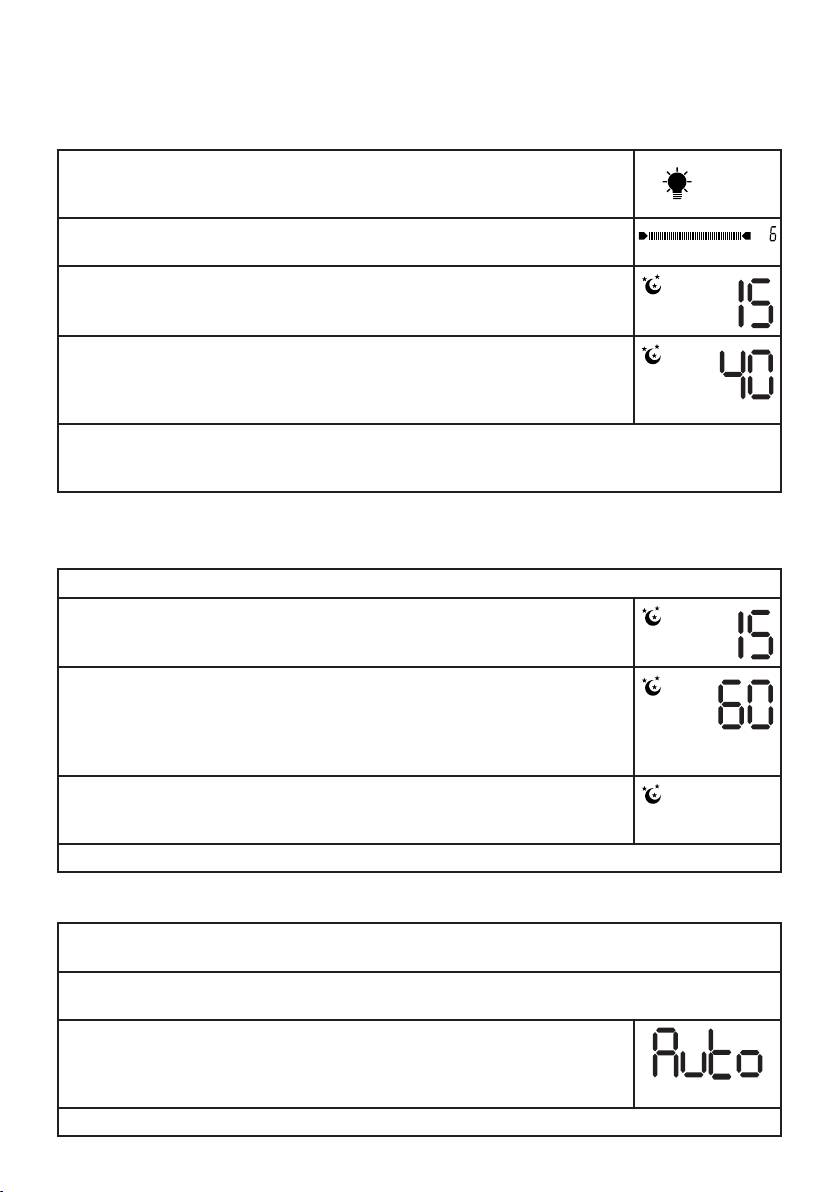
Sunset function
Withthisfunction,thelightgraduallydimsuntilitgoesoutcompletely(simulatedsunset).Youcanchoose
the time period after which the light automatically switches off. This function is ideal for when you are going
to sleep.
•Pressthelight control button.
T
he light will switch on.
•Tosetthelightintensitymovethelight control button up or down.
•Pressandholdthelight control buttonfortwoseconds.Amoonsymbolanda
flashing number of minutes will appear on the display.
T
he number of minutes indicates the sunset duration.
T
hedurationcanbesetto15,20,40,60,80,100or120minutes.
•Toselecttheduration,movethelight control buttonupordown.Confirmby
pressing the light control button.
T
hemoonsymbolwillflashonthedisplaynexttothetime.Thelightwillnowgraduallydimovertheset
period of time and automatically go out at the end.
•Tocancelthefunctionearly,pressthelight control button.
Goodnight function
This function automatically switches off the radio or a natural sound after a set period of time.
•Starttheradioornaturalsoundfunction.
•Pressandholdthevolume control button for two seconds.
Amoonsymbolandflashingnumberofminuteswillappearonthedisplay.
T
heflashingnumberofminutesindicatestheperiodoftime(inminutes)after
which the radio or natural sound will automatically be switched off.
T
hiscanbesetto15,20,40,60,80,100or120minutes.
•Tosetthetime,movethevolume control buttonupordown.Confirmby
pressing the volume control button.
T
he moon symbol will flash on the display.
T
he radio or natural sound will automatically be switched off once the set period
of time is up.
•Tocancelthefunctionearly,pressthevolume control button.
Display illumination
T
he display has three brightness levels.
•Tochangethedisplaybrightness,movethedisplay control button up or down.
T
he display can be illuminated in either blue or orange.
•Tochangethecolourofthedisplayillumination,pressthedisplay control button.
T
he device offers an auto function. With this function, the display is illuminated in
bluefrom0:00to11:59AMandinorangefrom0:00to11:59PM.
•Toactivatetheautofunction,pressandholdthedisplay control button briefly.
A
uto will appear on the display.
•Toswitchofftheautofunction,movethedisplay control button up or down.
15
