
Beurer WL 30: Light function Radio function Natural sound function Sunrise function
Light function Radio function Natural sound function Sunrise function: Beurer WL 30
Table of contents
- Signs and symbols 1. Safety notes 2. Intended use
- 3. Unit description
- Display description 5. Initial use 6. Operation Setting the time
- Setting and activating the alarm Deactivating the alarm
- Light function Radio function Natural sound function Sunrise function
- Sunset function Goodnight function Display illumination
- Resetting the device to factory settings 7. Cleaning and maintenance 8. Disposal 9. Technical Data
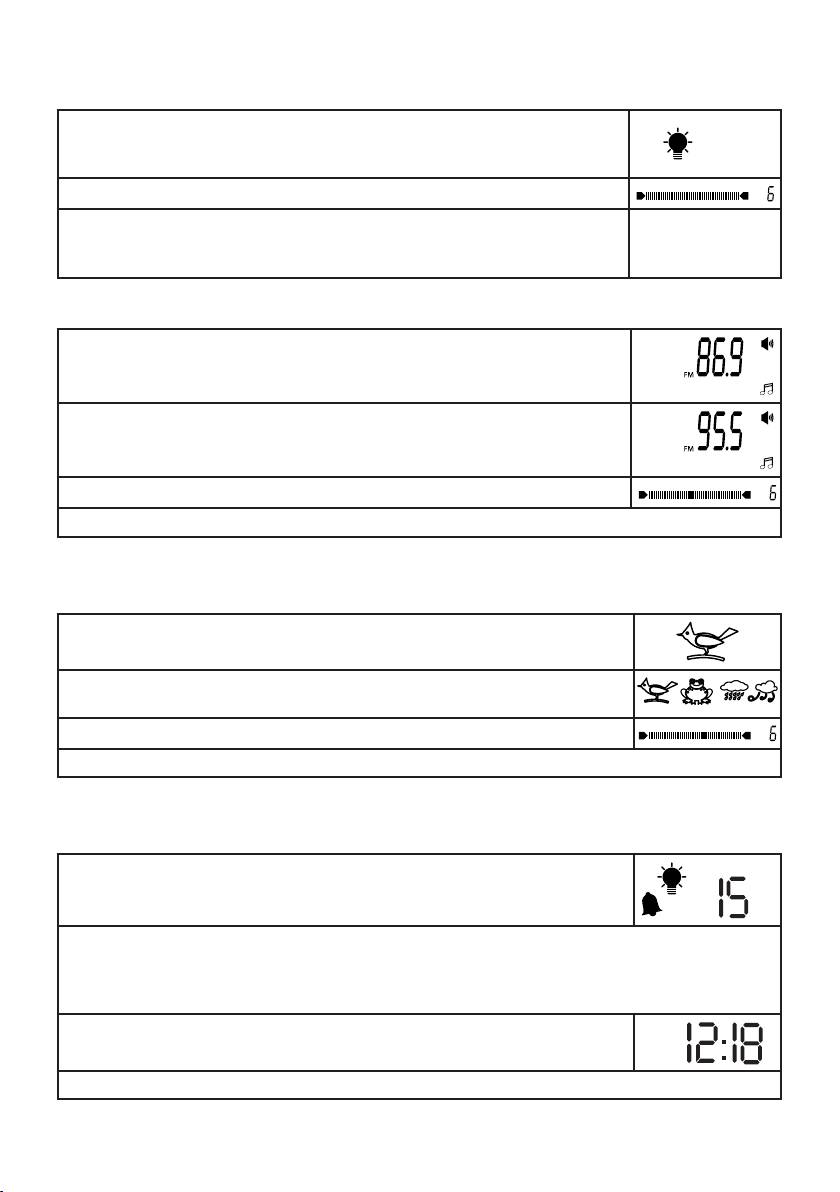
Light function
You can also use the device as a normal lamp.
•Pressthelight control button.
T
he light will switch on.
•Tosetthelightintensity,movethelight control button up or down.
•To switch the light off, press the light control button.
Radio function
•Press the radio control button.
Theradiofrequencycurrentlysetwillappearonthedisplay.
•Tosettheradiofrequency,movetheradio control button up or down.
Tip: to start the automatic station scan, press and hold the radio control button
up or down briefly and then release it again.
•To set the radio volume, move the volume control button up or down.
•To switch the radio off, press the radio control button.
Natural sound function
You can also play a natural sound on the device independently of the alarm function.
•Pressandholdthealarm control button for two seconds.
Anaturalsoundwillflashonthedisplay.(exampleshownhere=birdsong)
•Toselectanaturalsound,movethealarm control buttonupordown.Confirm
by pressing the alarm control button.
•Tosetthenaturalsoundvolume,movethevolume control button up or down.
•Toswitchthenaturalsoundoff,pressthealarm control button.
Sunrise function
You can also use the simulated sunrise function on the device independently of the alarm function.
P
ress and hold the light control button and the alarm control button simultane-
ously for two seconds. The light symbol, alarm symbol and a flashing number
(exampleshownhere=15minutes)willappearonthedisplay.
The flashing number indicates the sunrise duration in minutes.
Thesunrisedurationcanbesetto15,20,40,60,80,100or120minutes.
•Tosetthesunriseduration,movethealarm control buttonupordown.Confirmbypressingthe
alarm control button.
T
he current time will appear on the display. The sunrise function is now activated.
T
he light will gradually become brighter over the set period of time.
•Tocancelthefunctionearly,pressthelight control button twice.
14
