
Beurer MC 5000: Concentrated massages Settings
Concentrated massages Settings: Beurer MC 5000
Table of contents
- 1. Intended use 2. Safety notes Electric shock
- Repairs Risk of fire Operation
- 3. Getting to know your device
- 4. Unit description External features Internal features
- Hand switch
- Hand switch button functions Massage programmes Automatic massage programmes Massage programmes
- Concentrated massages Settings
- Position buttons for upright and flat position
- Installation location 5. Initial use Unpacking and assembly Step 1:
- Step 3: Step 4: Step 5:
- Before switching on Starting the massage 6. Operation Flat position/upright position
- Switching off the massage chair Additional settings, operating options 7. Maintenance and storage
- 8. What if there are problems? 9. Technical Data 10. Disposal 11. Warranty and service
21
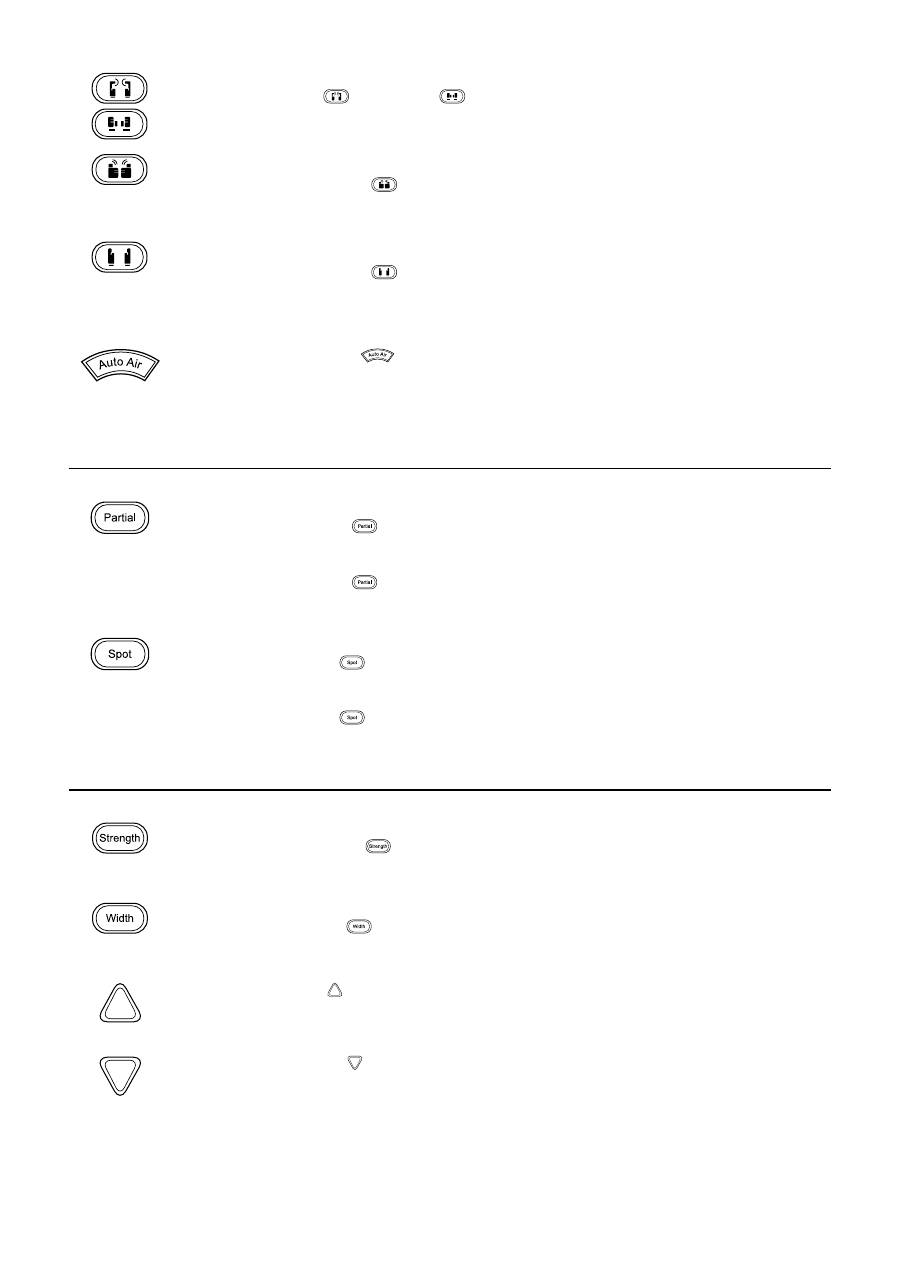
Kneading and tapping
>
Press the kneading
and tapping
massage buttons.
The kneading and tapping massages can be activated together.
Shiatsu
>
Press the massage button
.
The massage programme starts.
Total duration: 15 minutes. Afterwards, the massage chair switches to standby mode.
Roller
>
Press the massage button
.
The massage programme starts.
Total duration: 15 minutes. Afterwards, the massage chair switches to standby mode.
Automatic air pressure massage for the seat, calf and foot area.
>
Press the auto air button
.
The air pressure massage programme starts.
Total duration: 15 minutes. Afterwards, the massage chair switches to standby mode.
Concentrated massages
Partial massage
While the current massage programme is running:
>
Press the partial button
.
The partial massage begins with the current position of the massage rollers as the centre point.
An area of 8 cm around this centre point is massaged intensively.
>
Press the partial button
again.
The massage programme continues.
Spot massage
While the current massage programme is running:
>
Press the spot button
.
The spot massage begins with the current position of the massage rollers as the centre point.
The area directly around this centre point is massaged intensively.
>
Press the spot button
again.
The massage programme continues.
Settings
Strength – strength of the kneading and tapping massage
The settings low, medium, high and off are available.
>
Press the strength button
in the kneading and tapping automatic massage programmes.
Each time the button is pressed, the next setting is selected.
Width – distance between massage rollers
The settings narrow, medium and wide are available.
>
Press the width button
in the tapping and rolling massage.
Each time the button is pressed, the next setting is selected.
Raise roller position
>
Press the up button in the partial and spot massage.
The massage rollers are raised.
Lower roller position
>
Press the down button in the partial and spot massage.
The massage rollers are lowered.
