
Beurer GS39: Display DE FR GB ES RUS 4.3 Weighing with storage function
Display DE FR GB ES RUS 4.3 Weighing with storage function: Beurer GS39
Table of contents
- 1. Interesting facts 2. Important notes – keep for later use! 3. Voice function Volume control:
- 4. Use 4.1 Batteries 4.2 Measuring weight
- Display DE FR GB ES RUS 4.3 Weighing with storage function
- 4.4 Retrieving the stored values
Display DE FR GB ES RUS
0.0
Das Gerät
L'appareil est
The device is
El aparato
Прибор
ist betriebs-
prêt à
ready for use
está
готов к
bereit
fonctionner
preparado
работе
para
el servicio.
Now step onto the scale. Stand still on the scale with your weight distributed
evenly between both legs. The scale immediately begins to measure your
weight. After flashing twice the final measurement result appears on the dis-
play. (Fig. 3)
Fig. 3
There is also an acoustic output. The scale switches off 10 seconds after you
step down from it. The measuring result remains visible during this time.
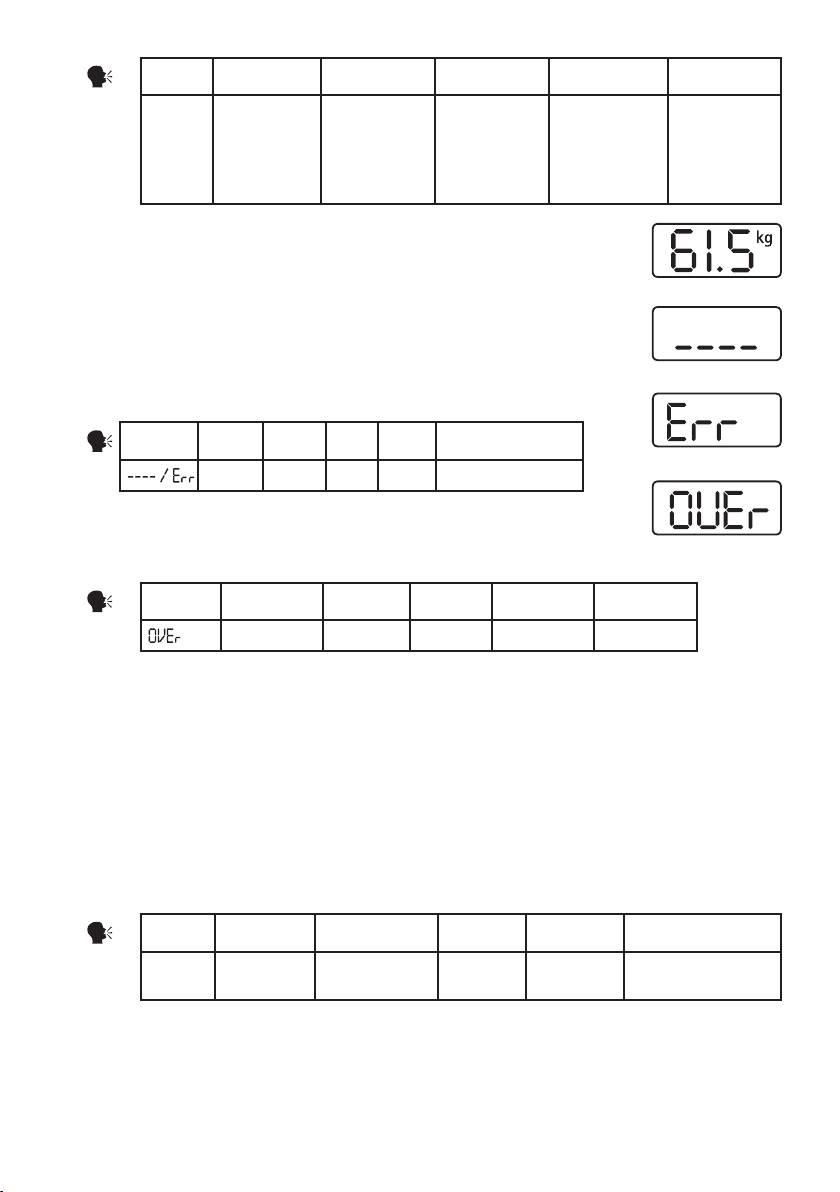
If the scale detects an error during weighing,
“
----
”
or
“
Err
”
appears in the
Fig. 4
display (Fig. 4+5).
Display DE FR GB ES RUS
Fig
. 5
Fehler Erreur Error Error Неисправность
If a weight of more than 150 kg is placed on the scale, “OVEr” is displayed
(Fig. 6).
Fig. 6
Display DE FR GB ES RUS
Überlastung Surcharge Overload Sobrecarga Перегрузка
Make sure that you always switch on the scale first and wait for the display
“
0.0
”
(Fig. 2) before
stepping on.
4.3 Weighing with storage function
The scale has 4 storage locations (buttons 1-4).
Switch on the scale as described in "4.2. Measuring weight"and wait until the display shows "0.0"
(Fig. 2).
Now press the desired storage location (1, 2, 3 or 4).
For example, press the "1" button that appears in the upper left-hand corner of the display "User 1".
Display DE FR GB ES RUS
User 1 Speicher-
Emplacement
Memory
Espacio de
Пользоватейски
platz 1
de mèmoire 1
space 1
memoria 1
елемент позиция 1
Now the scale is ready to measure your weight, as described in 4.2.
The measurement is automatically saved in the respective user memory. If necessary, a previous
measurement is exceeded.
13
