
Dell Latitude E5520M (Early 2011): Docking Your Computer to the Battery Slice
Docking Your Computer to the Battery Slice: Dell Latitude E5520M (Early 2011)
Table of contents
book.book Page 4 Wednesday, July 20, 2011 7:09 PM
3
Before you undock your computer, set your computer’s power
management settings so that it does not enter sleep, standby, or hibernate
mode when you close (lower) the display:
Windows 7:
a
Click
Start
→
Control Panel
→
Hardware and Sound
→
Power
Options
→
Change what closing the lid does
.
b
Under the
When I close the lid drop-down
menu, select
Do nothing
.
Windows Vista:
a
Click
Start
→
Control Panel
→
Mobile PC
→
Power Options
→
Change what closing the lid does
.
b
Under the
When I close the lid drop-down
menu, select
Do nothing
.
Windows XP:
a
Click
Start
→
Control Panel
→
Performance and Maintenance
→
Power Options
→
Advanced
.
b
Under the
When I close the lid drop-down
menu, select
Do nothing.
Docking Your Computer to the Battery Slice
1
Follow the procedures in "Setting up Your Battery Slice" on page 3.
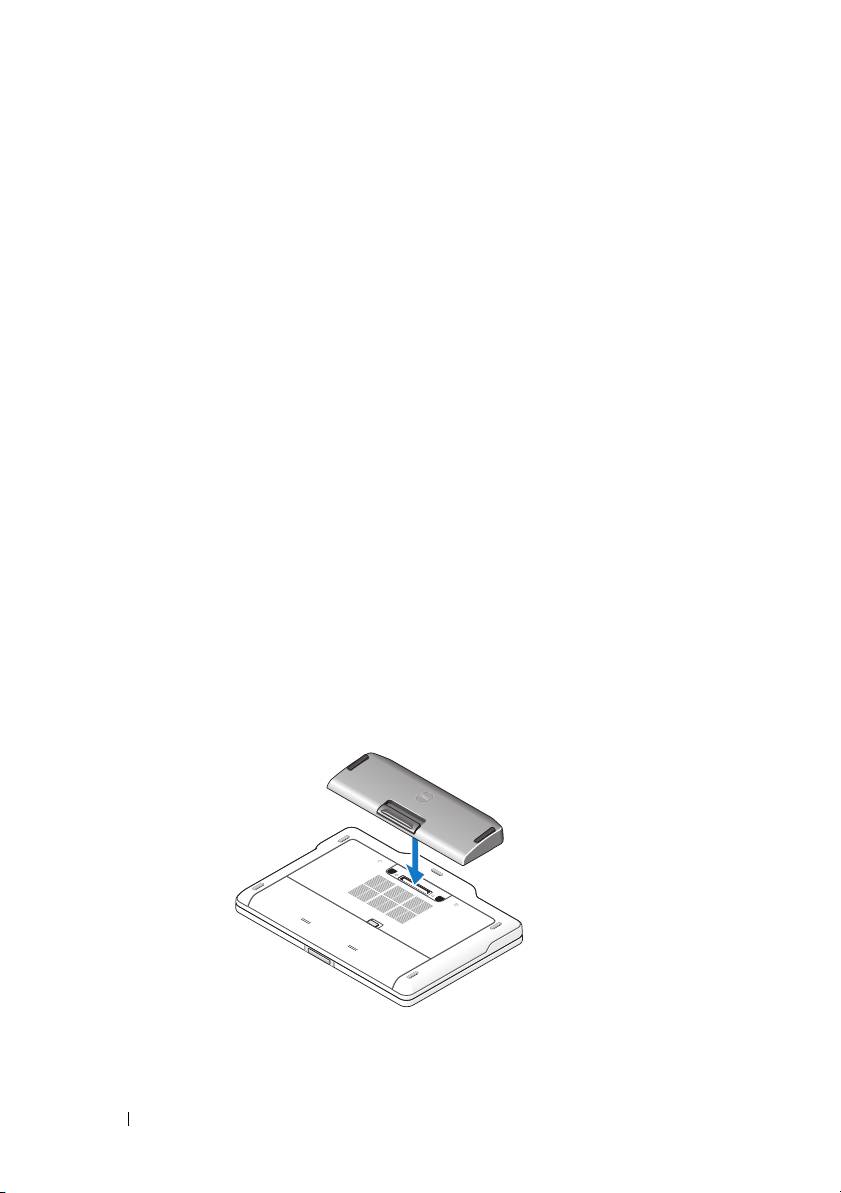
2
Turn over the computer and lower the battery slice until it clicks into
place.
3
Flip the computer and power it ON.
4 Battery Slice
