
Beurer KS 600: Unit description G Scale: G Wireless display:
Unit description G Scale: G Wireless display:: Beurer KS 600
Table of contents
- Getting started Insert 2 batteries into the kit- chen scale. Then insert 3 batte- ries into the wireless display. Place the scale on a secure, flat surface.
- Unit description G Scale: G Wireless display:
- Setting the measurement unit: Setting the unit of tempera- ture:
- Setting the time, date and and year:
- Weighing Press to switch on the scale. Wait until 0 appears on the dis- play. The blue LED lights up to display the operation. Position the container.
- Press the “ /Tare” button. Place the material to be weighed on the scale. To weigh additional ingredients, press the “ /Tare” button again. “Tare” appears on the display for 3 seconds.
- Press and hold the „ -button for 2 seconds. Error messages Empty battery. Maximum weighing capacity exceeded (5 kg). Scale is uneven.
- If the wireless display is more than 2 m away from the scale. Mounting the wireless display
- Magnetic mounting:
- Important instructions
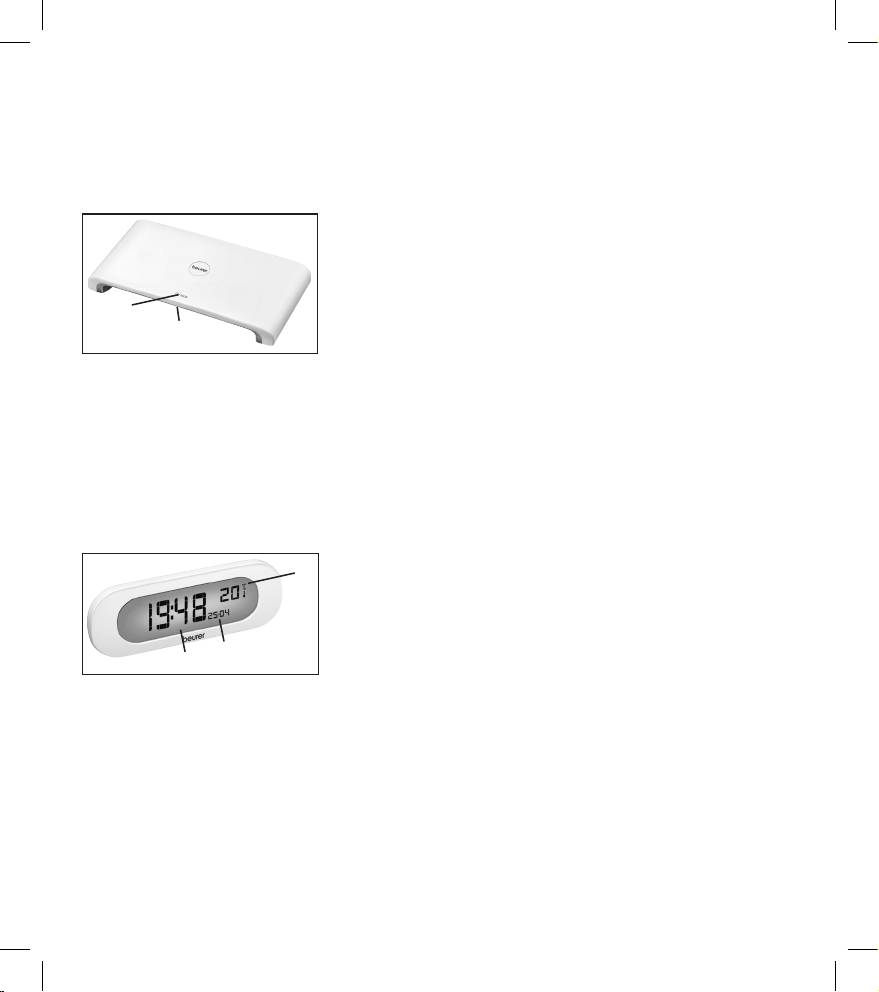
2. Gerätebeschreibung
G
Unit description
I
Descrizione
r
Описание прибора
F
Description de l’appareil
dell’apparecchio
Q
Opis urządzenia
E
Descripción del aparato
T
Cihaz Açıklaması
D Waage:
I Bilancia:
1. ON/OFF / Zuwiegen (Tara)
1. ON/OFF / Taratura (Tara)
2. blaue LED-Beleuchtung zur
2. Illuminazione LED blu che indica
Anzeige des Betriebs der Waage
il funzionamento della bilancia
G Scale:
T Terazi:
1
1. ON/OFF/Weigh (tare)
1. AÇIK/KAPALI / Tartıya ürün
2
2. Blue LED lighting for displaying
ekleme (dara)
the operation of the scale
2.
Terazinin çalıştığını gösteren mavi
LED aydınlatma
F Balance:
1. ON/OFF / Peser (Tare)
r Весы:
2. LED bleue pour indiquer que la
1. Вкл/Выкл/Довешивание (тара)
balance fonctionne
2. голубая светодиодная
подсветка для индикации
E Báscula:
режима весов
1. ON/OFF/Tara
2. Iluminación azul del LED que
Q Waga:
indica el funcionamiento de la
1. Wł./Wył./doważanie (tara)
báscula
2. Niebieskie podświetlenie LED
wskazujące pracę wagi
D Funkdisplay:
I Display radio:
1
1. Raumtemperatur
1. Temperatura ambientale
2. Datum
2. Data
3. Uhrzeit
3. Ora
G Wireless display:
T Telsiz ekran:
2
1. Room temperature
1. Oda sıcaklığı
3
2. Date
2. Tarih
3. Time
3. Saat
r Дисплей:
F Écran numérique:
1. Комнатная температура
1. Température ambiante
2. Дата
2. Date
3. Время
3. Heure
Q Wyświetlacz zdalny:
E Pantalla inalámbrica:
1. Temperatura pomieszczenia
1. Temperatura ambiente
2. Data
2. Fecha
3. Godzina
3. Hora
3
