
Beurer BY 88 Smart: 2. Signs and symbols 3. Intended use 4. Notes
2. Signs and symbols 3. Intended use 4. Notes: Beurer BY 88 Smart
Table of contents
- Table of contents
- 1. Getting to know your device
- 2. Signs and symbols 3. Intended use 4. Notes
- 5. How it works / useful information Local
- 6. Unit description HD camera (720p for a high resolution image quality) 7. First steps 7.1 Setting up the camera using an Android™ device
- 7.2 Setting up the camera on your iPhone 7.3 Camera settings 7.4 General settings
- 8. Camera operation 8.1 Switching on the camera 8.2 Adding another camera 8.3 Removing a camera 8.4 Account settings / signing out
- 8.5 Infrared night vision function 8.6 Functions during live transmission in the app
- 8.7 Using the camera for other end devices 8.8 Access to the user account via the web portal (PC) 9. Maintenance and cleaning 10. What if there are problems? Problem Solution
- Problem Solution 11. Disposal 12. Technical data
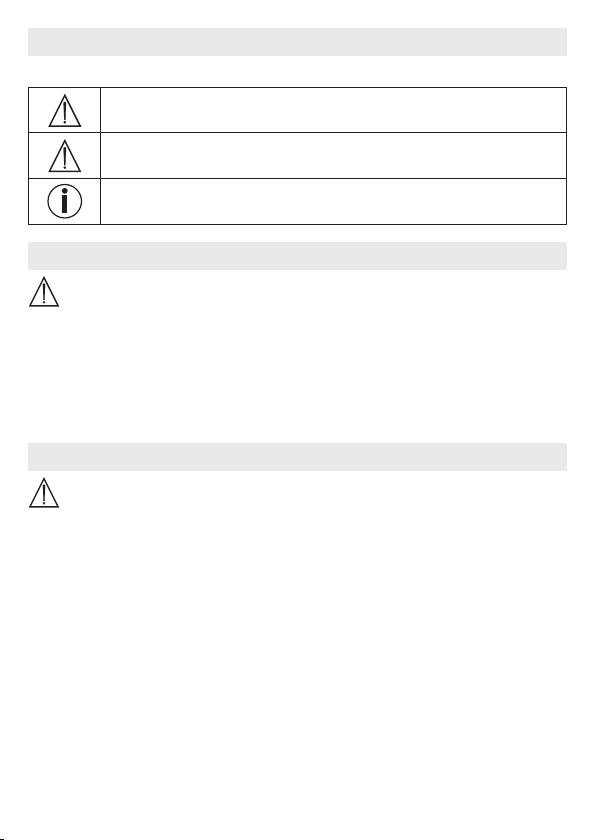
2. Signs and symbols
The following symbols appear in these instructions for use:
WARNING
Warning instruction indicating a risk of injury or damage to health
IMPORTANT
Safety note indicating possible damage to the device/accessory
Note
Note on important information
3. Intended use
WARNING
•
Only use the Baby Care Monitor when you cannot mind your baby directly. It is not a sub-
stitute for your own personal, responsible supervision!
•
You can also use the Baby Care Monitor as a room monitor.
•
Improper use can be dangerous.
•
The Baby Care Monitor is only intended for domestic/private use, not for commercial use.
•
Respect the personal rights of others. All persons in the monitored room or who may
be in the monitored room should be informed that there is a camera filming the room.
4. Notes
WARNING
Safety notes
•
Always position the camera and power cord out of the reach of children. The power
cord may cause strangulation or injury to children.
•
Keep small parts out of reach of children.
•
Keep packaging material away from children (risk of suocation).
•
Never place the camera in the cot or within reach of your child.
•
Place the camera 2 m away from your baby, in order to minimise the possibility of elec-
trosmog pollution and noise pollution.
•
Make sure that cables are not accessible to your child.
•
Before use, make sure that the camera functions properly.
•
Never submerge the camera in water. Never rinse it in running water.
•
Never use the camera in proximity to moisture.
•
Do not cover the camera with a towel or cover.
•
Only use the mains part plug included in delivery.
•
Do not use the cable to pull the mains part plug out of the socket.
15
