
Vitek VT-4060 SR: JPEG FILES
JPEG FILES: Vitek VT-4060 SR
Table of contents
- DVD 5.1 HOME THEATRE SYSTEM IMPORTANT NOTICES:
- ABOUT YOUR DVD PLAYER BEST LOCATION TO OBTAIN A CLEAR PICTURE PLAYABLE DISCS DIGITAL AUDIO OUTPUT ANALOG AUDIO OUTPUT LASERHEAD OVERCURRENT PROTECTION SYSTEM DISCS USE OF DISC Handling Cleaning
- Storing Handing and Caring for Discs Step: FRONT PANEL REAR PANEL Remote control OPERATING THE REMOTE CONTROL Battery installation: Using the Remote Control
- BATTERIES Connection Stereo Audio Coaxial Digital Audio Speaker Output
- SPEAKERS Composite Video SVideo ARRANGEMENT OF SPEAKERS Component Video (YUV) VGA SCART CONNECTING SPEAKERS
- ANGLE MARK: OSD LANG: CLOSED CAPTIONS: SCREEN SAVER: LAST MEMORY: CONNECTING ANTENNA AUDIO SETUP PAGE ANALOG AUDIO SETUP: DOWNMIX: LT/RT: MENU OPERATION: STEREO: 3D SURROUND: OFF: GENERAL SETUP PAGE FRONT, CENTER, REAR and SUBWOOFER SPEAKER: (No this DIALOG:
- DIGITAL AUDIO SETUP PAGE 3D PROCESSING: DIGITAL OUTPUT: SPDIF OFF: HDCD SETUP: ALL: KARAOKE PCM ONLY: LPCM OUT: DOLBY DIGITAL SETUP VIDEO SETUP PAGE DUAL MONO: DYNAMIC: COMPONENT V IDEO: CHANNEL DELAY PAGE: EQUALIZER: COLOR SETTING SETUP:
- PREFERENCES PLAYING THE RADIO AUDIO, SUBTITLE and DISC MENU LANGUAGE PAGE: PARENTAL: BASIC DVD OPERATION PASSWORD PAGE:
- PREV/NEXT playback MENU: MENU/PBC FUNCTIONS LOCATING A TITLE
- JPEG FILES
- Troubleshooting Symptom Cause Solution Specification DVD receiver
ENGLISH
Tone
Press [TONE], then press VOLUME+/ to control bass median and treble.
MP3 & MPEG FUNCTION
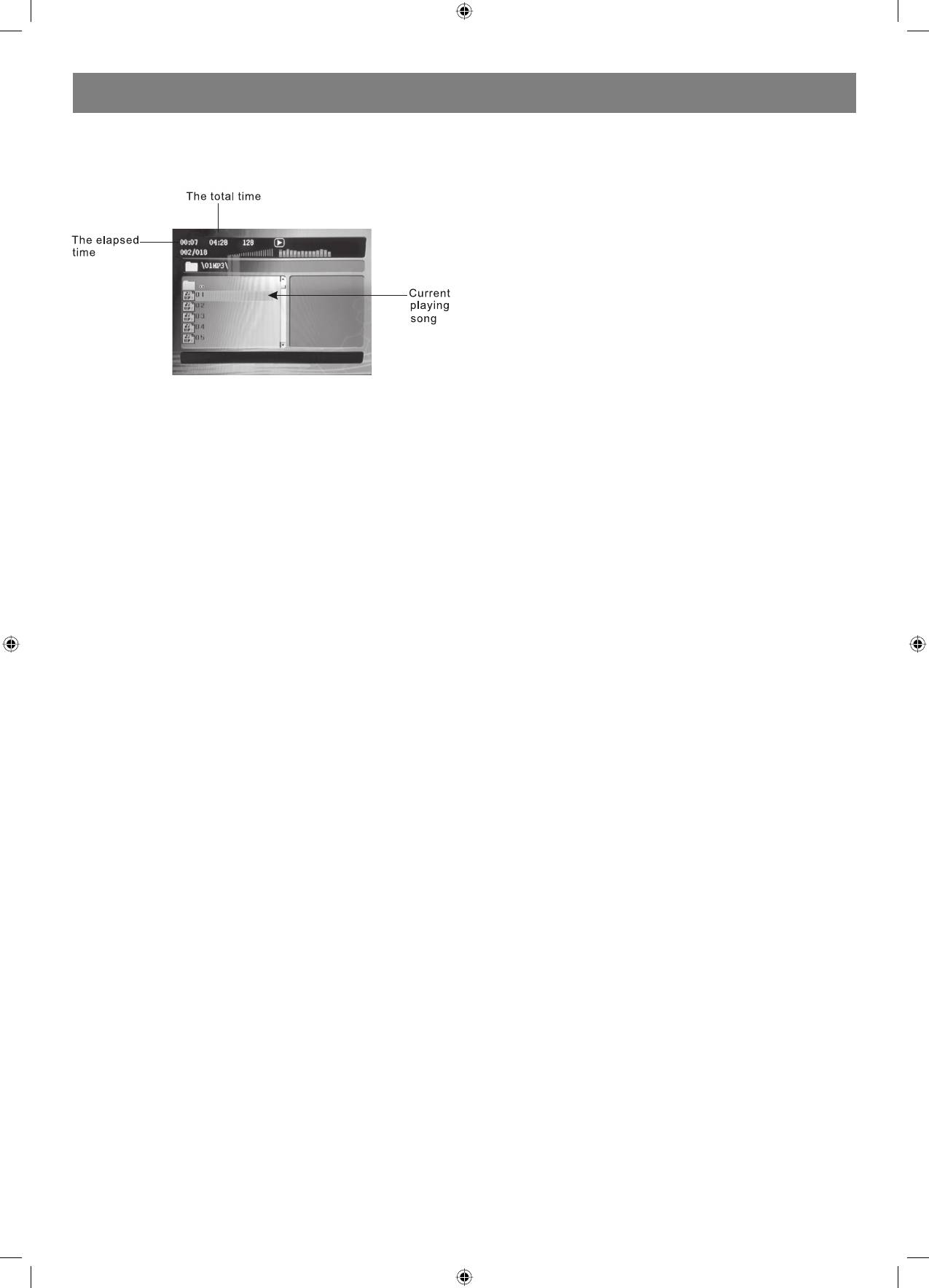
When a MPEG and a Mp3 disc is loaded, the screen will display as
follows:
Press up/down direction key to select the file when the cursor appears in
the file window.
Press PLAY key to play the current file select by the cursor.
Note:
During Mp3 playback, Forward Scan and Reverse Scan are not available.
Note:
The player will not identify or play a MP3 disc under the following
conditions:
• the recording format is not supported (make sure the files are in MP3
format);
• the disc is badly scratched, damaged or dirty;
• the disc is not finalized.
JPEG FILES
JPEG files contain picture information which can be encoded by micro
computer software and transmitted to the TV screen via a video output
interface. This function is useful in many contexts. For example teachers
can change pictures to be shown in the classroom to JPG files by means
of a digital camera or a scanner which are often used within the IT world
and transfer the pictures to CDR discs. This will make things easier
for the pupils when the teachers play the discs via a TV set or other
types of equipment in the classroom. It reduces the repetitive work for
the teachers, and the discs are easy to store (information on discs can
be stored for more than 100 years). By means of a digital camera or
scanner, families can transfer pictures to CDR discs. If, for example, a
picture requires 100K bytes, one disc will hold about 6000 pictures.
Manufacturers can show their customers pictures of their products one
by one.
Note: The actual contents vary from one type of disc to the other.
1. When a JPEG disc is loaded in the DVDplayer, an automatic slide
show will be launched. Each picture will be displayed and scaled to
fit the screen. Press STOP to enter the file library. Use the up/down
direction key to select the pictures, and press PL AY to display a
picture.
When the picture has been chosen, the slide show will resume with
the next picture in the library.
2. Press direction key to rotate the picture. These operations are
allowed only when a picture is being displayed normally and will be
cancelled automatically when a new picture is displayed.
3. Press ZOOM to execute the zoom function and select the zoom
enlarging scale by pressing in zoomin mode, press the
direction key buttons to move the picture on the screen.
With zoom mode off, the next picture will be scaled to fit the screen.
Press PLAY to cancel the zoom mode and resume the slide show.
JPEG limitations
• JPEG files containing CMYK colors is not supported by this DVD
player.
• The range of pixels should not be exceeding 3840 X 3840 pixels, in
order to achieve the best Performance.
11
4060.indd 114060.indd 11 23.10.2006 9:25:1423.10.2006 9:25:14


