
Vitek VT-3796: instruction
Class: Household, kitchen appliances, electronics and equipment
Type: Player
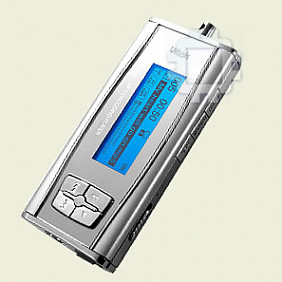
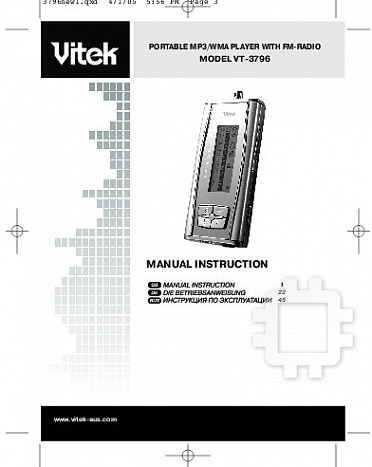
Manual for Vitek VT-3796
Table of contents
- IMPORTANT TECHNICAL SAFETY RECOMMENDATIONS SAFETY MEASURES
- PLAYER FUNCTIONS AND CONTROL ELEMENTS
- CONTROL ELEMENTS
- Top/ Bottom panel LCD Display
- Installing the battery SYSTEM REQUIREMENTS Operating characteristics
- USING THE MP3/WMA PLAYER CONNECTING THE USB CABLE
- COMPARE THE PLUGS ON THE USB CABLE BEFORE USING Turning the unit On/Off Listening with Headphones
- Hold function Volume adjustment For your reference
- USING THE PLAYER
- Choosing a function mode Playback speed ADDITIONAL FUNCTIONS Bookmarks
- Equalizer
- ID3 Language (MP3 text: name of album, song and artist)
- Backlight Dictaphone Function
- Repeat Function Data transfer speed in bits
- Speed of data recording from line input Deleting files from the MP3/WMA player
- Formatting files on the MP3/WMA player
- Choosing the Voice Data Recording Speed Checking the memory level and the operating system version FM Band RECORDING VOICE DATA
- Recording from auxiliary devices
- LISTENING TO THE RADIO
- Saving into memory Saving a tuned radio station frequency Recalling a saved radio station Deleting a programmed radio station Recording from the radio
- TROUBLESHOOTING SPECIFICATION

3796new1.qxd 4/1/05 5:56 PM Page 2
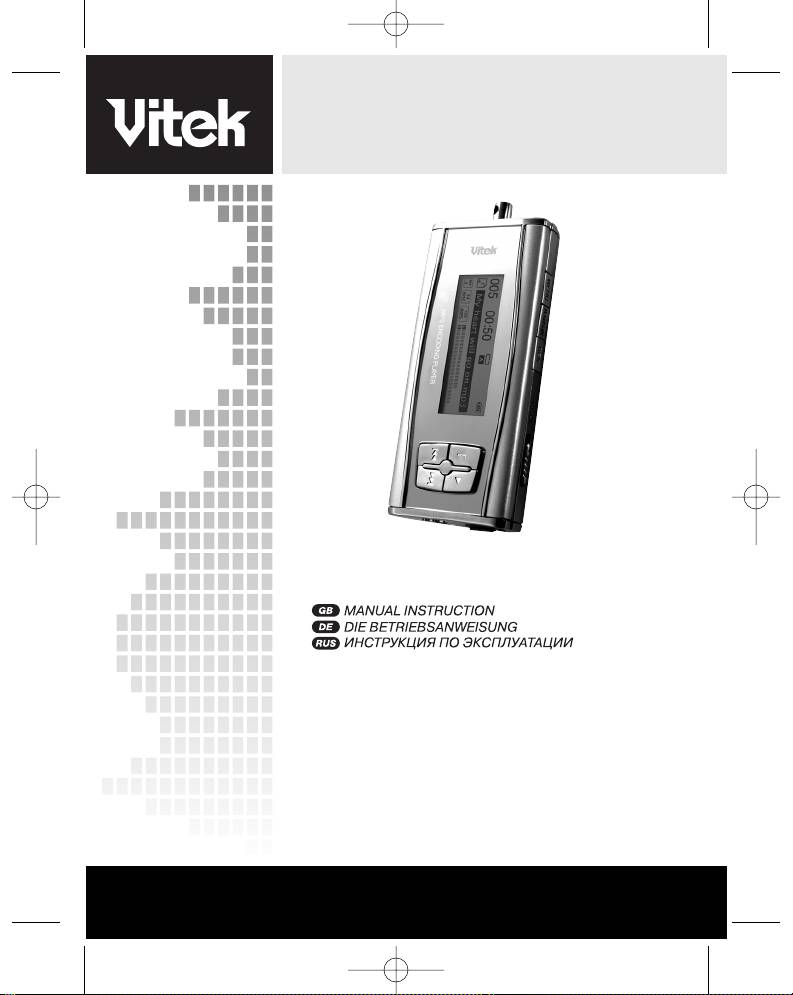
PORTABLE MP3/WMA PLAYER WITH FM-RADIO
MODEL VT-3796
MANUAL INSTRUCTION
1
22
45
www.vitek-aus.com
3796new1.qxd 4/1/05 5:56 PM Page 3
3796new1.qxd 4/1/05 5:56 PM Page 4
3796new1.qxd 4/1/05 5:56 PM Page 5
ENGLISH
Please read the recommendations in these instructions carefully and save them for
future use.
Design specifics and technical data may be changed without prior notice in order to
bring our consumers the best possible product.
IMPORTANT TECHNICAL SAFETY RECOMMENDATIONS
Do not expose the device to extreme temperatures (above 35 or below -5) or high
levels of humidity.
Do not place heavy objects on the device.
Do not drop the unit from high places.
Do not build other device into the device.
Do not clean the device with chemical cleaners like gasoline or solvents.
Do not expose the device to direct sunlight and do not leave it near heating units.
Do not place the device in dusty locations.
Do not take apart or try to repair the device yourself.
Remove the batteries if the device will not be used for a long period of time.
Note:
We are not responsible for the loss of stored information resulting from malfunction or
repair.
SAFETY MEASURES
If you do not plan on using the device for a long period of time, remove the batteries
to avoid damage to the device from battery leakage or corrosion.
Do not use the device while driving a car or any other mode of transportation.
Do not use the device in places where it is very hot, cold, where there are elevated
humidity levels or it is very dusty.
Deactivate the HOLD button before using the device.
Do not drop the device while using it.
Battery life
Battery MP3/WMA Playback
Alkaline battery (2EA) About 8 hours
Battery life (in accordance with EIAJ standards)
Power level: 5mWt + 5mWt (non-stop playback of a compact disc at a frequency of 1 kHz)
1
3796new1.qxd 4/1/05 5:56 PM Page 1
ENGLISH
When listening for 4 hours a day and stopping playback - total time equals 16 hours.
Playback time can vary depending on how the device is used.
Charge the rechargeable batteries or replace the regular batteries in the following situ-
ations:
The " " symbol blinks on the display.
The display reads “Weak batteries” and then turns off after one second.
Operating buttons do not work.
To avoid electrostatic charges when using the device, obey the following rules:
Whenever possible, do not use the device in extremely dry air conditions.
If the device stops operating during normal use, change the batteries.
PLAYER FUNCTIONS AND CONTROL ELEMENTS
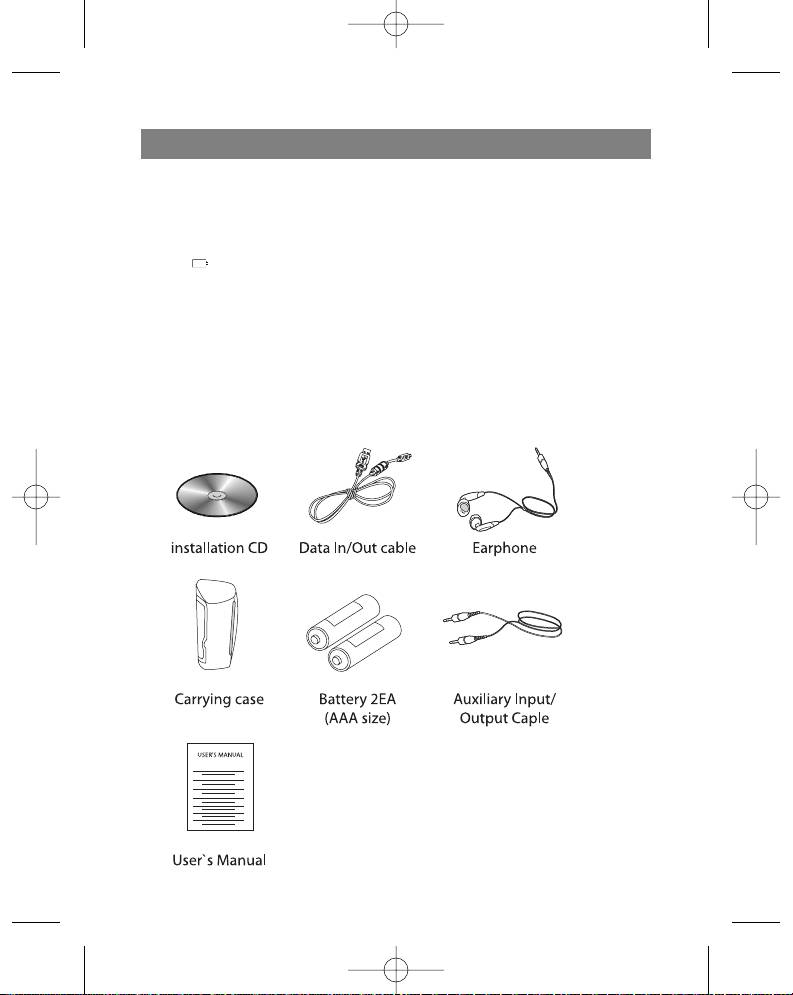
Accessories
2
3796new1.qxd 4/1/05 5:56 PM Page 2

ENGLISH
CONTROL ELEMENTS
Front / Rear panel Side panel
1. Jack for neckband
7. Volume regulator (-/+)
2. Liquid Crystal Display
8. MENU button
3. Function selector (F)
9. Bookmark button (B.MARK)
(Music, Voice, FM Radio)
10. Record button ( REC)
SPEED button
11. Control elements lock button
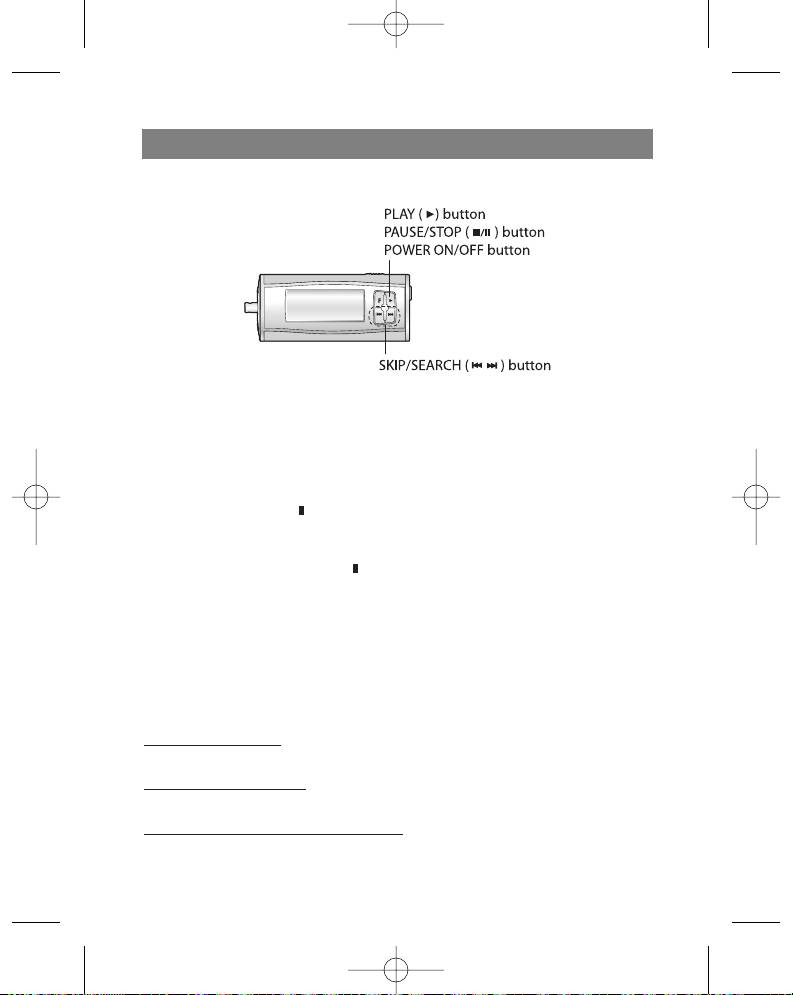
4. PLAY () button
(HOLD)
PAUSE/STOP (/ ) button
POWER ON/OFF button
5. SKIP/SEARCH ( /)
6. Battery compartment lid
3
3796new1.qxd 4/1/05 5:56 PM Page 3

ENGLISH
Top/ Bottom panel
12. Microphone (MIC)
13. Headphones jack ( ): Ø 3,5 mm
14. Auxiliary device jack: Ø 3,5 mm
15. USB jack
LCD Display
A. Music/Voice
H. File information
B. Current track/Total tracks
I. MP3/WMA format
C. Bookmark
J. Sampling frequency
D. Playback time
K. Transfer speed in bits
E. Repeat mode
L. Volume level
F. Buttons lock
M.Backlight
G. Battery level indicator
4
3796new1.qxd 4/1/05 5:56 PM Page 4
ENGLISH
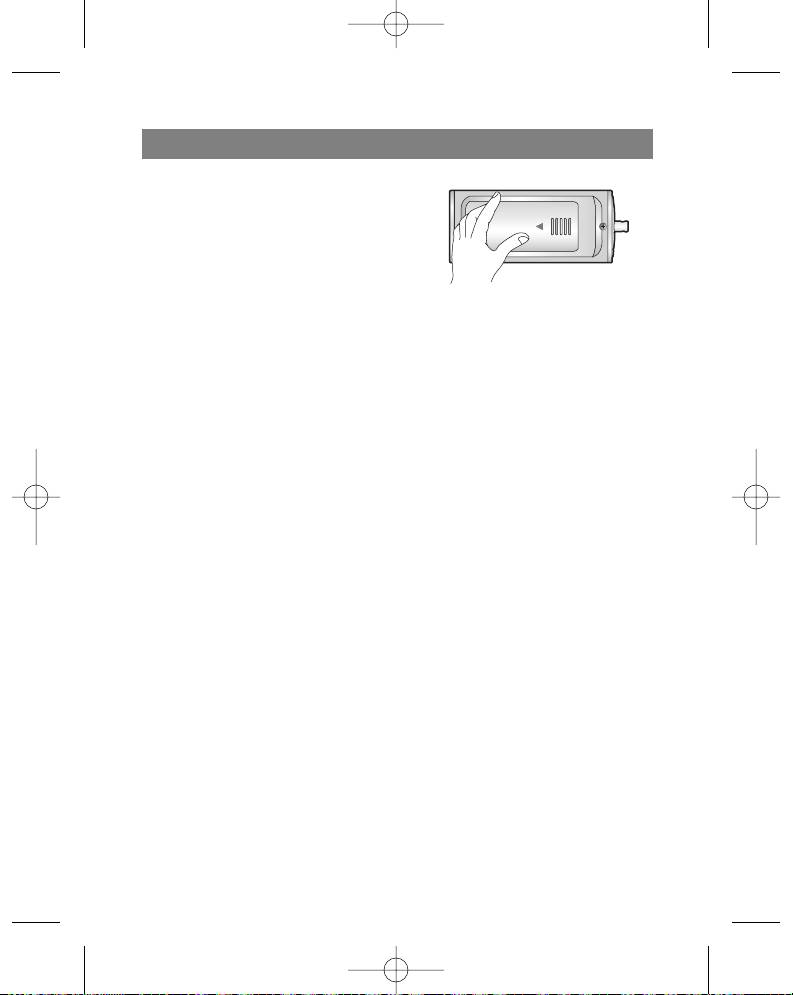
Installing the battery
1. Open the battery compartment lid.
2. Insert the battery.
Make sure that the + and - symbols on the
battery correspond to the same symbols
in the battery compartment.
3. Close the battery compartment lid.
Notes
Improper battery installation can lead to battery leakage and corrosion.
If the battery leaks, clean the battery compartment of the leakage and install a new
battery.
SYSTEM REQUIREMENTS
In order to connect the MP3/WMA player to a computer, it should meet the following
requirements:
Operating characteristics
Operating system: Windows 98/ME/2000/XP
Computer: at least a Pentium - 133 MHz
Memory: no less than 32 MB (more than 32 MB is recommended)
Hard disk space: no less than 100 MB
Video-card: 640 x 480 mode, no less than High Color (16 bit)
USB port
CD-ROM drive
What is USB?
USB stand for Universal Serial Bus.
This is a new interface based on a new concept for connecting your PC to peripher-
al devices.
Maximum bandwidth: 12 MB/s, up to 127 USB devices can be connected to one
PC.
5
3796new1.qxd 4/1/05 5:56 PM Page 5
ENGLISH
USING THE MP3/WMA PLAYER
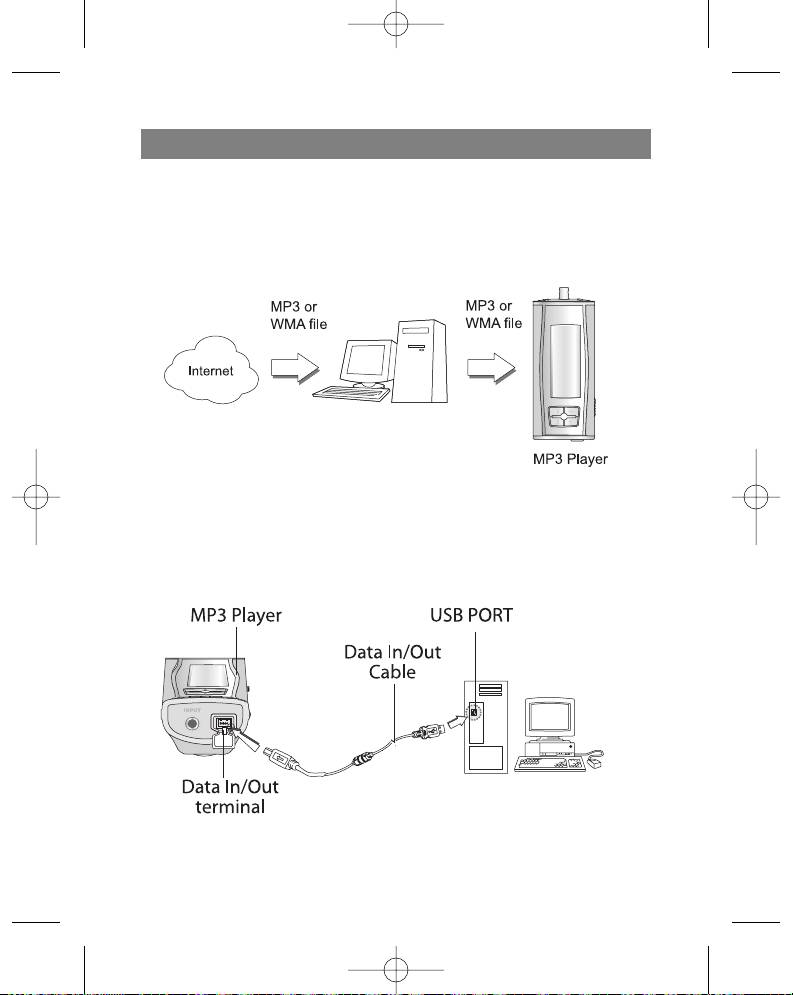
You must have music files in the MP3/WMA on your computer, a USB cable and your
player.
You can transfer music files from your computer to the player using a USB port and
USB cable. Besides that, you can transfer data from your player to a computer.
CONNECTING THE USB CABLE
Connecting the MP3/WMA player to a computer
Connect the player to the computer using the supplied USB cable.
6
3796new1.qxd 4/1/05 5:56 PM Page 6
ENGLISH
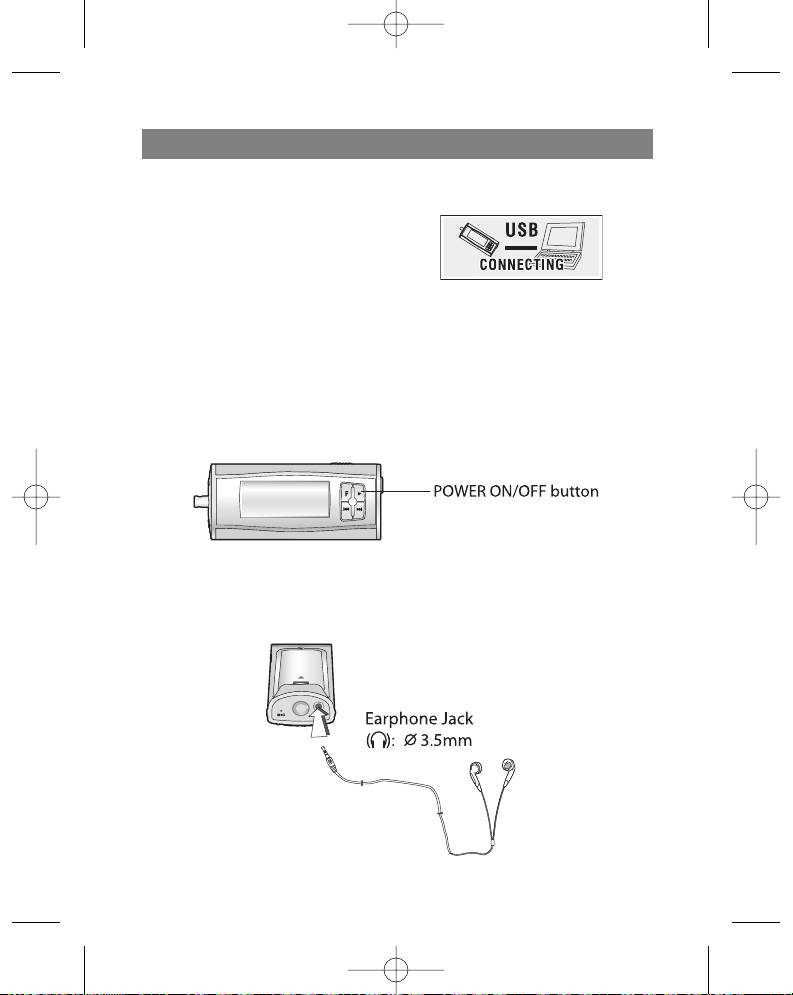
COMPARE THE PLUGS ON THE USB
CABLE
Connect one end of the USB cable to the
USB port on your computer and the other
end to the data transfer jack on the
MP3/WMA player.
BEFORE USING
Turning the unit On/Off
Press and hold the POWER ON/OFF (4) button for more than 1 second to turn the
player on.
Press and hold the POWER ON/OFF (4) button for more than 1.5 seconds in pause
or stop mode to turn the player off.
Listening with Headphones
Connect the headphones to the headphones jack. (13).
7
3796new1.qxd 4/1/05 5:56 PM Page 7
ENGLISH
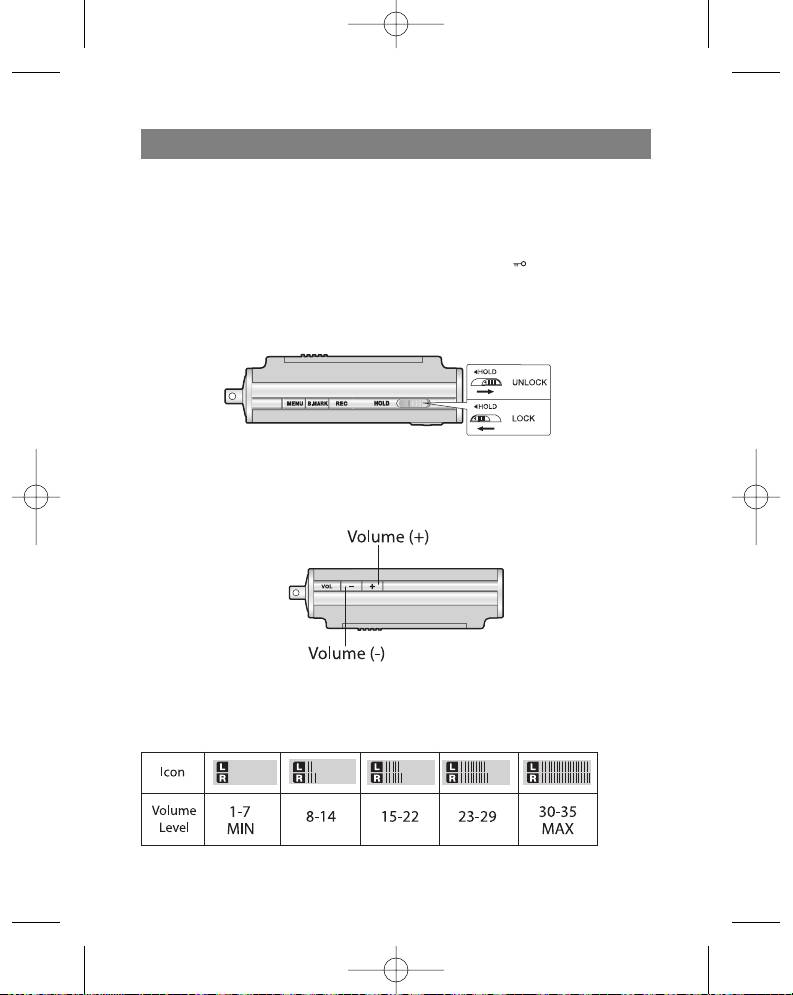
Hold function
This function locks the buttons on the player so that they cannot be accidentally
pressed.
Before using the player
With the player on, press the HOLD button (HOLD); the " " symbol will appear
on the display.
With the player off, press the HOLD button; the words ""HOLD ON !!!" will blink on
the display for two seconds.
Volume adjustment
You can adjust the volume using the (+/-) buttons.
There are 35 volume levels.
For your reference
Depending on the volume level, the display will show the following information:
8
3796new1.qxd 4/1/05 5:56 PM Page 8
ENGLISH
USING THE PLAYER
PLAYING FILES
1. Press the Power On/Off button to turn the player on.
2. Use the Skip/Search (/ ) buttons to choose the desired file.
3. Press the Play ( ) button to begin playback of the chosen file.
Pausing file playback
Press the Pause/Stop (/ ) button during playback of a file.
Stopping file playback
Press and hold the Pause/Stop (/ ) button for more than 2 seconds during play-
back.
Notes
You can playback WMA files with speeds of 32KB/s (or less).
During playback of MP3 format files at low data transfer speeds (64 KB/s or less),
you may notice a delay when pressing buttons.
Skipping to the next or previous file
Skipping to the next file
Use the Skip/Search ( ) button to choose the next file.
Skipping to the pr
evious file
Press the Skip/Search ( ) button twice to skip to the previous file.
Returning to the beginning of the curr
ent file
Press the Skip/Search ( ) button once.
9
3796new1.qxd 4/1/05 5:56 PM Page 9
ENGLISH
Fast skip or file search
Press and hold the Skip/Search ( / ) button for 2 seconds during playback.
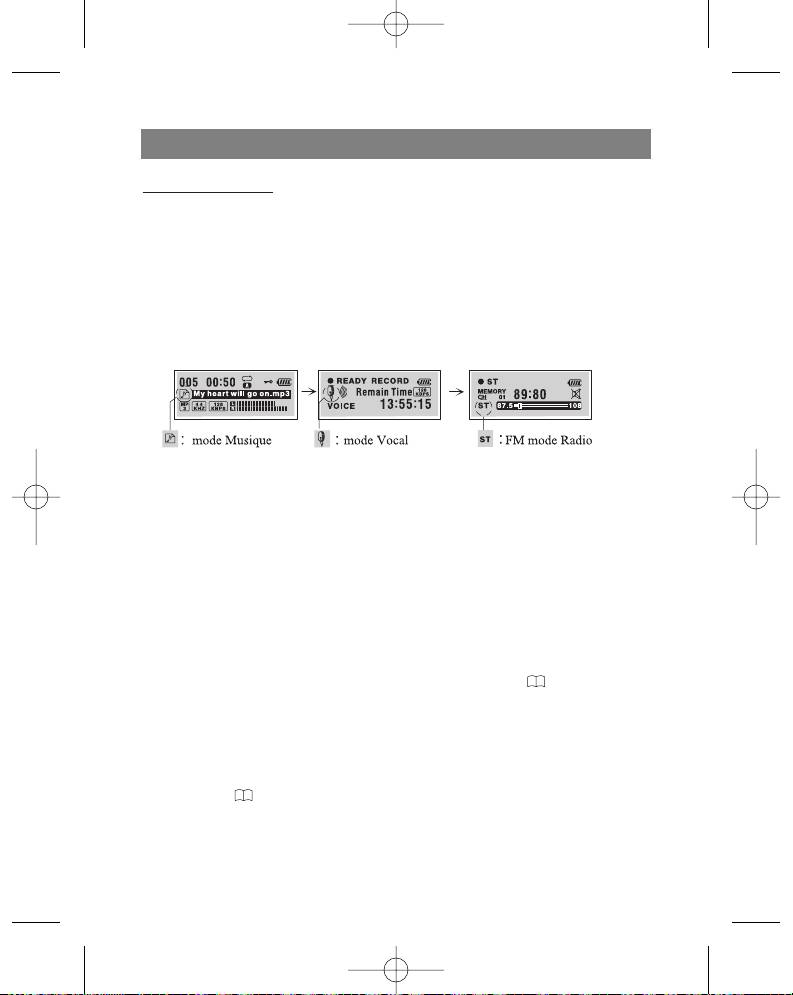
Choosing a function mode
Press the FUNCTION (F) button for more than 1 second.
You can choose one of the following modes: Music, Voice, or FM radio, by using the
Skip/Search ( /) button and then press the () button to confirm the chosen
mode.
During recording you cannot choose a function mode.
Playback speed
Press the SPEED button several times repeatedly.
You can choose a playback speed (-30%, -15% or +15% of the normal playback of
the file)
ADDITIONAL FUNCTIONS
Bookmarks
If, during playback of a file, you activate the Bookmark function, you can automatically
find the desired moment in the composition.
1. Choose the desired moment in the composition during playback and then press
and hold the Bookmark (B.MARK) button for 2 seconds. The " " symbol will
appear on the display.
2. Press the Bookmark button once during playback of another file. The player auto-
matically searches for the saved spot and begins playing the composition from the
exact spot that you programmed the Bookmark.
3. To cancel the Bookmark function, press the (B.MARK) and hold buttons for 2 sec-
onds. The " " symbol will disappear from the display.
Repeating a specific segment of a composition
You can repeat a specific segment of a composition using the Bookmark button
10
3796new1.qxd 4/1/05 5:56 PM Page 10
ENGLISH
(B.MARK). This function is designed to repeat parts of compositions lasting more than
three seconds. To choose the starting point of the specific segment of a composition,
press the Bookmark button once during playback of a file.
1. The “A " symbol will appear on the display.
2. To choose the ending point of the segment, press the button again during playback
of a file. The "A
B" symbol will appear on the display.
3. To cancel the segment repeat function, press the Bookmark button. The “A
B”
symbol will disappear from the display.
Note
In radio mode (FM band), the Bookmark function and segment repeat function will not
work.
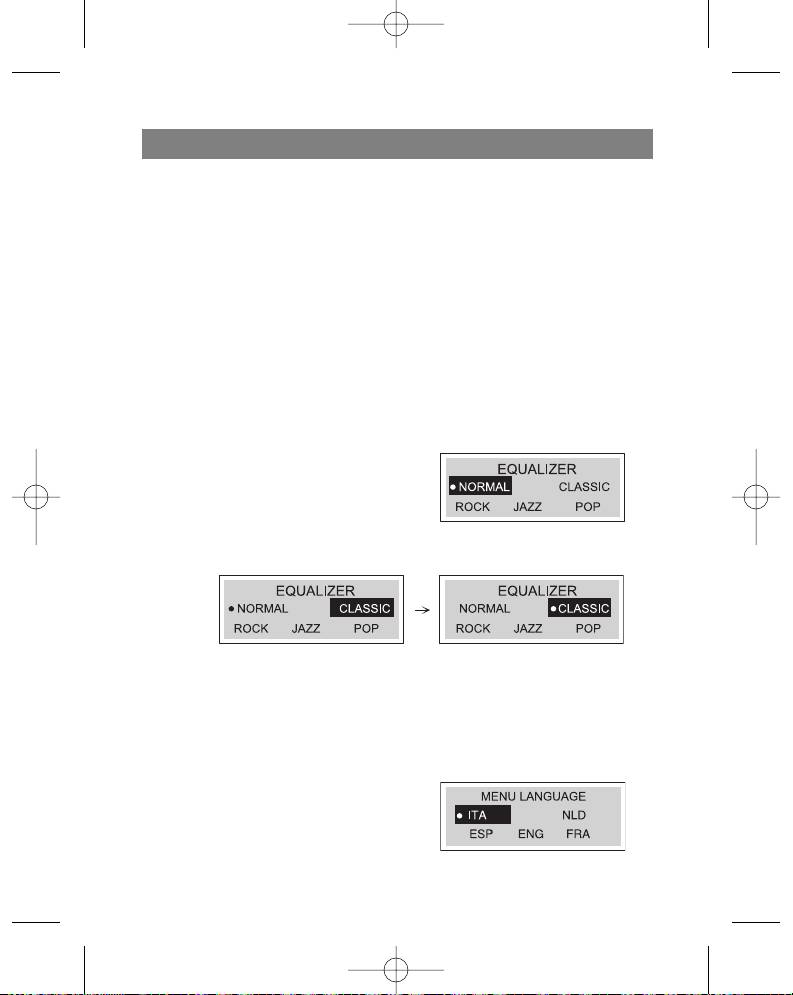
Equalizer
You can choose from one of these five sound modes.
1. Press and hold the MENU button for
two seconds and then select the
EQUALIZER function using the func-
tion selector.
2. Use the Skip/Search (/ ) buttons
to find the desired sound mode (normal, classical, rock, jazz, pop)
3. Choose the desired sound mode by pressing the Play ( ) button and then press
the MENU button again to exit the equalizer mode.
Note
The equalizer function is not available in radio mode (FM band).
Language
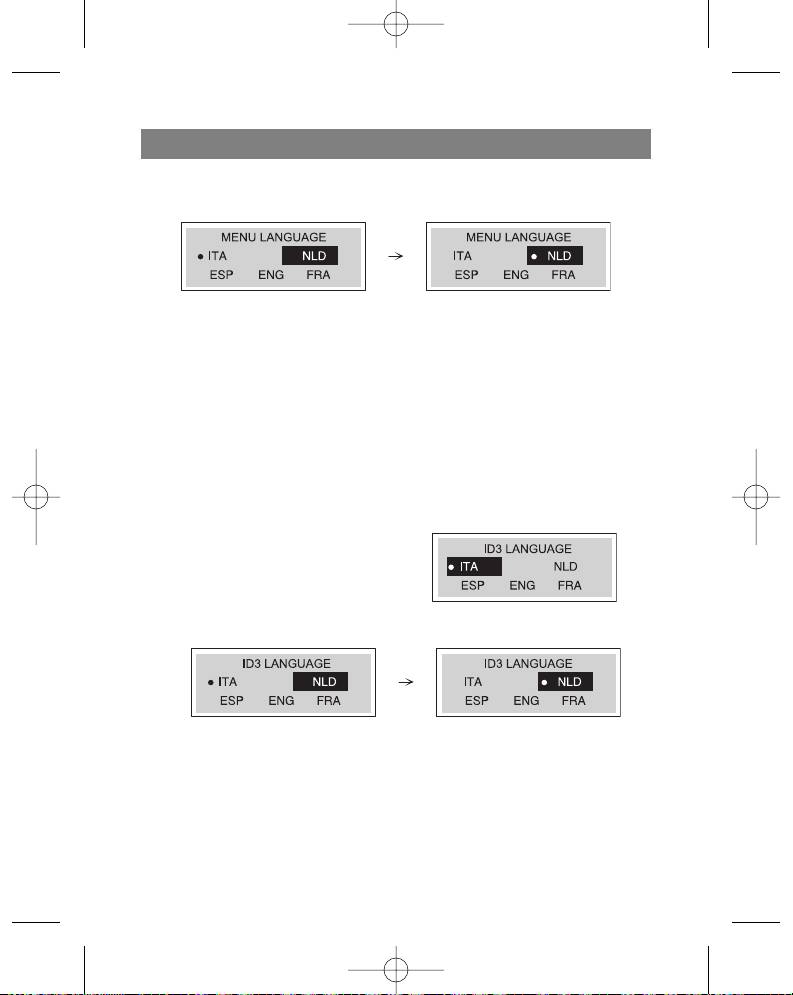
You can choose from four different display languages.
1. Press and hold the Menu button for two
seconds and then use the function selector
to choose the “Language” function.
11
3796new1.qxd 4/1/05 5:56 PM Page 11
ENGLISH
2. Use the Skip/Search ( / ) buttons to find the desired language and choose it by
pressing the Play () button.
-"ITA" - Italian
-"NLD" - Dutch
-"ESP" - Spanish
-"ENG" - English
-"FRA" - French
3. Press the Menu button to exit the language mode
Note
This function is not available when listening to FM band radio stations.
ID3 Language (MP3 text: name of album, song and artist)
You can choose from five different ID3 languages.
1. Press and hold the Menu button for two
seconds and then use the function selector
to choose the “ID3 Language” function.
2. Use the Skip/Search ( / ) buttons to
find the desired language and choose it by
pressing the Play () button.
-"ITA" - Italian
-"NLD" - Dutch
-"ESP" - Spanish
-"ENG" - English
-"FRA" - French
3. Press the Menu button to exit the language mode
12
3796new1.qxd 4/1/05 5:56 PM Page 12
ENGLISH
Notes
This function is not available when listening to FM band radio stations.
If the file does not contain ID3 information, only the filename will be displayed.
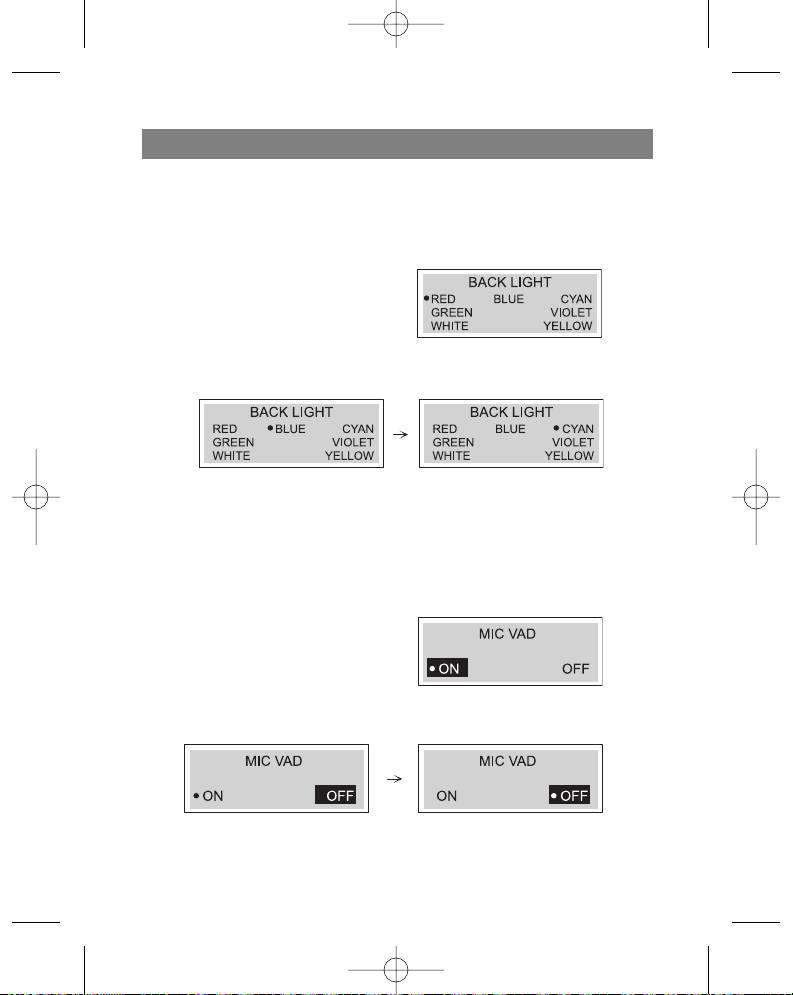
Backlight
Press and hold the Menu button for two sec-
onds and then choose the “Backlight” menu.
Using this function you can change the color
of the display's backlight.
1. Choose the desired color (red, blue, cyan, green, violet, white, yellow) for the dis-
play backlight using the Skip/Search (/ ) buttons.
2. Press the Play () button to program the desired color and then press Menu to exit
the “Backlight” menu.
3. Turn on the backlight by pressing and holding the "VOL +" button for 2 seconds.
Dictaphone Function
Before recording anything to the MP3/WMA player, you can install the Voice Activated
Dictaphone (VAD) function.
1. Press and hold the Menu button for two
seconds and then use the function selec-
tor to choose the “MIC VAD" function.
2. Use the Skip/Search (/ ) button to
choose the “On” or “Off” position and
then press the Play () button to program the chosen position.
3. Press the Menu button to exit the "MIC VAD" menu.
13
3796new1.qxd 4/1/05 5:56 PM Page 13

ENGLISH
Repeat Function
Press the ( REC) (10) button, to choose one of the five repeat modes.
Mode Display Symbol Description
Normal Plays each song one time in order.
Intro Plays the first 10 seconds of each song in order
to acquaint you with the music
Random Random playback of all songs
Repeat All Repeat playback of all song files
Repeat One Repeat playback of the currently chosen song
Notes
The repeat function is not available when listening to FM radio stations.
After playing the first 10 seconds of each song file in Introduction mode, the device
automatically turns off.
You can only choose one of the above listed repeat modes during playback
Data transfer speed in bits
Before recording anything to the MP3/WMA player; choose the speed of voice data
transfer in bits.
1. Press and hold the Menu button for two
seconds and then use function selector to
choose the (VOICE B/R) menu.
2. Use the Skip/Search (/ ) button to
select the needed speed and choose it
with the Play () button.
3. Press the menu button to exit the “Voice transfer data speed in bits” menu.
14
3796new1.qxd 4/1/05 5:56 PM Page 14
ENGLISH
Speed of data recording from line input
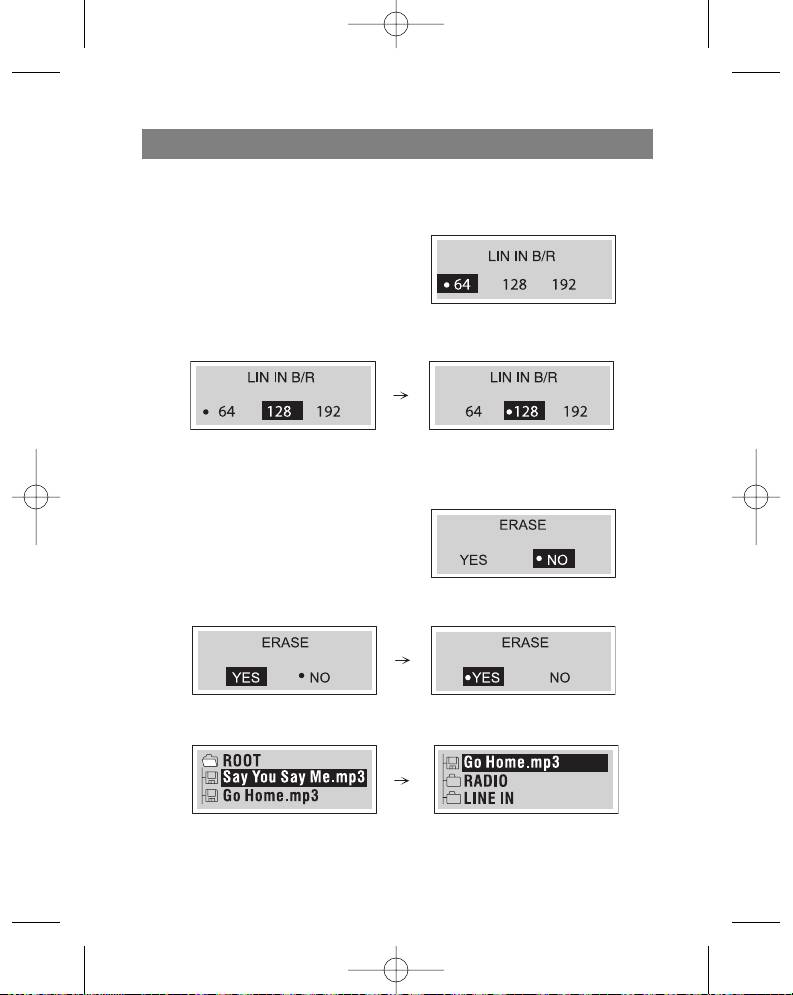
Before recording anything on the MP3/WMA player, choose the line data transfer
speed in bits.
1. Press and hold the Menu button for two
seconds and then use function selector to
choose the (LINE IN B/R) menu.
2. Use the Skip/Search (/ ) button to
select the needed speed and choose it
with the Play () button .
3. Press the Menu button to exit the “Line in data transfer» menu.
Deleting files from the MP3/WMA player
1. Press and hold the menu button for two
seconds and then use the function selector
to choose the “Erase” function.
2. Use the Skip/Search ( /) buttons to
choose ”YES” and then press the Play ( )
button.
3. Use the (+/-) button to choose the files that you want to delete.
15
3796new1.qxd 4/1/05 5:56 PM Page 15

ENGLISH
4. Press the Play () button to delete the chosen files and then the “F” button and
Menu to exit the Delete menu.
Notes
This function is only available in stop or pause modes.
Files cannot be deleted while listening to FM radio stations or MP3 format files.
Formatting files on the MP3/WMA player
1. Press and hold the menu button for two
seconds and then use the function selec-
tor to choose the “Format menu.”
2. The display will show you the “Normal”
and “Quick” formats; use the Skip/Search
(/) buttons, choose the desired format and then pres Play ( ) to set the
desired format and the (F) button to exit the menu.
“Normal” Format
”Quick” Format
16
3796new1.qxd 4/1/05 5:56 PM Page 16


