
Vitek VT-3796: Equalizer
Equalizer: Vitek VT-3796
Table of contents
- IMPORTANT TECHNICAL SAFETY RECOMMENDATIONS SAFETY MEASURES
- PLAYER FUNCTIONS AND CONTROL ELEMENTS
- CONTROL ELEMENTS
- Top/ Bottom panel LCD Display
- Installing the battery SYSTEM REQUIREMENTS Operating characteristics
- USING THE MP3/WMA PLAYER CONNECTING THE USB CABLE
- COMPARE THE PLUGS ON THE USB CABLE BEFORE USING Turning the unit On/Off Listening with Headphones
- Hold function Volume adjustment For your reference
- USING THE PLAYER
- Choosing a function mode Playback speed ADDITIONAL FUNCTIONS Bookmarks
- Equalizer
- ID3 Language (MP3 text: name of album, song and artist)
- Backlight Dictaphone Function
- Repeat Function Data transfer speed in bits
- Speed of data recording from line input Deleting files from the MP3/WMA player
- Formatting files on the MP3/WMA player
- Choosing the Voice Data Recording Speed Checking the memory level and the operating system version FM Band RECORDING VOICE DATA
- Recording from auxiliary devices
- LISTENING TO THE RADIO
- Saving into memory Saving a tuned radio station frequency Recalling a saved radio station Deleting a programmed radio station Recording from the radio
- TROUBLESHOOTING SPECIFICATION
ENGLISH
(B.MARK). This function is designed to repeat parts of compositions lasting more than
three seconds. To choose the starting point of the specific segment of a composition,
press the Bookmark button once during playback of a file.
1. The “A " symbol will appear on the display.
2. To choose the ending point of the segment, press the button again during playback
of a file. The "A
B" symbol will appear on the display.
3. To cancel the segment repeat function, press the Bookmark button. The “A
B”
symbol will disappear from the display.
Note
In radio mode (FM band), the Bookmark function and segment repeat function will not
work.
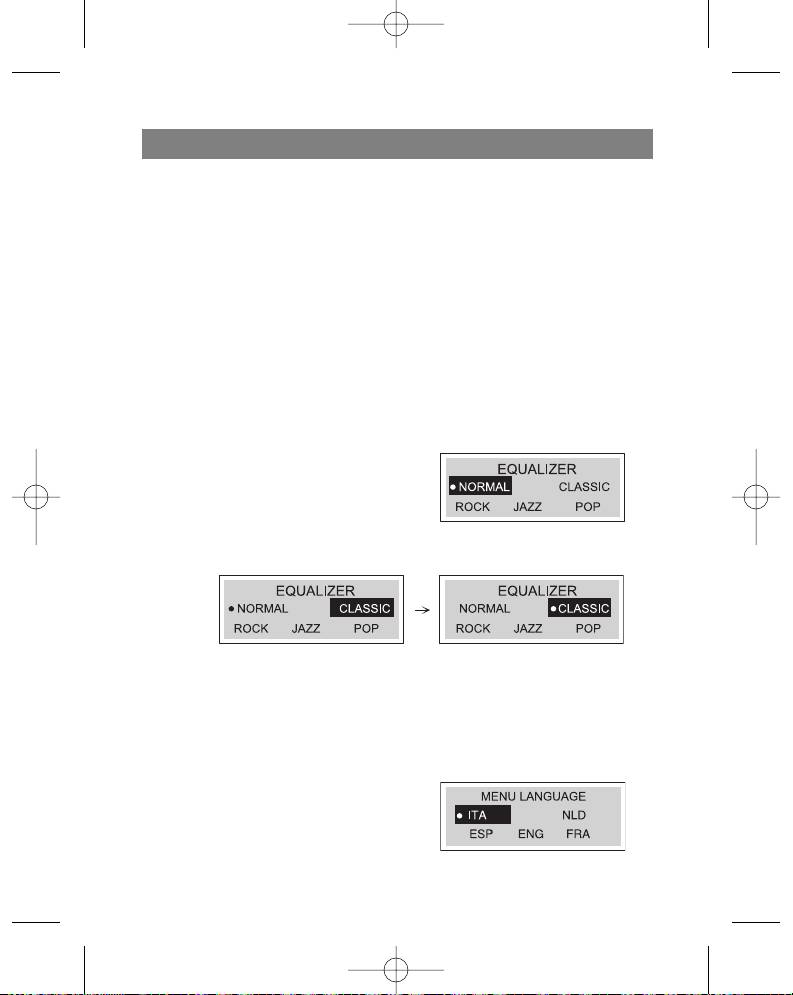
Equalizer
You can choose from one of these five sound modes.
1. Press and hold the MENU button for
two seconds and then select the
EQUALIZER function using the func-
tion selector.
2. Use the Skip/Search (/ ) buttons
to find the desired sound mode (normal, classical, rock, jazz, pop)
3. Choose the desired sound mode by pressing the Play ( ) button and then press
the MENU button again to exit the equalizer mode.
Note
The equalizer function is not available in radio mode (FM band).
Language
You can choose from four different display languages.
1. Press and hold the Menu button for two
seconds and then use the function selector
to choose the “Language” function.
11
3796new1.qxd 4/1/05 5:56 PM Page 11


