
Vitek VT-3796: LISTENING TO THE RADIO
LISTENING TO THE RADIO: Vitek VT-3796
Table of contents
- IMPORTANT TECHNICAL SAFETY RECOMMENDATIONS SAFETY MEASURES
- PLAYER FUNCTIONS AND CONTROL ELEMENTS
- CONTROL ELEMENTS
- Top/ Bottom panel LCD Display
- Installing the battery SYSTEM REQUIREMENTS Operating characteristics
- USING THE MP3/WMA PLAYER CONNECTING THE USB CABLE
- COMPARE THE PLUGS ON THE USB CABLE BEFORE USING Turning the unit On/Off Listening with Headphones
- Hold function Volume adjustment For your reference
- USING THE PLAYER
- Choosing a function mode Playback speed ADDITIONAL FUNCTIONS Bookmarks
- Equalizer
- ID3 Language (MP3 text: name of album, song and artist)
- Backlight Dictaphone Function
- Repeat Function Data transfer speed in bits
- Speed of data recording from line input Deleting files from the MP3/WMA player
- Formatting files on the MP3/WMA player
- Choosing the Voice Data Recording Speed Checking the memory level and the operating system version FM Band RECORDING VOICE DATA
- Recording from auxiliary devices
- LISTENING TO THE RADIO
- Saving into memory Saving a tuned radio station frequency Recalling a saved radio station Deleting a programmed radio station Recording from the radio
- TROUBLESHOOTING SPECIFICATION
ENGLISH
Notes
Recorded files are saved under the names LINI001.MP3, LINI002.MP3,
LINI003.MP3... and so forth.
If the "FULL!!!" symbol appears on the display, delete some files in order to free-up
space for new recordings.
Enter the "LINE IN" folder to play back recorded files.
LISTENING TO THE RADIO
Listening to radio stations
1. Press and HOLD THE FUNCTION SELECTOR (F) FOR MORE THAN ONE SECOND
AND THEN USE THE (/) BUTTONS to choose the FM Radio mode and press the
Play () button. The radio is ready for use.
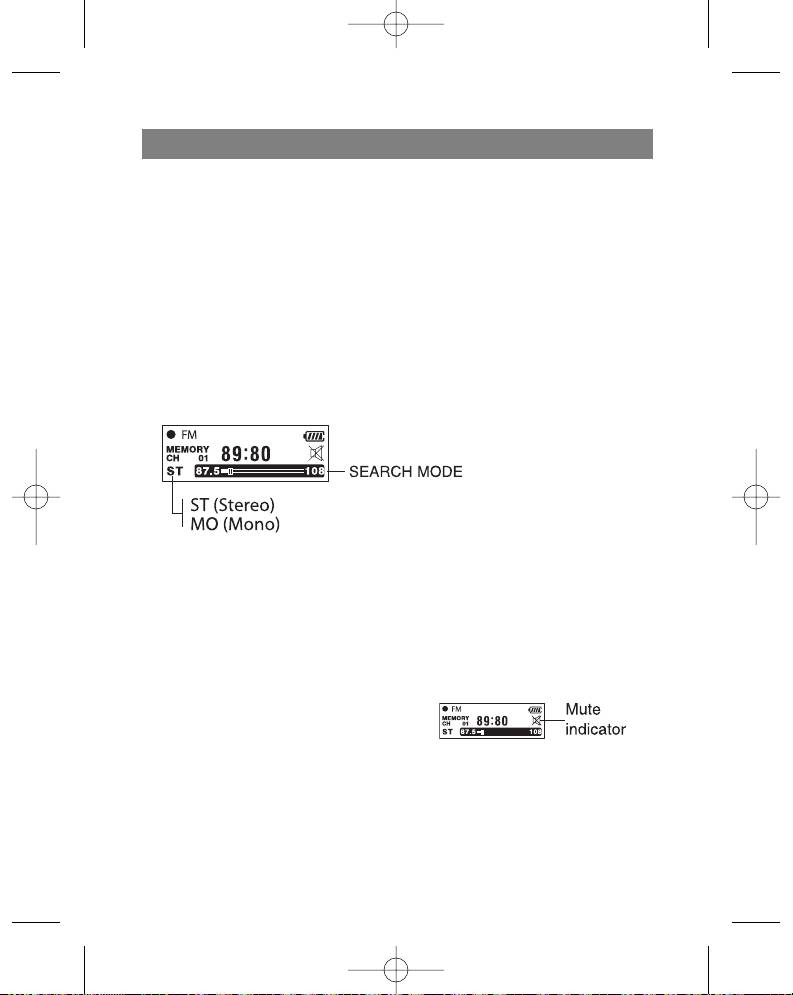
2. Press the function selector (F) to choose the desired mode (ST: Stereo, MO: Mono)
3. Tune to the desired frequency using the Skip/Search (/) buttons.
Tuning a radio station manually
- Tune to the desired station by pressing the Skip/Search ( ) buttons.
Tuning a radio station automatically
- Press and hold the Skip/Search (/) buttons for more than one second (The
search will end as soon as the radio tunes to a radio station)
Notes
When listening to FM band radio stations,
connect the headphones to the correct
jack. The headphones also act as an
antenna.
If you press the Play ( ) button while lis-
tening to a FM Band radio station, the
sound will mute.
You can program up to 20 radio stations into the player's memory.
19
3796new1.qxd 4/1/05 5:56 PM Page 19


