
Vitek VT-3796: Installing the battery SYSTEM REQUIREMENTS Operating characteristics
Installing the battery SYSTEM REQUIREMENTS Operating characteristics: Vitek VT-3796
Table of contents
- IMPORTANT TECHNICAL SAFETY RECOMMENDATIONS SAFETY MEASURES
- PLAYER FUNCTIONS AND CONTROL ELEMENTS
- CONTROL ELEMENTS
- Top/ Bottom panel LCD Display
- Installing the battery SYSTEM REQUIREMENTS Operating characteristics
- USING THE MP3/WMA PLAYER CONNECTING THE USB CABLE
- COMPARE THE PLUGS ON THE USB CABLE BEFORE USING Turning the unit On/Off Listening with Headphones
- Hold function Volume adjustment For your reference
- USING THE PLAYER
- Choosing a function mode Playback speed ADDITIONAL FUNCTIONS Bookmarks
- Equalizer
- ID3 Language (MP3 text: name of album, song and artist)
- Backlight Dictaphone Function
- Repeat Function Data transfer speed in bits
- Speed of data recording from line input Deleting files from the MP3/WMA player
- Formatting files on the MP3/WMA player
- Choosing the Voice Data Recording Speed Checking the memory level and the operating system version FM Band RECORDING VOICE DATA
- Recording from auxiliary devices
- LISTENING TO THE RADIO
- Saving into memory Saving a tuned radio station frequency Recalling a saved radio station Deleting a programmed radio station Recording from the radio
- TROUBLESHOOTING SPECIFICATION
ENGLISH
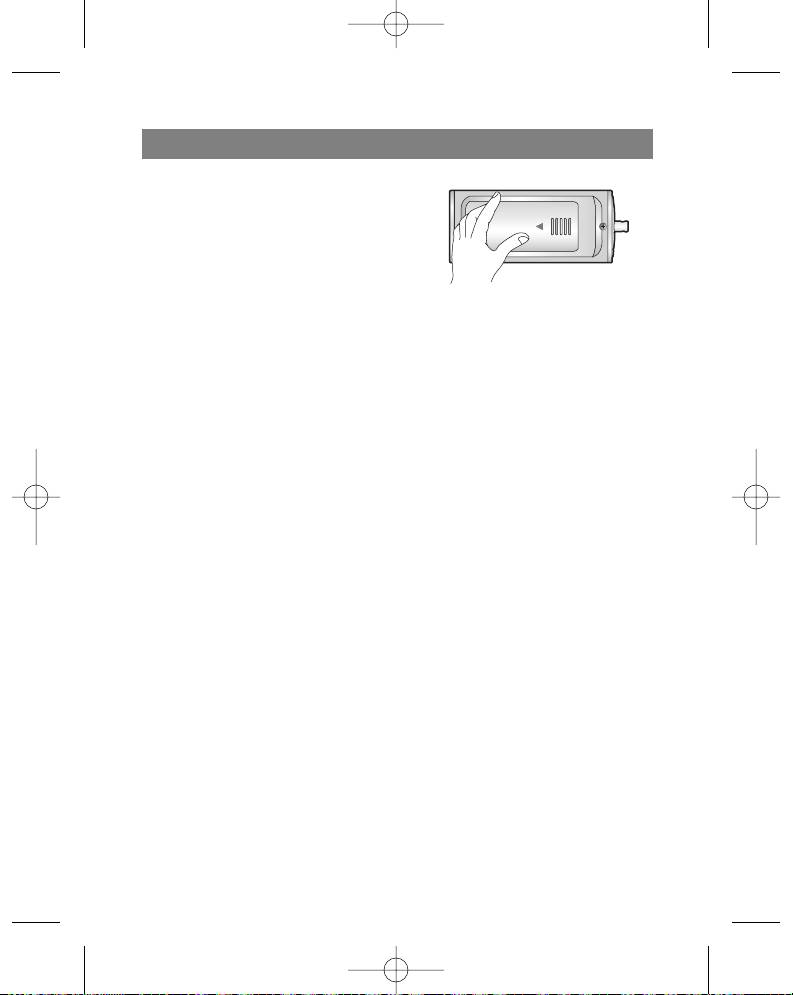
Installing the battery
1. Open the battery compartment lid.
2. Insert the battery.
Make sure that the + and - symbols on the
battery correspond to the same symbols
in the battery compartment.
3. Close the battery compartment lid.
Notes
Improper battery installation can lead to battery leakage and corrosion.
If the battery leaks, clean the battery compartment of the leakage and install a new
battery.
SYSTEM REQUIREMENTS
In order to connect the MP3/WMA player to a computer, it should meet the following
requirements:
Operating characteristics
Operating system: Windows 98/ME/2000/XP
Computer: at least a Pentium - 133 MHz
Memory: no less than 32 MB (more than 32 MB is recommended)
Hard disk space: no less than 100 MB
Video-card: 640 x 480 mode, no less than High Color (16 bit)
USB port
CD-ROM drive
What is USB?
USB stand for Universal Serial Bus.
This is a new interface based on a new concept for connecting your PC to peripher-
al devices.
Maximum bandwidth: 12 MB/s, up to 127 USB devices can be connected to one
PC.
5
3796new1.qxd 4/1/05 5:56 PM Page 5


