
Vitek VT-3480 GY:
: Vitek VT-3480 GY
Table of contents
-
-
-
- Fastforward/Fastreverse PressagaintheMEMORY/DISPbutton.ID3willoff.
-
-
-
-
-
-
-
-
-
-
Ifawhistlingnoiseoccurswhenrecordingfrom
anFMorMWstation,settheBEATCANCEL
switchtoor2,whichevergivesthebestrecep-
tion.
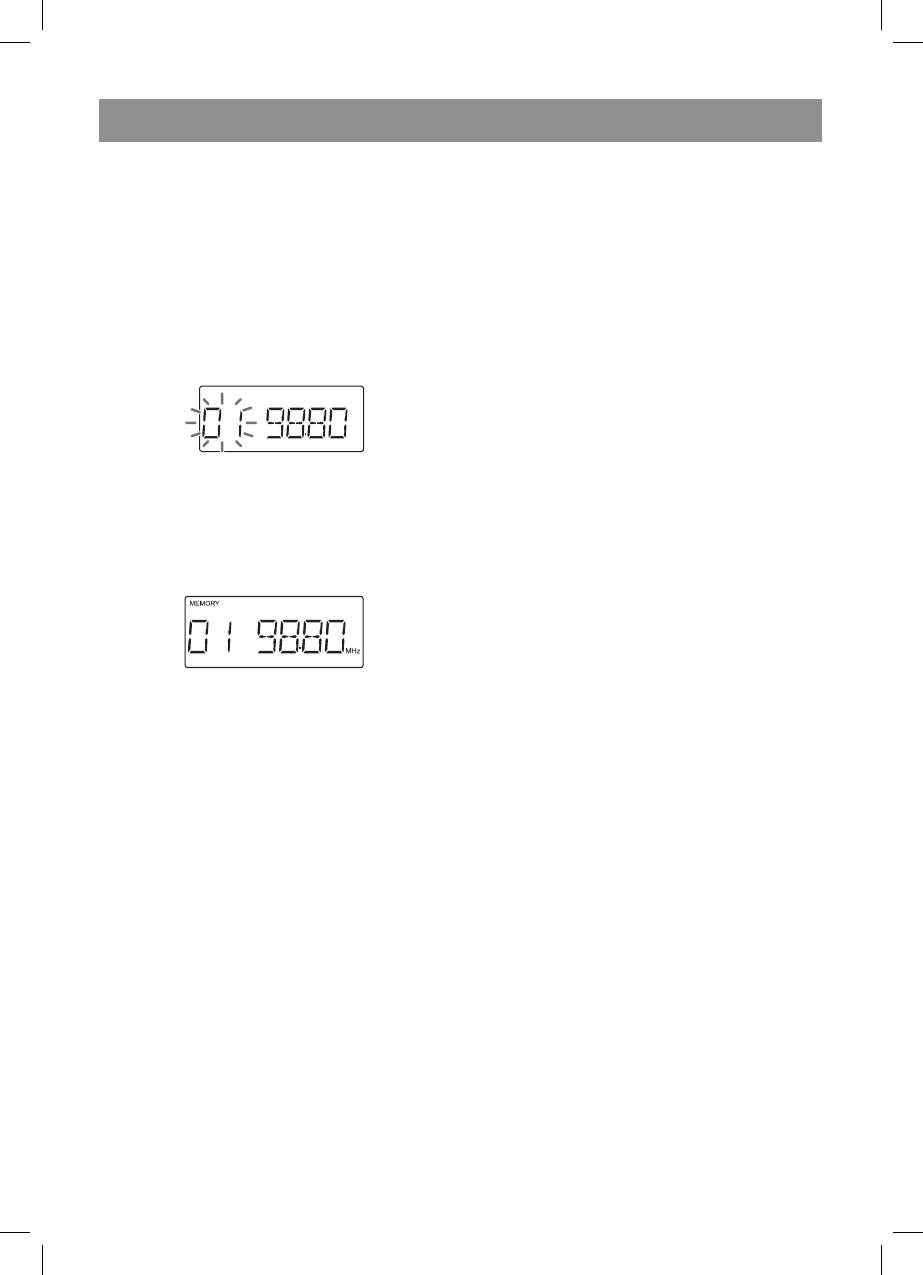
Youcanstore20FMand0MWstationsin
memoryandrecallthematthepushofabutton.
. Performsteps-3in“Tuning”.
2. PresstheMEMORY/DISPbuttontoenterthe
presettuningsavingmode.
3
MHz
compartment,tightentheslackwithapen
orapencil.
. PresstheON/STAND-BYbuttontoturnthe
poweron.
2. PresstheTAPEbutton.
3. Openthecassettecompartmentbypushing
theSTOP/EJECTbutton.
. Loadacassetteintothecassette
compartmentwiththesidetobeplayed
facingup.
5. PressthePLAYbutton.
6. Toadvancethetape,presstheSTOP/EJECT
button,andthenpresstheF.FWDbutton.To
rewind,presstheSTOP/EJECTbutton,and
thenpresstheREWINDbutton.
3. Withinnext0seconds,pressthePRESET
(\/or/\)buttontoselectthepresetchannel
Pressthe“PAUSEII”buttonduringplayback.
number.
PressthePAUSEbuttonagainthe“PAUSEII”to
Storethestationsinmemory,inorder,
resumeplayback
startingwithpresetchannel.
. Within0seconds,presstheMEMORY/
DISPbuttontostorethatstationinmemory.
Pressthe“STOP/EJECT”button.
Precautions
• BesurenottopressthePLAYandREWIND
buttonssimultaneously,orthetapewill
becomedamaged.
Ifthe“MEMORY”andpresetnumber
• Beforechangingfromonetapeoperationto
indicatorsdisappearbeforethestationis
another,pressthe“STOP/EJECT”button.
memorized,repeattheoperationfromstep2.
• DonotpressthePAUSEbuttonwhilstthe
5. Repeatsteps-tosetotherstations,or
fastforwardorrewindoperationsarein
tochangeapresetstation.
progress.
Whenanewstationisstoredinmemory,thesta-
Notes
tionpreviouslymemorizedwillbeerased.
• Tapeplaybuttonwillbeautomatically
releasedwhentheendofthetapehasbeen
Thebackupfunctionprotectsthememorized
reached.
stationsforafewhoursshouldtherebeapower
• IfFastforwardorrewindbuttoncannotbe
failureortheACpowerleaddisconnection.
automaticallyreleasedwhentheendofthe
tapehasbeenreached.Makesuretopress
theSTOP/EJECTbuttonwhentheendofthe
Pressthe“PRESET(\/or/\)”toselectthede-
tapehasbeenreached.
siredstation.
Recordingtoacassettetape
Beforerecording
• Whenrecordingimportantselections,make
apreliminarytesttoensurethatthedesired
Beforeplayback
materialisproperlyrecorded.
• Forplayback,usenormalorlow-noisetapes
• VITEKisnotliablefordamageorlossofyour
forthebestsound.(MetalorCrOtapesare
recordingarisingfrommalfunctionofthis
notrecommended.)
unit.
• DonotuseC-20tapesorpoor-quality
• Thevolumeandsoundcontrolscanbe
tapes,astheymaycausemalfunctions.
adjustedwithnoeffectontherecorded
• Beforeloadingatapeintothecassette
signal.
3480.indd 13 23.04.2007 16:03:01


