
Vitek VT-3480 GY:
: Vitek VT-3480 GY
Table of contents
-
-
-
- Fastforward/Fastreverse PressagaintheMEMORY/DISPbutton.ID3willoff.
-
-
-
-
-
-
-
-
-
-
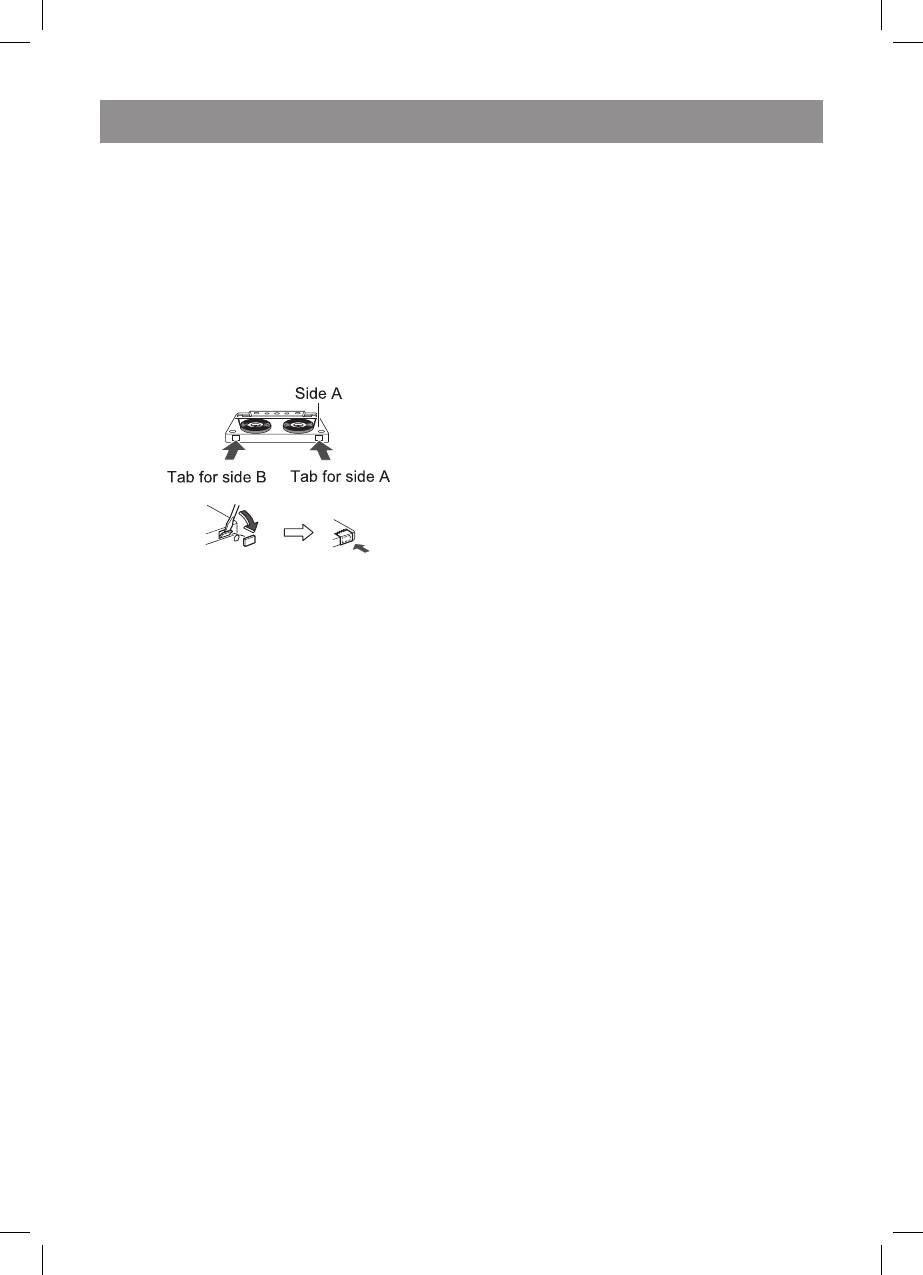
• Forrecording,useonlynormaltapes.Do
duringrecording,therecordindicatorwill
notusemetalorCrOtapes.
disappear,butCDwillbestillspinning.
5. TostoptheCDspinningpressthe“”
button.
• Whenrecordingonacassettetape,make
surethattheerasepreventiontabsarenot
. Selectthememoriestrackyouwantto
removed.Cassetteshaveremovabletabs
record.
thatpreventaccidentalrecordingorerasing
2. Aftermemoriestheselectedtrack,pressthe
• Toprotecttherecordedsound,
RECORDbutton.Therecordingformemory
removethetabafterrecording.Cover
trackwillbeginuntilend.
thetabholewithadhesivetapeto
3. WhenpresstheSTOP/EJECT/button
recordonthetapewithoutthetab.
duringrecording,therecordindicatorwill
disappear,butCDwillbestillspinning.
. TostoptheCDspinningpressthe“”
button.
Note
Cassetteplayandrecordbuttonswillautomati-
callyreleasewhentheendoftapehasbeen
reached.
• Beforepluggingintheheadphones,make
surethevolumelevelisreduced.
. SettheFUNCTIONswitchtoRADIO.
• Besureyourheadphoneshavea3.5mm
2. SettheBANDSELECTORswitchtoFMor
diameterplugandarebetween6ohmsand
MW.
50ohmsimpedance.Therecommended
3. Tuneintothestationtoberecorded.
impedanceis32ohms.
. Loadablankcassetteintothecassette
• Whenheadphonesareconnected,the
compartmentwiththesidetoberecorded
speakersaredisconnectedautomatically.
onfacingup.
AdjusttheVOLUMEcontrolfordesired
5. Pressthe“PAUSEII”button.
volume.
6. Pressthe“RECORD”button.
Pressthe“STOP/EJECT”buttontostop
recording.
7. PressthePAUSEIIbuttonagaintocontinue
Manypotentialproblemscanberesolvedby
recording.
theownerwithoutcallingaservicetechnician.If
somethingiswrongwiththisproduct,checkthe
Playandrecordbuttonswillbeautomaticallyre-
followingbeforecallingyourauthorizedVITEK
leasedwhentheendoftapehasbeenreached.
dealerorservicecentre.
Beatcancelswitch
Ifawhistlingnoiseoccurswhenrecordingfroman
FMorAMstation,settheBEATCANCELswitchto
or2,whichevergivesthebestreception.
. SettheFUNCTIONswitchtoCDorUSB.
2. Loadablankcassetteintothecassette
compartmentwiththesidetoberecorded
onfacingup.
3. PresstheRECORDbutton,therecordingwill
begin.
. WhenpresstheSTOP/EJECT/button
3480.indd 14 23.04.2007 16:03:01


