
Vitek VT-3480 GY:
: Vitek VT-3480 GY
Table of contents
-
-
-
- Fastforward/Fastreverse PressagaintheMEMORY/DISPbutton.ID3willoff.
-
-
-
-
-
-
-
-
-
-
0
IfMP3/WMAfilesarerecordedinseveralfold-
ers,totalnumberoffolderandtracknumberwill
bedisplay.
Thefolderandfileorderinformationwhichis
recordedonthediscdependsonthewriting
software.Theremaybepossibilitiesthatthisunit
willplaybackthefilesnotaccordingtoourex-
pectedplaybackorder.
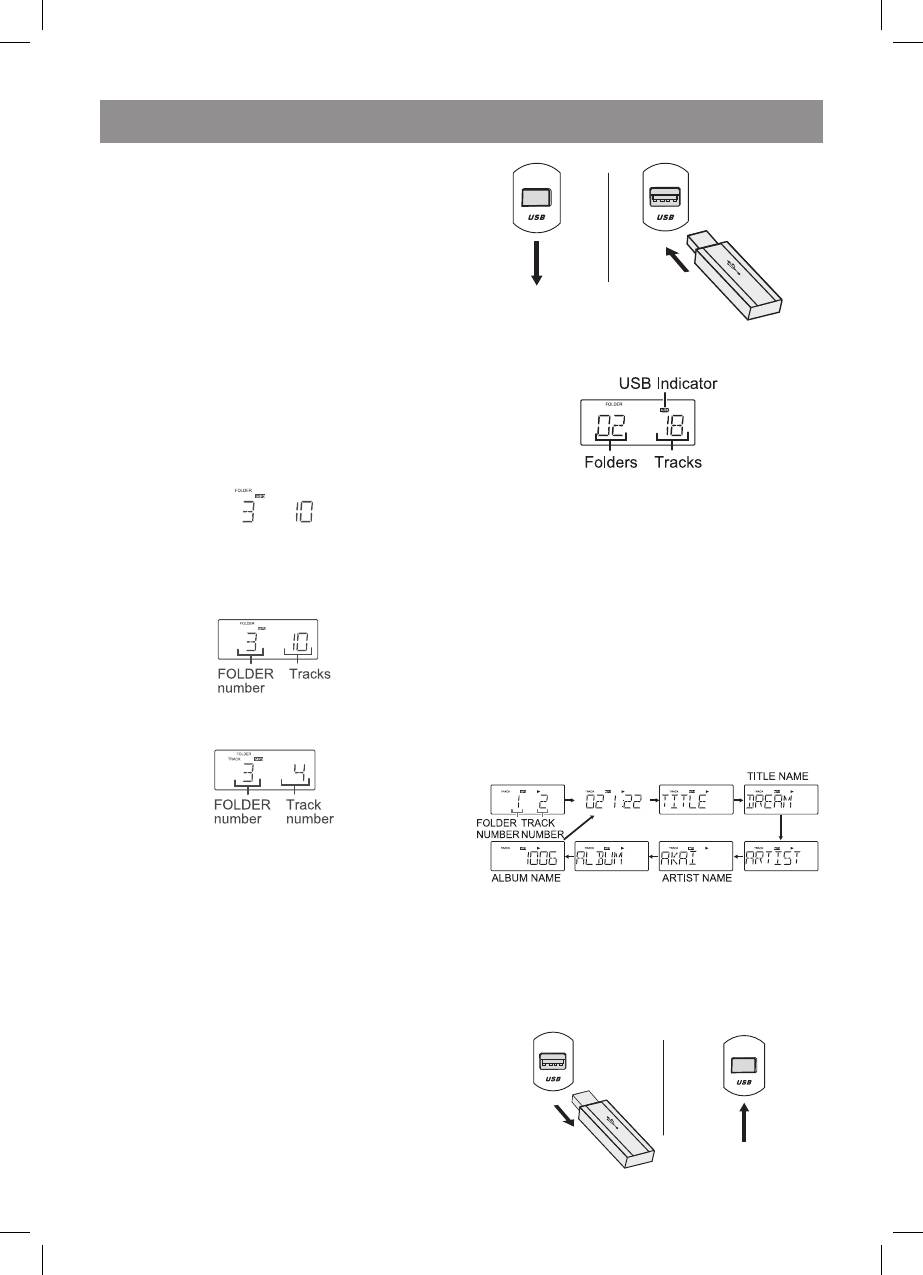
WhentheUSBmemoryisconnectedtothemain
unit,thedeviceinformationwillbedisplayed.
. PresstheOPENbutton,andloadaMP3/
WMAdisc.
Afterdiscisloaded,thediscinfowillbe
displayed.
USBindicator–IndicatorofUSBpresence
Folders–numberoffolders
Tracks–numberoftracks
2. Whilstplaymodeorstopmode,pressthe
2. Whilstinthestoporplaybackmode,select
FOLDER(\/or/\)button.
thedesiredfolderbypressingtheFOLDER
3. Selectdesiredfiletobeplayedbackby
(\/or/\)button.
pressingthe“”or“”button.
. Pressthe“USB/II”button.Playbackwill
bestartandtheMP3orWMAindicatorwill
bedisplayed.
Title,ArtistandAlbumnameisdisplayedifit
isrecordedonthedisc.
3. Selectthedesiredtrackbypressingthe
• Displaycontentcanbechangedbypressing
“”or“”button.
theMEMORY/DISPbutton.:
. Pressthe“CD/II”button.Playbackwill
start.
Note
ListeningtoUSBmassstoragedevice/MP3
Topauseplaybackpressthe“USB/II”button.
player
.Pressthe“USB”buttononmainunit.
ThisproductisnotcompatiblewithMTPand
2.DisconnectUSBmemorydevicefromthe
AACfilesystems.
USBterminal.
. PresstheUSBbutton,andpushdownthe
USBdoor.ConnecttheUSBMemorydevice
thathasMP3/WMAformatfilesontheunit.
3480.indd 10 23.04.2007 16:02:58


